
AI in digital marketing: what actually works right now
Where AI genuinely saves marketers time on real client work, and where it quietly makes things worse.
Read article →
This web development syllabus takes you from never having written code to a live, working website in twelve modules. It follows the order most good courses use, in plain words, with free official resources for every step. If your real goal is building websites for businesses rather than becoming a software developer, there is a shorter path too, and we cover that as well.
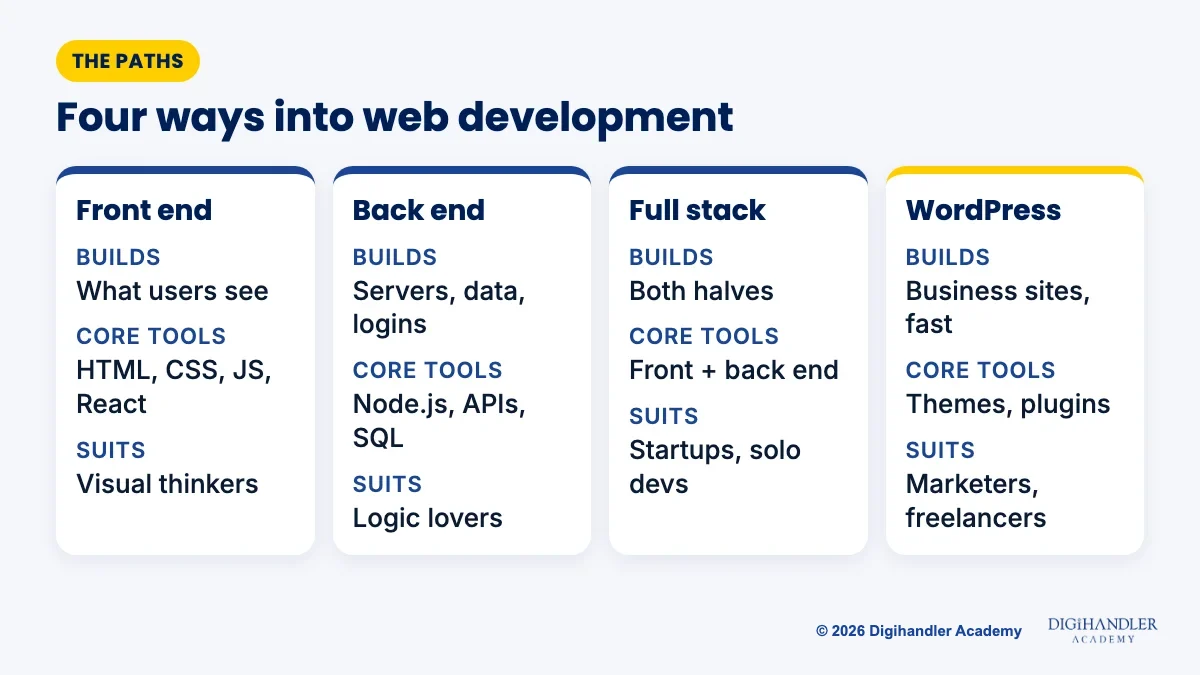
Web development is the work of building websites and web apps. Every site has two halves. The front end is what you see and tap in the browser. The back end runs on a server and handles data, logins and payments.
That gives you three classic paths. Front-end developers build the screens. Back-end developers build the logic and databases behind them. Full-stack developers do a working amount of both, which is why most beginner syllabi, including this one, cover the full stack.
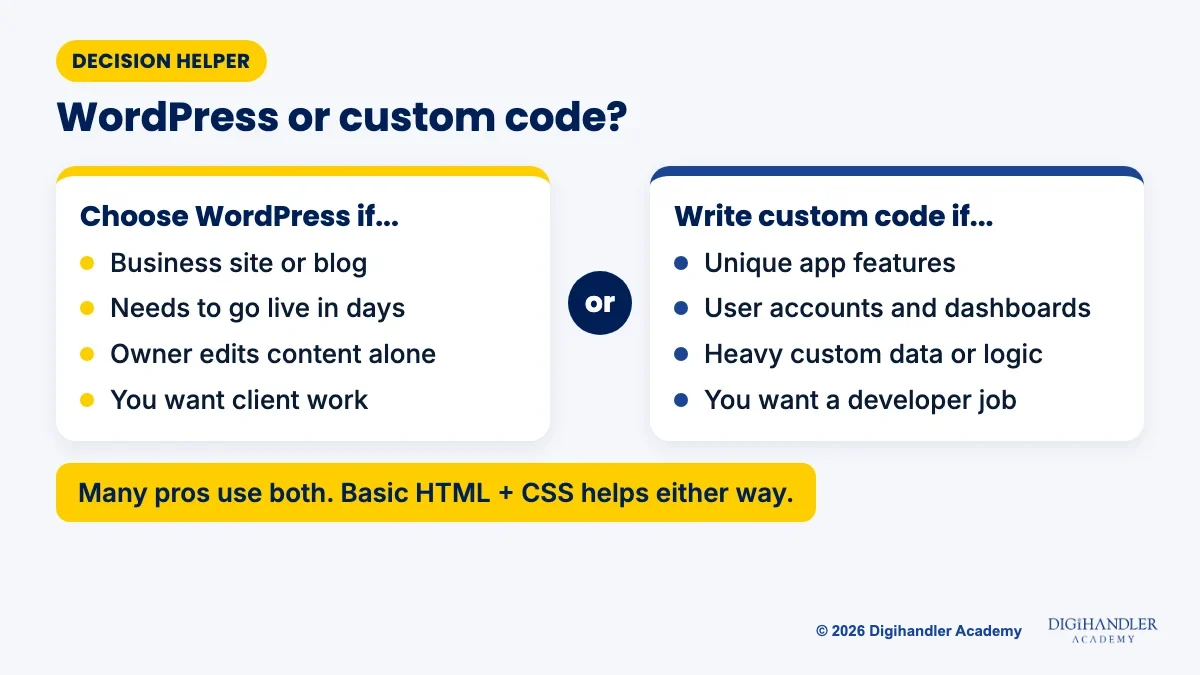
There is also a practical fourth path. Most small-business websites need no custom code at all. WordPress, a free open-source platform, runs roughly 4 in 10 of all websites, according to W3Techs. If you want to build sites for local businesses and help them win customers, WordPress plus marketing skills (what our digital marketing course teaches) can get you earning sooner. Our digital marketing roadmap shows where websites fit in that bigger picture.
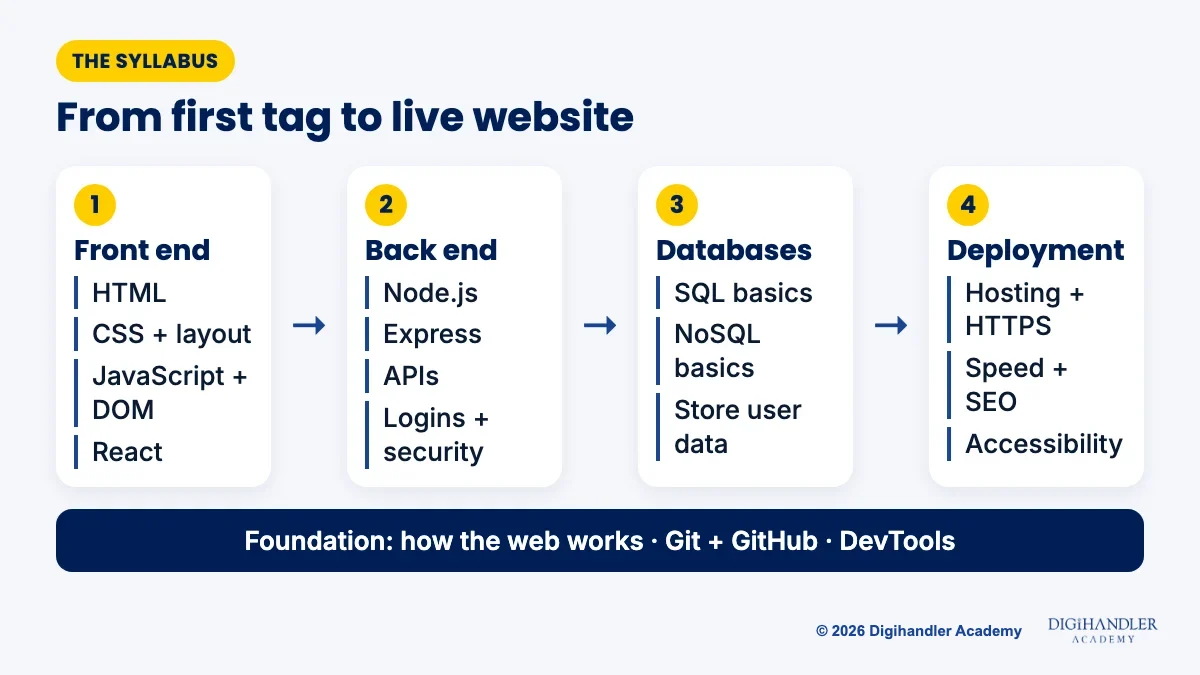
Here is the full web development course syllabus in the order we suggest learning it. Each module builds on the one before, so resist the urge to skip ahead.
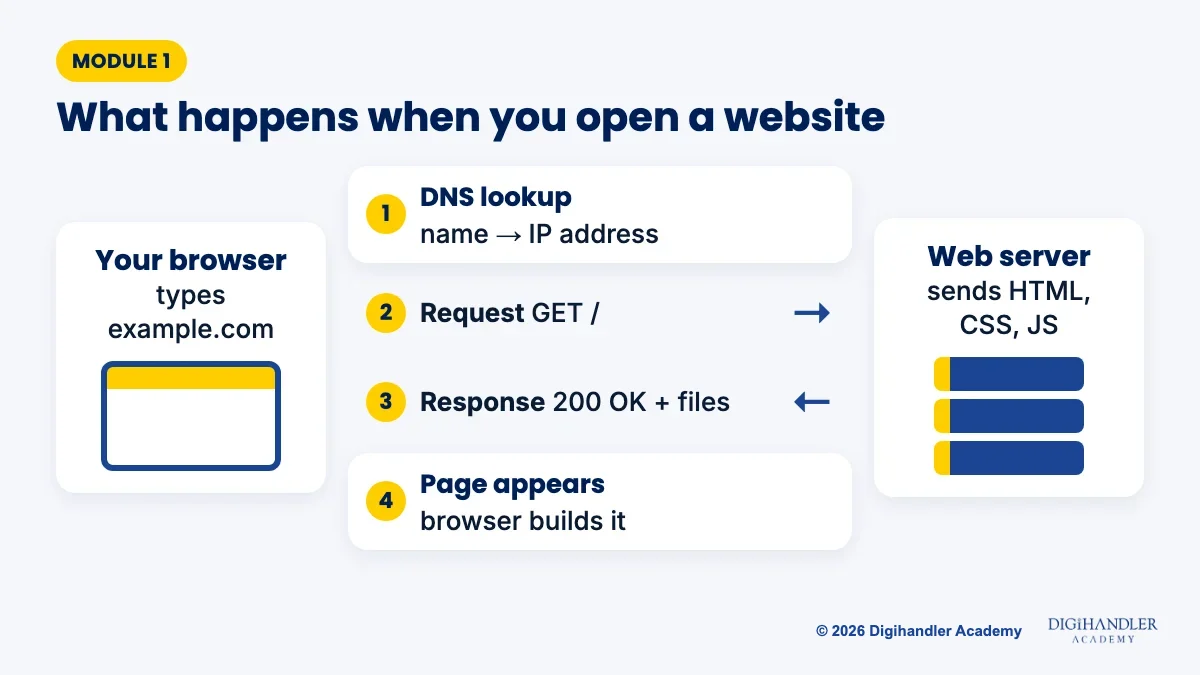
Before writing code, learn what happens when you type a web address. MDN explains it in four steps. Your browser asks DNS, the internet's address book, for the server's IP address. It sends an HTTP request to that server. The server replies with a status code such as 200 (OK) plus the files. Your browser then assembles those files into the page you see.
This one picture explains most of web development. Front-end code is what the server sends to the browser. Back-end code is what runs on the server to decide what to send. Spend a few days here; it saves weeks of confusion later.
HTML, CSS and JavaScript are the core of every web development syllabus for beginners, and every browser understands them. Think of a body. HTML is the skeleton: headings, paragraphs, images and buttons. CSS is the skin and clothes: colours, fonts, spacing and layout. JavaScript is the muscles: it makes the page react when someone clicks, types or scrolls.
header, nav, main and footer, plus forms. The official standard is the WHATWG HTML Living Standard, but MDN is the friendlier place to read about it.fetch for loading data.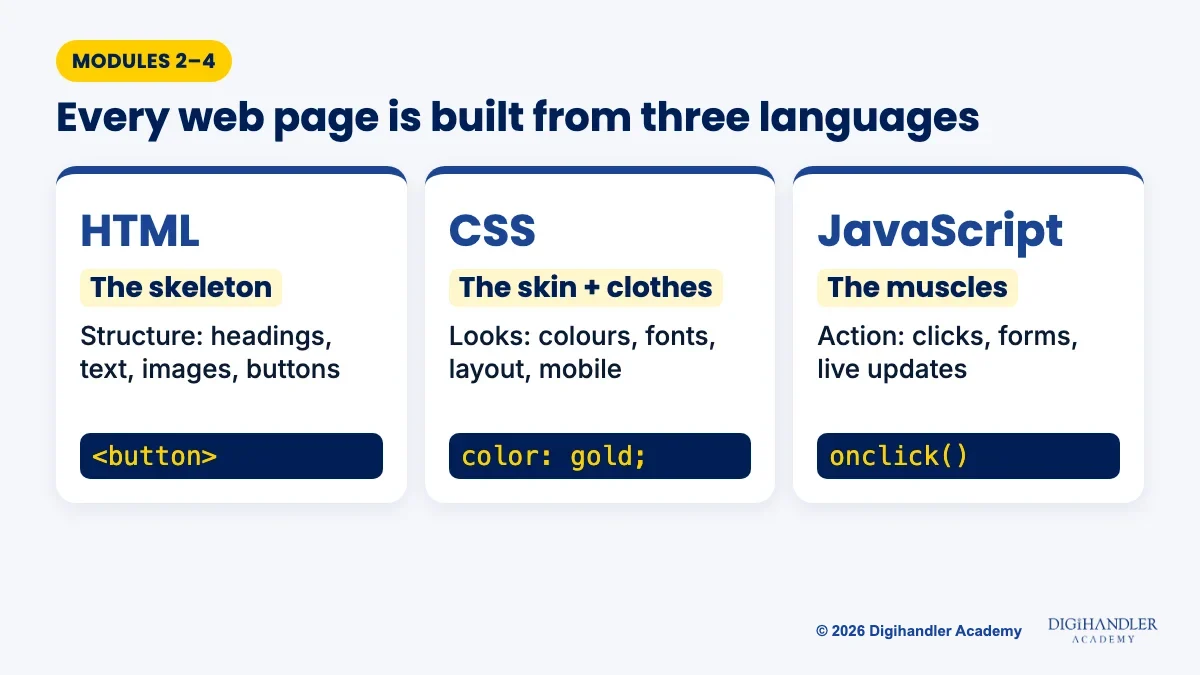
Start using Git the day you write your first file. Git saves snapshots of your project so you can undo mistakes, and GitHub stores those snapshots online where employers and clients can see them. After a one-time setup, three commands, typed in VS Code's built-in terminal, cover most days:
git add .
git commit -m "Add contact form"
git push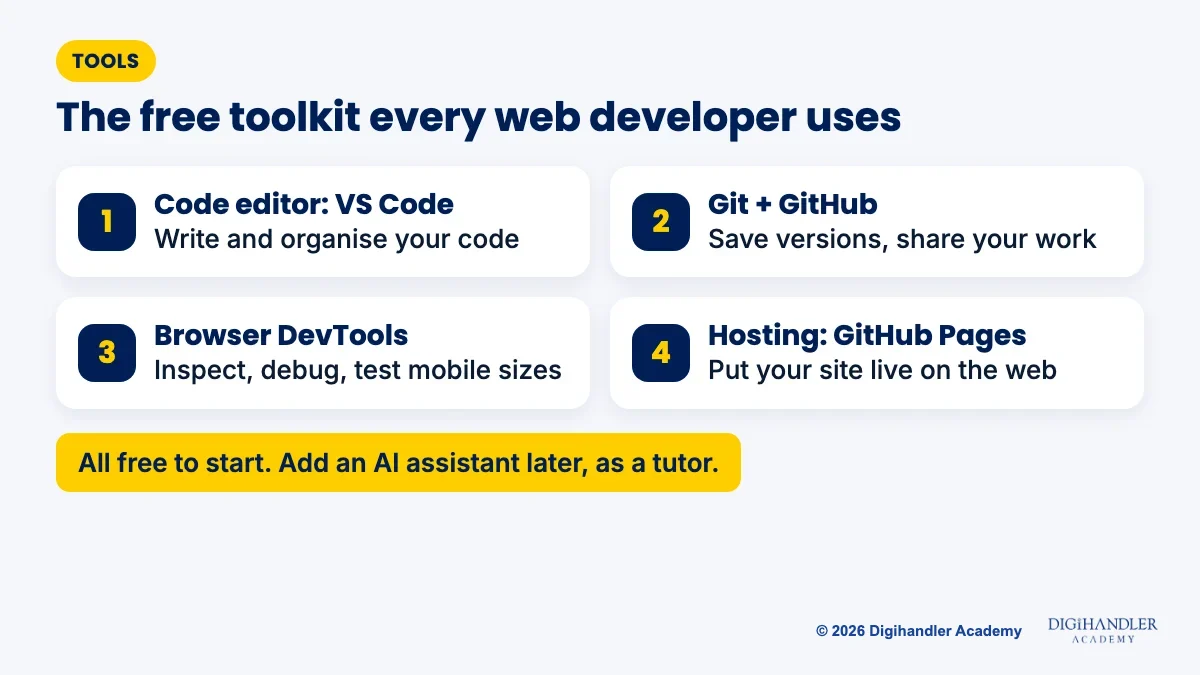
The back end is where full-stack skills begin. Node.js runs JavaScript outside the browser, so you can use one language for both halves. Express, a small framework for Node.js, makes it easy to build an API: a set of web addresses your front end calls to fetch or save data.
Data needs a home. Learn SQL first with PostgreSQL or MySQL, because tables, rows and relationships appear everywhere. Then try a NoSQL database like MongoDB, which stores flexible documents.
Then cover security basics. Hash passwords instead of storing them, keep secret keys out of your code, check every form input on the server, and use HTTPS. Read the OWASP Top 10 (2025 edition), a free list of the most common web security risks.
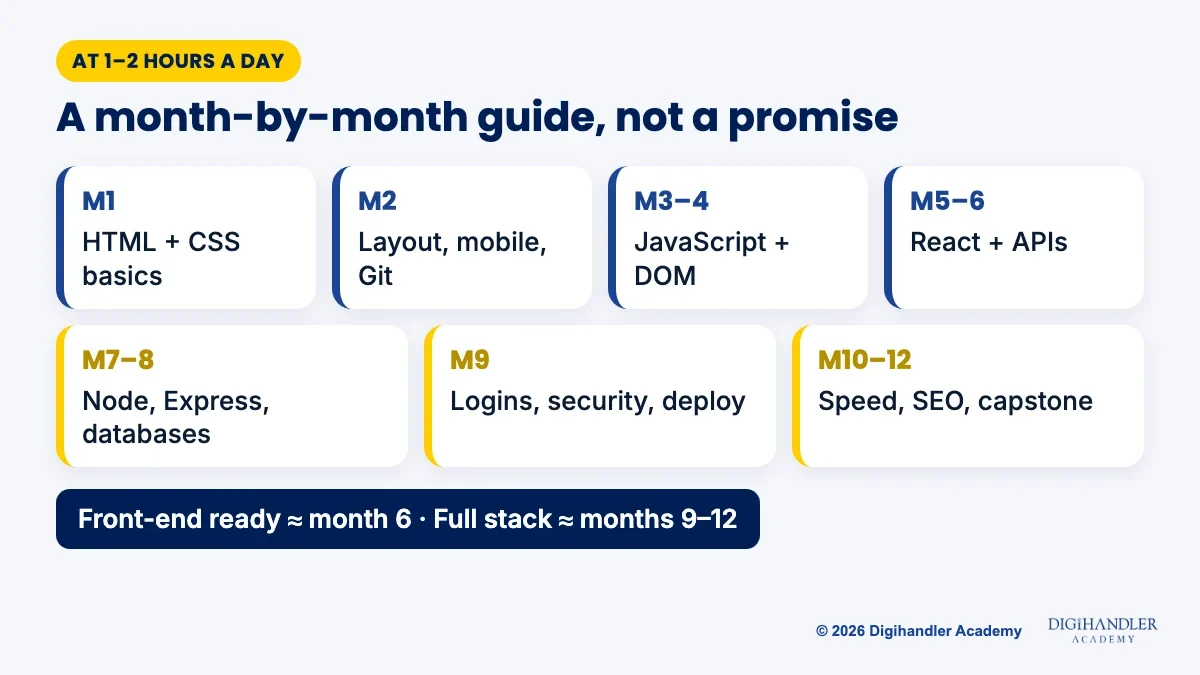
At 1–2 hours a day, a realistic guide is about 9–12 months to reach a junior full-stack level, and around 6 months for front end alone. Treat these as rough guides, not promises; building counts more than watching.
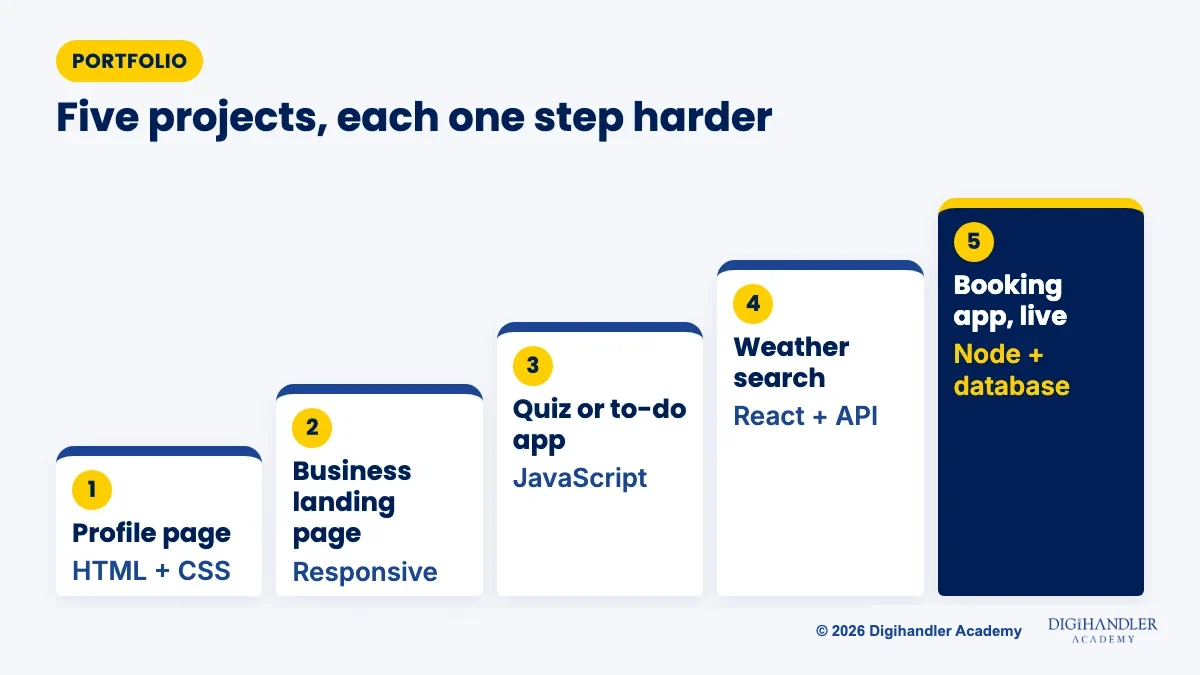
Employers and clients trust what they can click. Build these five, each a little harder than the last, and put every one on GitHub with a live link.
Yes. Every module above has excellent free material from official sources, listed below.
For the website-and-marketing side, follow Digihandler Academy on YouTube and Instagram, where we share free lessons and tips. Subscribe and turn on notifications, save useful posts into a folder, and each week build one small thing you learned.
An honest note first: Digihandler Academy is a digital marketing and AI institute, not a coding bootcamp. We do not teach React, Node.js or full-stack programming. If that is your goal, the free path above is the right place to start.
But many people searching for a web development syllabus really want to build websites for businesses and get paid for it. That is what the "Websites, WordPress & optimisation" part of our course covers: domains, hosting, DNS and SSL; WordPress from a blank install with themes, plugins and page builders; page speed and Core Web Vitals; and website design from wireframe to a live, responsive page with sections built to convert visitors.
It sits inside our AI-Powered Digital Marketing course alongside SEO, ads, design and AI tools, so you learn to build a site and then bring it customers. The 44 modules run for 5 months of practical learning plus 1 month of professional training, with live client projects, freelancing and client-acquisition modules, and internship and placement assistance. We are ISO 9001 certified, have trained 300+ students, and teach at our Rohtak campus and live online. Book the 3-day free demo before you decide. If design is your thing, see our graphic design roadmap too.

Riya writes Digihandler Academy's guides and roadmaps. Every article is fact-checked and reviewed by Lovish Madaan, founder & trainer, who has run the Digihandler agency since 2018. More from Riya →
A beginner web development syllabus usually runs in this order: how the internet works, HTML, CSS (including Flexbox, Grid and responsive design), JavaScript and the DOM, Git and GitHub, a front-end framework such as React, back-end basics with Node.js and Express, databases (SQL and NoSQL), authentication and security, deployment, and finally performance, accessibility and SEO. Learn them in that order, because each module builds on the one before, and finish a small project after every module so the skills stick.
Studying 1–2 hours a day, many beginners reach a junior front-end level in around six months and a junior full-stack level in about nine to twelve months. These are rough guides, not promises. Your pace depends on how much you build rather than how many videos you watch. Someone who only wants to build business websites with WordPress can usually become useful much sooner, often within one or two months of steady practice.
Yes. MDN Web Docs from Mozilla, Google's web.dev Learn courses, freeCodeCamp and The Odin Project together cover the full syllabus at no cost, and the official React, Node.js and Git documentation is free too. Free tools such as VS Code, Git, GitHub and browser DevTools are all you need to start. The hard part is not money but consistency: set a fixed daily study time, build real projects, and share each one on GitHub with a live link.
It depends on your goal. If you want to build websites for local businesses, blogs and landing pages, and get clients quickly, WordPress is the faster route, because themes, plugins and page builders handle most of the work. If you want a job as a software developer or need custom features like user dashboards, learn to code with HTML, CSS, JavaScript and a framework. Many professionals use both, and knowing basic HTML and CSS makes you better at WordPress too.
Yes, but the job is shifting. AI assistants can draft code quickly, yet someone still has to understand what the business needs, check the output, fix bugs, keep the site secure, and make it fast and accessible. That person needs the fundamentals in this syllabus. Learn the basics without AI first, then use assistants to explain errors and speed up routine work. Always read, test and understand any AI-generated code before you put it live.
Where AI genuinely saves marketers time on real client work, and where it quietly makes things worse.
Read article →
What decides whether an AI assistant quotes your page, and the fixes worth doing first.
Read article →