AI in digital marketing: what actually works right now
Where AI genuinely saves marketers time on real client work, and where it quietly makes things worse.
Read article →
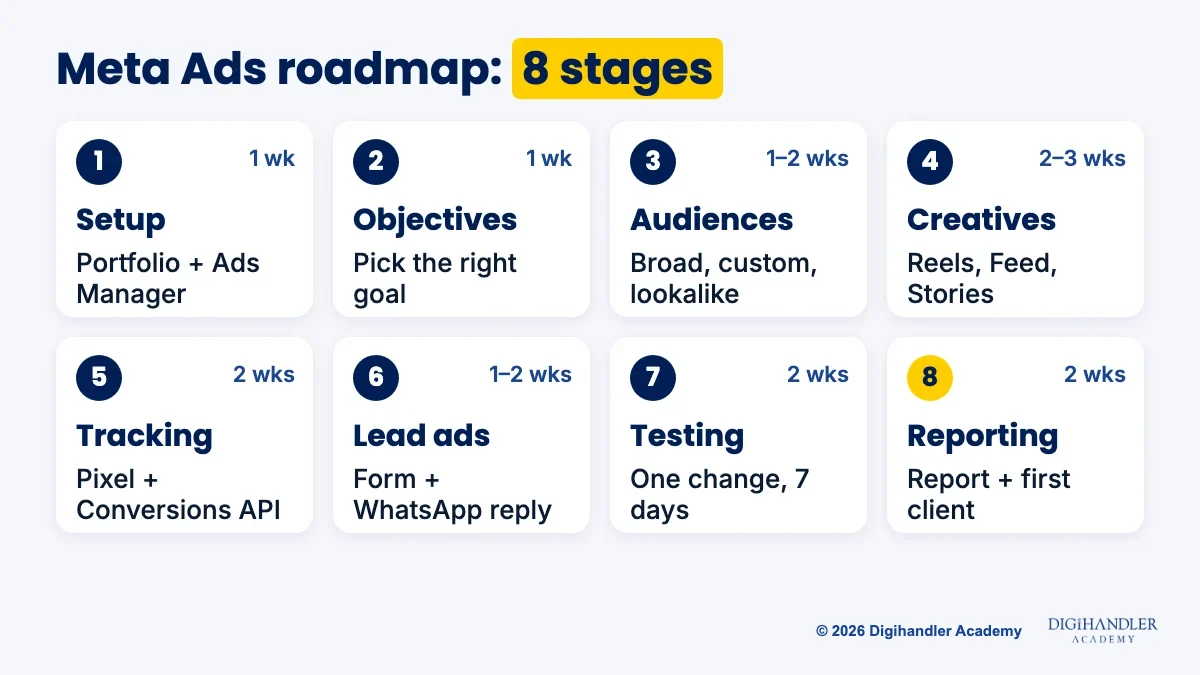
This Meta Ads roadmap takes you from never opening Ads Manager to running a real campaign for a real business. It follows eight stages in the order you actually need them, gives you a free tool and a small project for each, and shows how to learn Facebook and Instagram ads for ₹0 if you have no budget for a course.
Meta Ads means paid ads on Facebook, Instagram, Messenger and WhatsApp, all built in one tool called Ads Manager. It is one branch of a bigger skill tree, so if you are still choosing where to start, read our digital marketing roadmap first.
Agencies, D2C brands, coaching institutes, clinics and local shops hire for it, and many small businesses pay freelancers monthly. A normal day: check results, pause ads that waste money, brief new creatives, pass leads on and send a weekly report.
Meta creates demand rather than catching it. People are scrolling Reels, not searching, so the creative that stops the thumb decides most of the result. Search ads work the other way; see our Google Ads roadmap.
At 1–2 hours a day, most beginners finish in about 12–15 weeks. That is a guide, not a promise. Finish each mini-project before moving on.
Meta's old Business Manager is now called a business portfolio: one folder holding your Page, Instagram account, ad account, pixel and team access. Create it from Meta Business Suite at business.facebook.com.
Go in this order: Facebook Page, connect an Instagram professional account, create the portfolio, add an ad account, turn on two-factor authentication. Ads Manager is where every campaign gets built.
Mini-project: set up a portfolio for a pretend bakery and build a full campaign without publishing it. Unpublished work stays as a draft, so you practise every click for ₹0.
Every campaign has three layers: the campaign holds the objective, the ad set holds audience, budget and placements, and the ad holds creative and text.
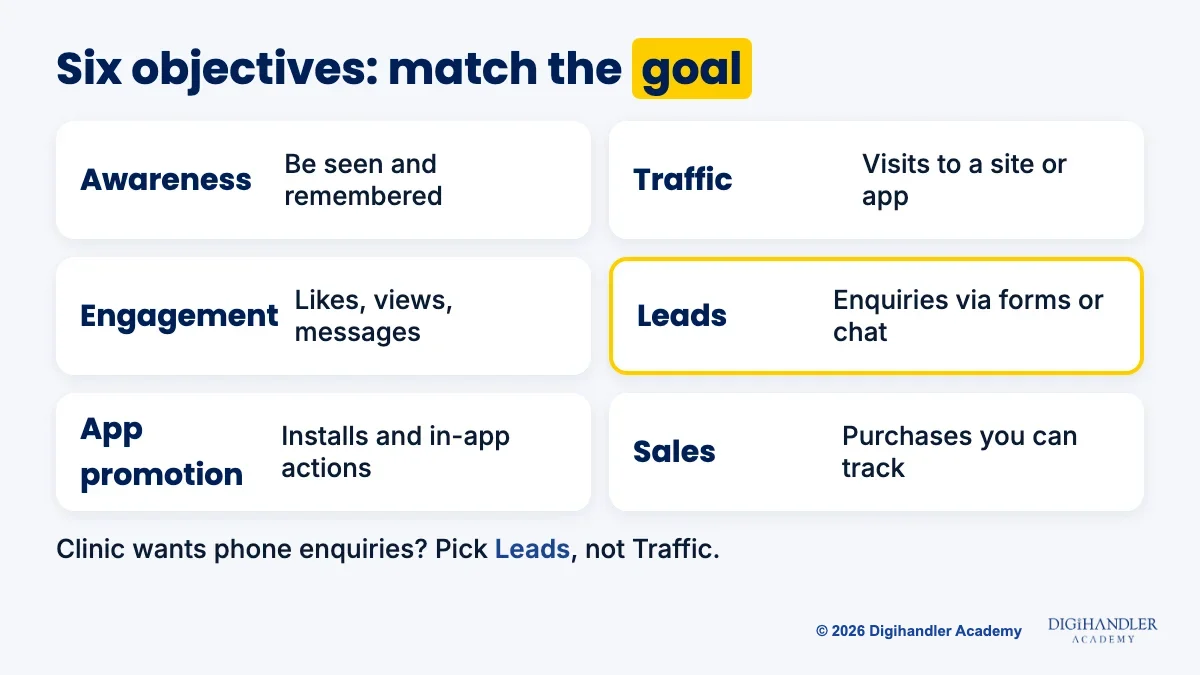
Ads Manager offers six objectives: Awareness, Traffic, Engagement, Leads, App promotion and Sales. Match it to the real goal. A clinic wanting phone enquiries picks Leads, not Traffic, because Meta shows ads to people likely to take that action.
For audiences, broad targeting lets Meta's AI (Advantage+ audience) find people. Custom audiences already know you, like website visitors; lookalikes resemble them. Beginners usually start broad and let the creative filter.
Mini-project: for a gym, a boutique and a coaching centre, write the objective and audience you would pick, and why.
Many Instagram ads now run in Reels and Stories. Meta recommends 9:16 for Reels and Stories and 4:5 for Feed, so make both versions. Its Reels guidance also suggests keeping roughly the top 14% and bottom 35% free of text, where captions and buttons sit.
Hook in the first second, show the product early, add captions for sound-off viewing, and end with one clear action: greet, show, ask.
Free tool: Canva. Mini-project: three versions of one bakery ad, each with a different hook. Our social media marketing roadmap goes deeper on Reels content.
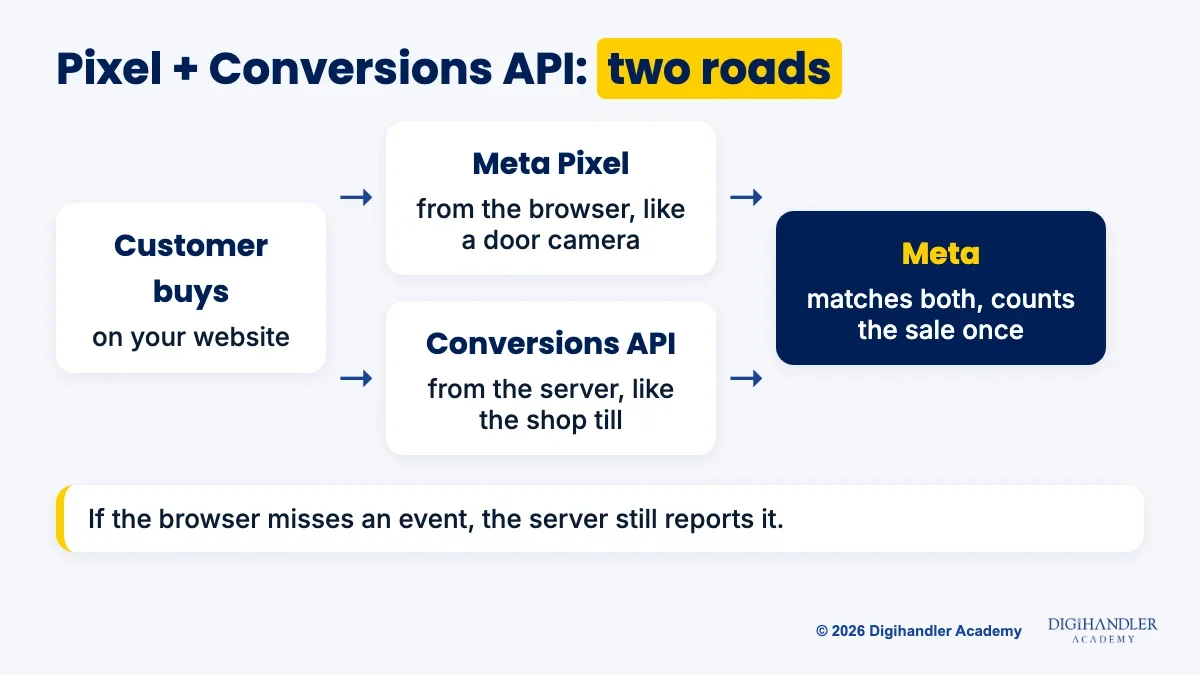
The Meta Pixel is a small code snippet on a website. When someone views a page, adds to cart or fills a form, it tells Meta, so Meta learns who buys and you see results.
The Conversions API (CAPI) sends the same events from the website's server instead of the browser. Picture a shop with a door camera (the pixel) and a till that records every sale (CAPI). If the camera misses someone, the till still counts it, and Meta matches the two so nothing counts twice.
No coding needed: with a pixel in place, Meta lets you set up Conversions API for website events from Events Manager, and store builders such as Shopify offer built-in connections.
Mini-project: on a free Blogger site, paste the pixel base code in Theme, then Edit HTML, just before </head>. Confirm a PageView appears in the Test Events tab.
Lead ads open an instant form inside Facebook or Instagram, partly pre-filled from the person's profile. For local businesses this is often the main campaign type.
Leads go cold fast. Download them from Meta or connect a CRM, then message each one on WhatsApp the same hour. The free WhatsApp Business app adds quick replies and labels.
Or skip the form with ads that open a WhatsApp chat in one tap. Compare cost per real conversation, not just cost per lead.
Mini-project: an instant form with two qualifying questions, plus three WhatsApp follow-ups (first reply, reminder, offer).
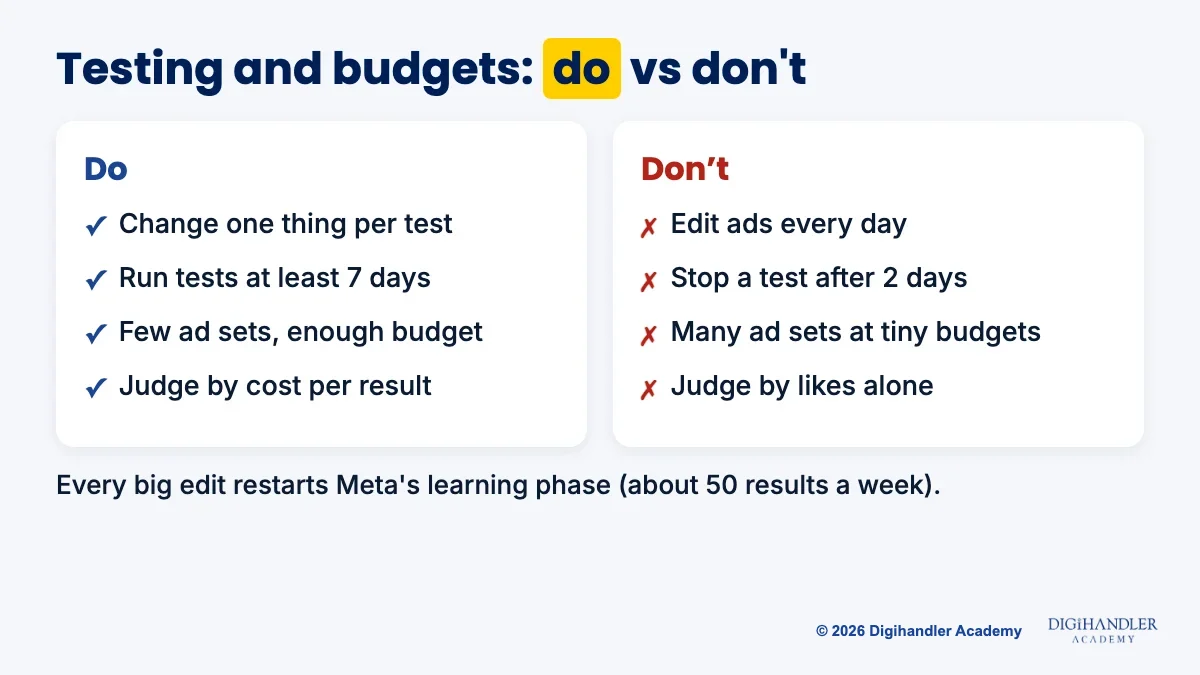
Test one thing at a time. Ads Manager's built-in A/B test splits the audience fairly and picks a winner by cost per result. Meta warns that tests shorter than 7 days may be inconclusive.
Each ad set has a learning phase and needs around 50 results in a week to settle. A big edit, like a new audience or creative, restarts it, so a few well-funded ad sets beat many tiny ones.
Learn five numbers first: amount spent, cost per result, CTR (share of viewers who clicked), frequency (times one person saw the ad) and, for stores, ROAS (sales per rupee spent). Send a weekly note: spent, got, changing next.
Mini-project: a 7-day test on a real or family business, then a one-page report. Stage 8 ends with your first paying client. This is the loop we practise on live accounts in our Meta Ads module.
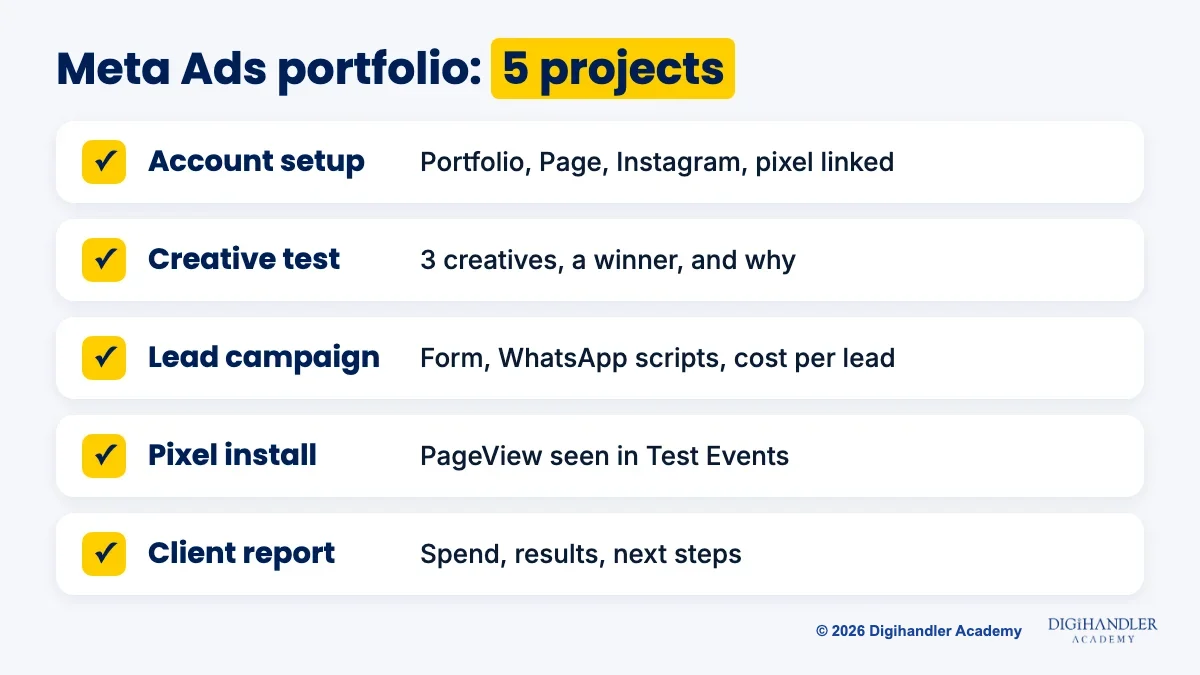
Keep screenshots of setup and results, with private data blurred.
No budget? Subscribe to our YouTube channel with the bell on, and follow @digihandler.academy on Instagram with notifications on. These are our free channels for lessons and tips.
Add Meta's free courses on Meta Blueprint and the Meta Business Help Center. Later, look at the Digital Marketing Associate, Meta's beginner certification, on the certification page; prep material is free, so check the exam fee before booking.
Self-study is slow. When an ad fails you can't tell whether the creative, audience or offer was wrong.
Our Meta Ads course adds a trainer who checks your campaigns, live client projects, a fixed weekly schedule and a batch to learn with. Your first deliverable is a live campaign with the pixel installed, two audiences and at least three creatives tested on a real budget.
Meta Ads sits inside our 44-module course: 6 months (5 practical plus 1 professional training), with internship and placement assistance and a certificate from an ISO 9001 certified academy. We have trained 300+ students. Placement assistance means interview prep and support, not a guaranteed job.
Join at our Rohtak campus or live online, and sit the 3-day free demo before paying anything. Fees are shared on a call.
We break these down further in Meta Ads mistakes that burn a beginner's budget.

Riya writes Digihandler Academy's guides and roadmaps. Every article is fact-checked and reviewed by Lovish Madaan, founder & trainer, who has run the Digihandler agency since 2018. More from Riya →
Studying 1–2 hours a day, most beginners can work through the eight stages of this roadmap in about 12–15 weeks. That covers account setup, objectives, audiences, creatives, the Meta Pixel and Conversions API, lead ads, testing and reporting. The weeks are a guide, not a promise. What speeds you up is practice: building real campaigns in Ads Manager, finishing each mini-project, and spending a small live budget so you see actual results. A structured course with a trainer reviewing your work can shorten the guesswork.
Yes. Meta Blueprint offers free self-paced courses on Facebook, Instagram, Messenger and WhatsApp ads, and the Meta Business Help Center answers most setup questions. Ads Manager itself is free, and you can build full campaigns as drafts without spending money. Digihandler Academy also shares free lessons and tips on its YouTube channel and Instagram. The one cost you cannot avoid is a small test budget, because you only learn testing, budgets and reporting properly once real money is being spent and real results come back.
No. Lead ads collect enquiries through an instant form inside Facebook or Instagram, and ads can also open a WhatsApp chat, so many local businesses run Meta Ads with no website at all. You do need a Facebook Page, and an Instagram professional account if you want Instagram placements. A website becomes important when you want to sell online and track purchases, because the Meta Pixel and Conversions API need a site or store to report events such as add to cart and purchase.
You can learn setup, objectives, audiences and creatives for free by building draft campaigns in Ads Manager without publishing them. Money only matters for the testing and reporting stages. A small daily budget run for a full week on a real or family business is enough to see how cost per result, CTR and frequency behave. Keep the number of ad sets low so the budget is not spread thin, and avoid editing every day, because each big edit restarts Meta's learning phase.
Meta's beginner certification is the Digital Marketing Associate, listed on Meta's certification page alongside intermediate exams such as Media Buying Professional. The prep courses and practice tests are free, but check the exam fee on Meta's site before booking. A certificate helps your resume, yet clients and employers care more about proof: a live campaign, a creative test, a lead campaign with follow-up, and a clear report. Build those portfolio projects first, then take the exam once the material feels familiar.
Where AI genuinely saves marketers time on real client work, and where it quietly makes things worse.
Read article →
What decides whether an AI assistant quotes your page, and the fixes worth doing first.
Read article →