
AI in digital marketing: what actually works right now
Where AI genuinely saves marketers time on real client work, and where it quietly makes things worse.
Read article →
This social media marketing roadmap takes you from zero to managing your first client account in about five months, studying 1 to 2 hours a day. It covers platforms, content pillars, reels, carousels, captions, community, analytics and a first taste of paid ads, with a free tool and a small project at every stage.

Social media marketing means using Instagram, Facebook, LinkedIn and YouTube to help a business get found, trusted and contacted. It is one branch of the wider digital marketing roadmap, and often the first one people try, because you already use these apps every day.
A social media manager plans what to post, makes or briefs the posts, publishes them on time, replies to comments and messages, and reports what worked each month. Think of it as running a shop window that changes every day. Someone decides what goes in it, keeps it tidy and notices who stops to look.
Who hires? Digital marketing agencies, brands with in-house teams, and many local businesses such as clinics, cafes, coaching centres and salons. Plenty of beginners start as freelancers looking after two or three local accounts.
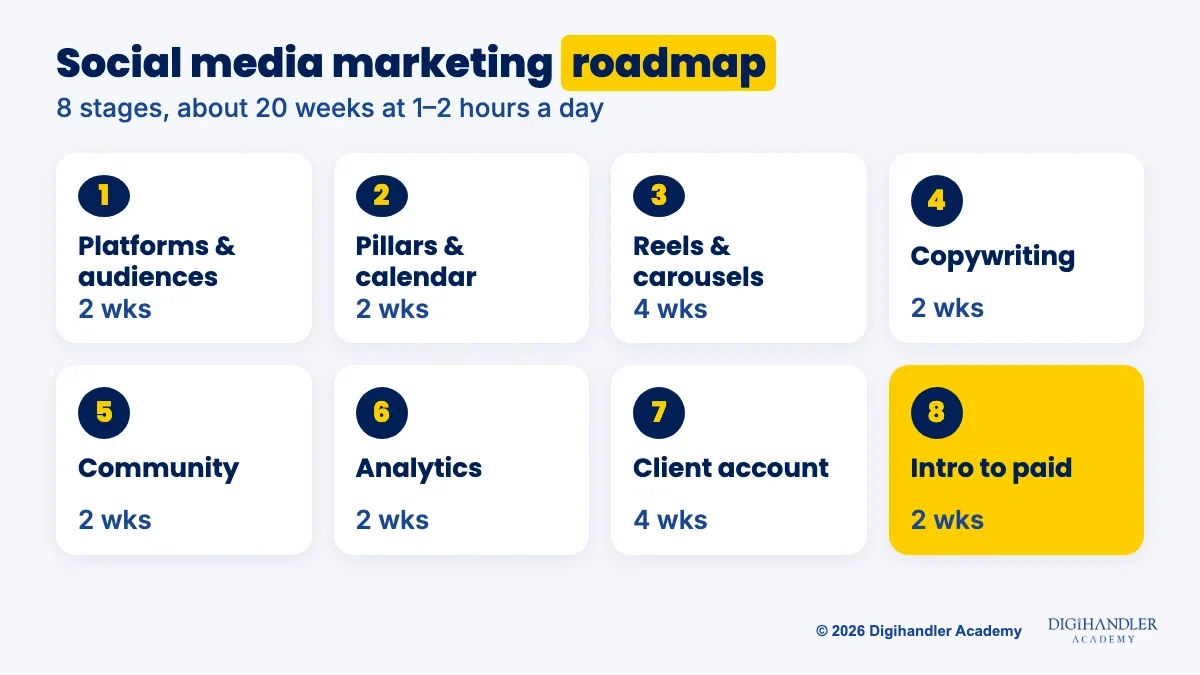
Each stage has a free tool, a mini-project and a rough time for someone studying 1 to 2 hours a day. Treat the weeks as a guide, not a promise. Finish the mini-project before moving on, because the projects become your portfolio.
Start with people, not apps. Pick one real local business and write down who buys from it: age, area, what they worry about and where they scroll. A wedding photographer's buyers are on Instagram. Two platforms are enough to begin.
Next, choose 3 to 4 content pillars. Pillars are the recurring themes a page posts about, like the sections of a newspaper. A gym might use workouts, member stories, nutrition tips and offers. Every post fits one pillar, which ends the daily 'what do I post?' panic.
Then build a 30-day content calendar in Google Sheets with six columns: date, platform, pillar, format, caption idea and status. For a ready example, read our Instagram 30-day plan for local businesses.
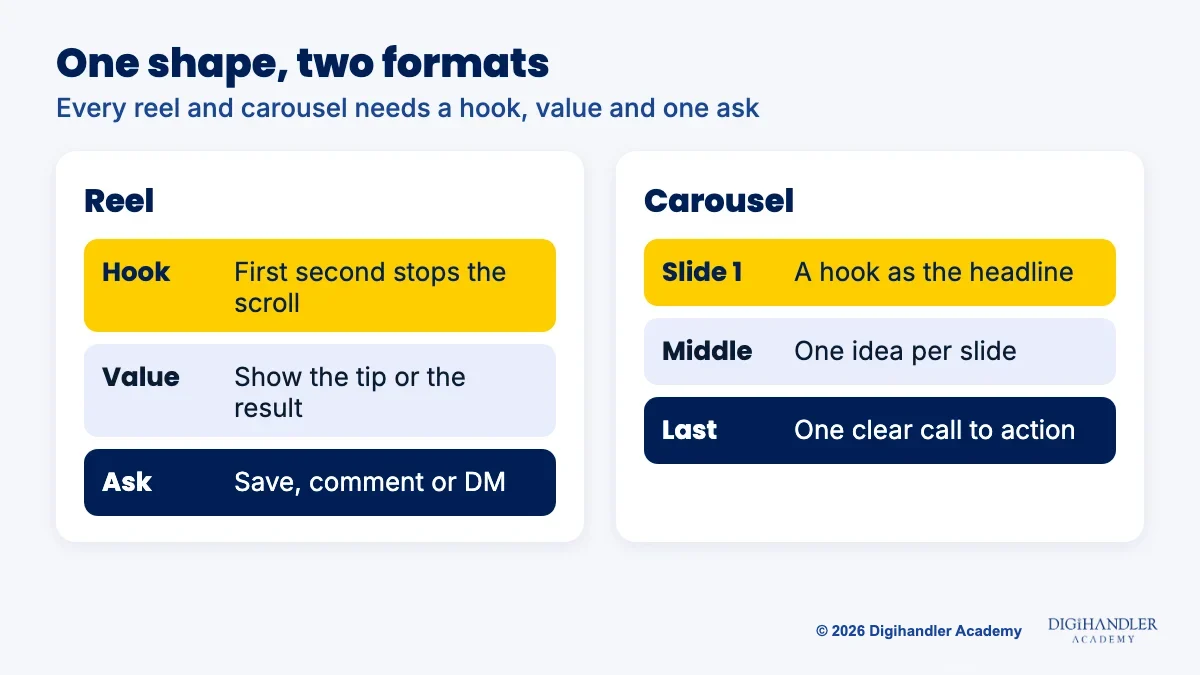
Reels are short vertical videos. Carousels are swipeable posts, and Instagram now allows up to 20 photos or videos in one. Both follow the same shape: a hook that stops the scroll, a useful middle, and one clear ask at the end.
Shoot reels on your phone and edit them in Edits, Instagram's own video editing app, or in Canva. Design carousels in Canva. If layouts feel hard, borrow the basics from our graphic design roadmap. You only need a clean grid, two fonts and the brand's colours.
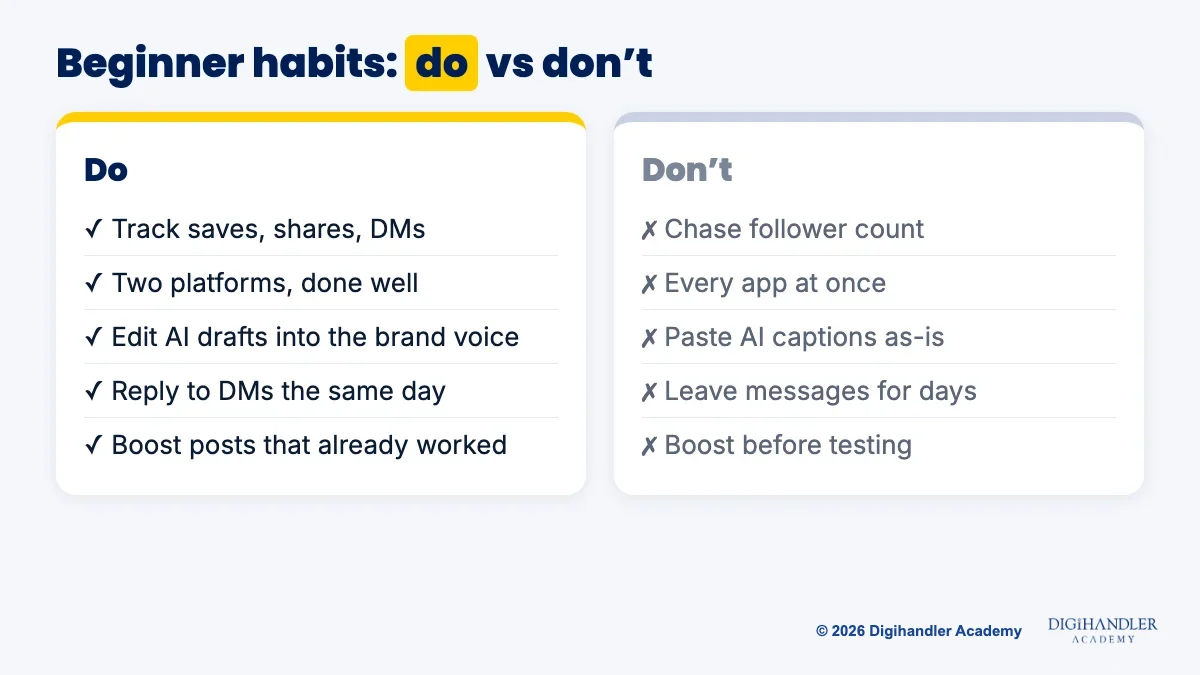
Copywriting is the quiet skill behind pages that grow. Write the first line as a hook, such as '3 mistakes that double your electricity bill'. End with one action: save, comment, DM or call. ChatGPT or Claude can draft ten hooks in seconds, but your job is to pick, cut and make them sound like the brand.
Community management means replying to comments and DMs quickly and in the brand's voice. Meta Business Suite, Meta's free tool, lets you schedule Facebook and Instagram posts and reply to messages from one place. Write a simple reply guide: common questions, the answer, and when to pass a message to the owner.
For analytics, switch the Instagram account to a professional (Creator or Business) account so you can see insights. Ignore follower count at first. Watch reach (how many people saw it), saves and shares (did they find it useful), profile visits, and DMs or calls (did it bring business).
Once a month, write a one-page report: what you posted, what worked, and the three things you will change next month.
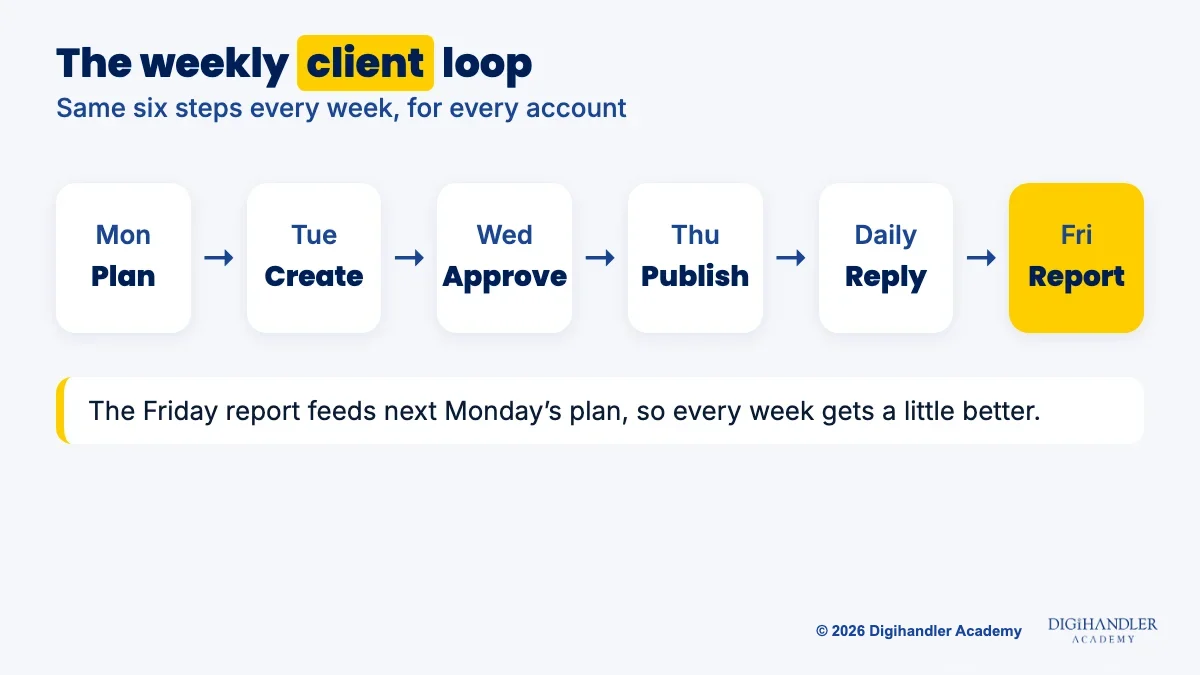
A client account is the same work with deadlines and someone else's approval. Agree on one goal first, like more enquiries, bookings or walk-ins. Ask the owner to give you access through Meta Business Suite instead of sharing their password. Then run a weekly loop: plan, create, get approval, publish, reply and report.
The last stage is a taste of paid. Boosting a post or running a simple ad in Meta Ads Manager shows your best post to more of the right people. Start with a small daily budget you are comfortable losing while you learn, one goal and one audience. Our Meta Ads roadmap takes this much further.
We teach this whole sequence, pillars to monthly report, step by step in our social media marketing module.
Everything below has a free option.
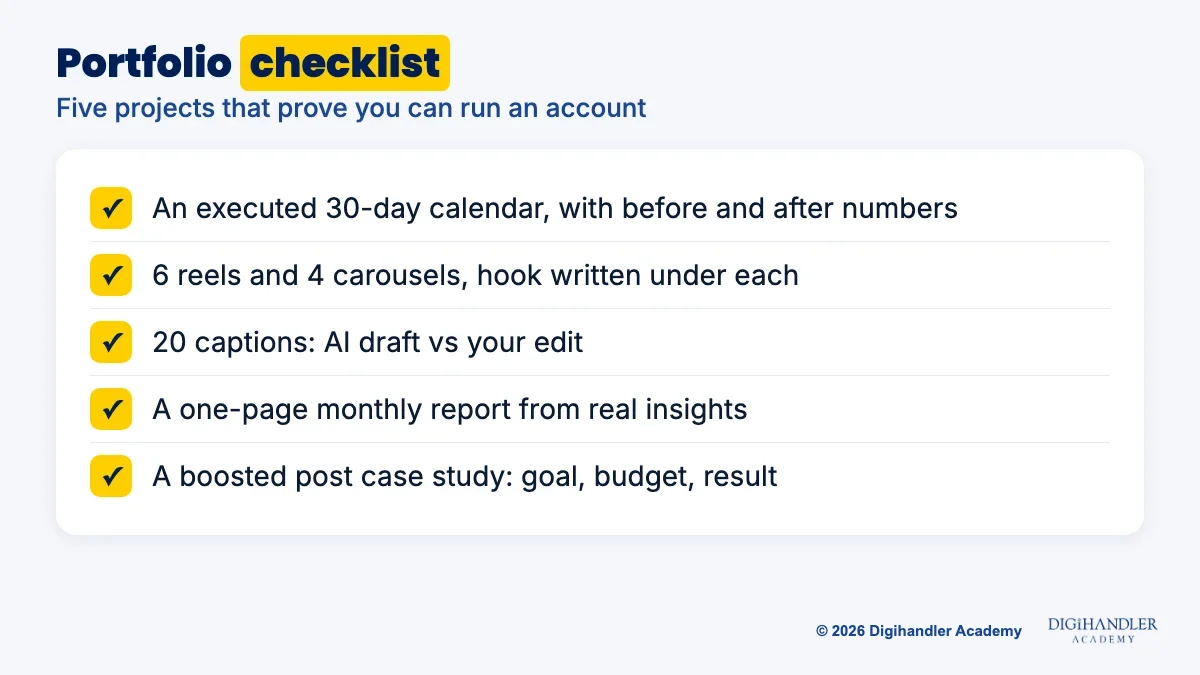
Clients want proof of shipped work. Keep these five in one shared folder.
You can follow this whole roadmap without spending a rupee.
Self-study works, but it is easy to stall when nobody checks your reels or there is no real account to practise on. A structured course fills that gap.
At Digihandler Academy, an ISO 9001 certified institute in Rohtak, a trainer checks your work every week. You learn with a batch on a fixed schedule, in weekday or weekend batches, at the Rohtak campus or live online. Lovish Madaan, our founder, teaches every batch personally and still runs client campaigns every week.
Our social media marketing course module covers strategy, Instagram growth and Reels, Facebook, LinkedIn, YouTube, content calendars, community management, influencer collaborations and reporting. Your first deliverable is a 30-day calendar for a real business, executed, with numbers before and after.
It sits inside our full course: 44 modules over 6 months, 5 months of practical learning plus 1 month of professional training, with internship and placement assistance and a Certificate of Achievement. We have trained 300+ students so far. Sit in on 3 days of free demo classes before you pay anything.

Riya writes Digihandler Academy's guides and roadmaps. Every article is fact-checked and reviewed by Lovish Madaan, founder & trainer, who has run the Digihandler agency since 2018. More from Riya →
Following this roadmap at 1 to 2 hours a day, most of the core skills take about 20 weeks, or roughly five months. That covers platforms and audiences, content pillars, reels and carousels, copywriting, community management, analytics, a real client account and a first boosted post. Some people move faster if they already create content. Treat the timeline as a guide. The real finish line is a portfolio with an executed 30-day calendar and a monthly report built from real numbers, not the number of weeks you studied.
Yes. Every tool you need to start has a free option: the platforms themselves, Canva's free plan, Instagram's Edits app, Meta Business Suite and Google Sheets. For lessons, follow Digihandler Academy's free YouTube channel and Instagram page, and use Meta Blueprint, Meta's own training site, for short courses on Pages and Ads Manager. Practise every week on a test page or a local business page. The only thing that costs money is ad spend when you reach the paid stage, and you choose that budget yourself.
Build proof instead of waiting for permission. Pick a real local business, often one run by family or friends, and offer to manage its Instagram or Facebook page for 30 days. Plan pillars, build a calendar, publish reels and carousels, reply to messages and write a one-page report with numbers before and after. That executed project, plus a reels set, a caption file and a boosted post case study, gives you a portfolio to show agencies or your first paying client.
You need the basics, not mastery. A social media manager should be able to make a clean carousel in Canva and cut a simple reel on a phone with an app like Edits. That means a tidy grid, two fonts, brand colours, a strong first second and readable captions on screen. Bigger brands often have designers and editors, and your job becomes writing clear briefs for them. Learning the basics first helps you brief well and fix small things yourself.
Start with the platform where the business's buyers already spend time, and stick to two at most. For most Indian local businesses, such as cafes, salons, clinics and coaching centres, that means Instagram plus a Facebook page, which you can manage together in Meta Business Suite. If you want to work with companies that sell to other businesses, add LinkedIn. YouTube suits brands that can teach or demonstrate something. Master one platform's formats and insights before adding the next.
Where AI genuinely saves marketers time on real client work, and where it quietly makes things worse.
Read article →
What decides whether an AI assistant quotes your page, and the fixes worth doing first.
Read article →