AI in digital marketing: what actually works right now
Where AI genuinely saves marketers time on real client work, and where it quietly makes things worse.
Read article →
This graphic design roadmap takes you from zero to your first paying client in eight clear stages. You will learn the four design basics, start in Canva, move to Photoshop and Illustrator or their free alternatives, make social media creatives, build a brand, use AI tools sensibly and put together a portfolio. Each stage has a free tool, a mini-project and a rough time, so you always know what to do next.
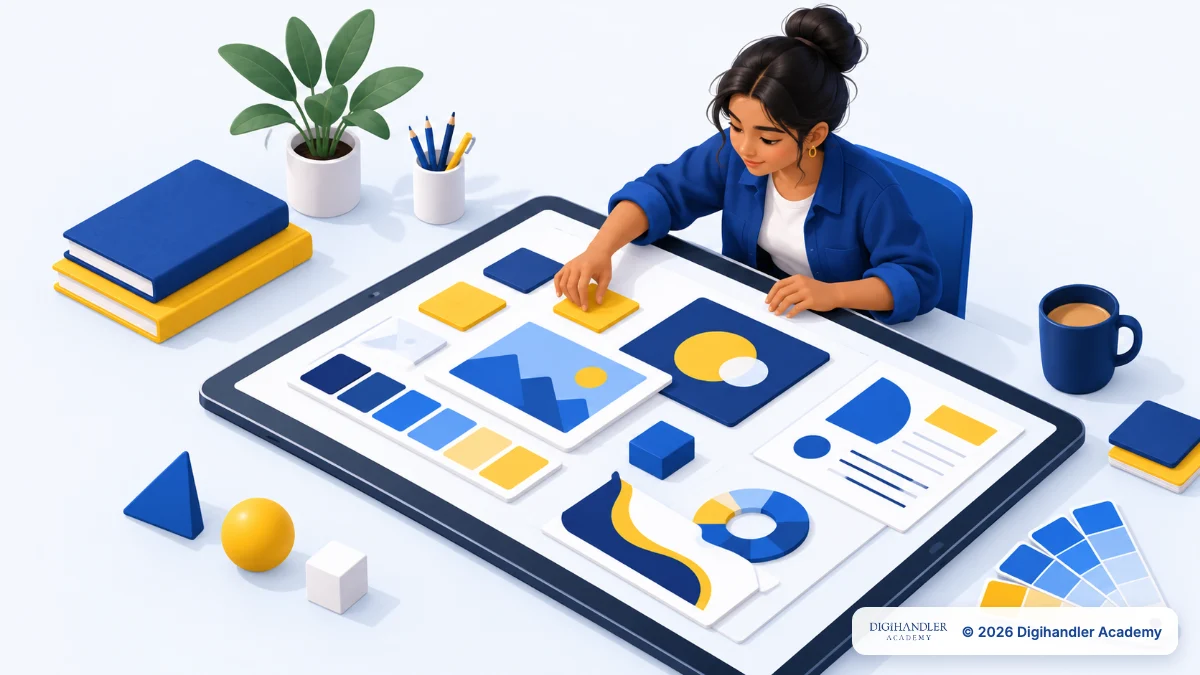
A graphic designer turns a message into a picture people understand in a second. The designer decides what the eye sees first, which colours set the mood and how the words sit on the page.
Marketing agencies, online brands, local shops, coaching institutes, clinics and creators all hire designers. Many designers freelance for several small businesses at once.
A normal day: read a brief, make Instagram posts and ad creatives, fix a banner after feedback and resize one design for five platforms. It is less about drawing and more about clear thinking with shapes, colour and text.
Design sits inside every marketing job, so see how it fits with ads, SEO and social media in our digital marketing roadmap.
Think of this roadmap like learning to cook: first what tastes good, then basic techniques on a simple stove, and only later the professional kitchen.
Times assume 1 to 2 hours a day and are a guide, not a promise. Finish each mini-project before moving on.
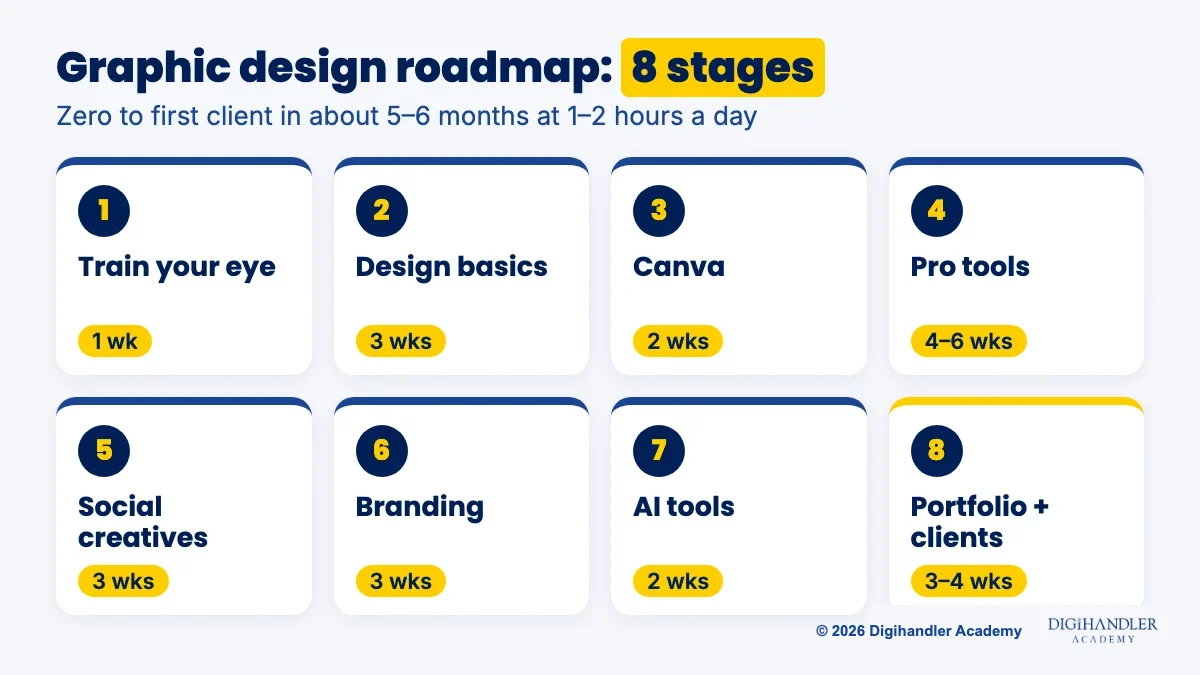
Stage 1 needs no software. For one week, save designs you like and write why each works. You are training your eye before your hand.
Stage 2 is the real foundation. Almost every good design gets four things right:
Practise the basics in Canva. It runs in your browser, the free plan costs ₹0 and you can focus on design instead of menus. Stage 2 mini-project: recreate three saved posters, then make a better version of each.
In Stage 3, learn templates, text styles, brand colours, resizing and exporting. Mini-project: ten Instagram posts for an imaginary café that clearly belong to one brand.
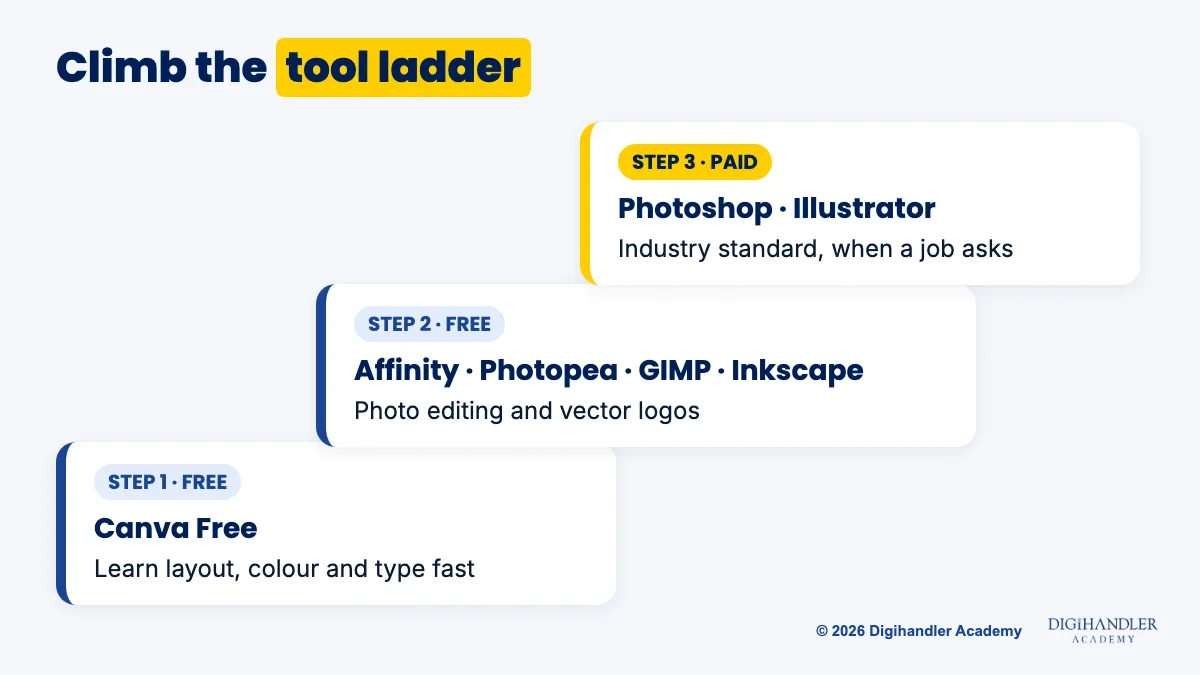
Stage 4 moves you to pro tools. Photoshop is the standard for photo editing and Illustrator for logos and vectors. Both are paid Adobe subscriptions.
No budget? Affinity, now part of Canva, is a free desktop app for Windows and Mac that combines vector, photo and layout work. Photopea runs in the browser and opens Photoshop PSD files. GIMP and Inkscape are free and open source.
Mini-project: cut a product out of its background, place it on a clean ad layout and draw a simple vector logo. The Graphic Design & AI Content track in our course takes you through these tools with live campaign work.
Most paid beginner work is social media. In Stage 5, make posts, carousels, stories and ad creatives, using Canva's size presets for each platform.
A good creative has one message, one main image and one clear call to action. Check it on a phone first. Mini-project: a nine-post grid, a five-slide carousel and two versions of one ad.
Our social media marketing roadmap covers what to post and when. Here you focus on how it looks.
Stage 6 is branding: the rules that make everything look like one business, from logo and colour palette to two fonts and photo style. Mini-project: a one-page brand guide for a real local shop, plus three posts that follow it.
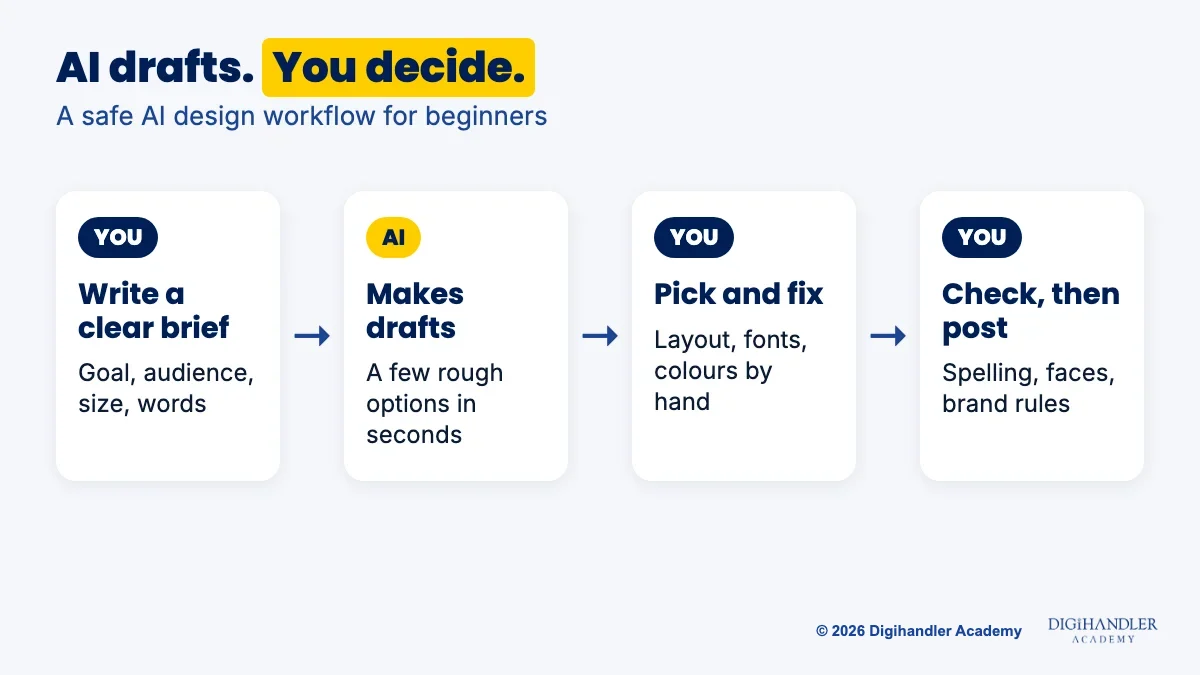
AI is now part of the job, so learn it on purpose in Stage 7. Treat it like a fast junior assistant: it drafts in seconds, but you decide what is good.
Canva has AI features built in, and Canva Design School offers a free one-hour Canva AI certification. Ideogram is an AI image tool known for clear, readable text inside images. Its plans are paid, so try it once your basics are solid.
Workflow: write a clear brief, generate a few drafts, pick one, then fix layout, fonts and colours by hand. Always check spelling, hands and faces before posting.
Mini-project: make the same post by hand and with AI, and note what each did better. More in our AI tools roadmap.
Stage 8 turns skill into work. Pick your five best projects and write two lines for each: the problem and how your design solved it. Post them on Behance, where creatives show work and get hired, and on an Instagram page for your designs.
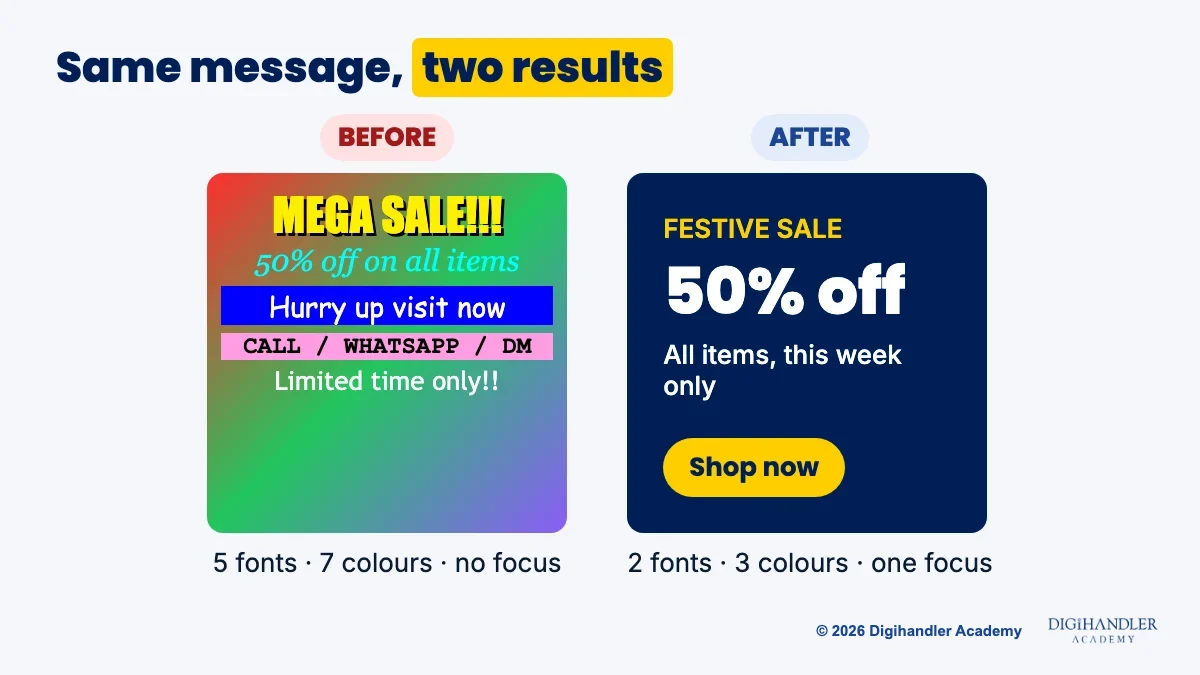
Then look close to home. Local cafés, gyms, coaching centres and clinics often post weak graphics. Offer to redesign three of their posts as a sample. Small paid jobs lead to referrals.
You can also apply for junior designer roles at agencies or freelance online.
Mini-project: send ten short, polite pitches with a sample attached and track replies in a sheet.
Start free and pay only when a job needs it. You can do Stages 1 to 3 on a phone with the Canva app.
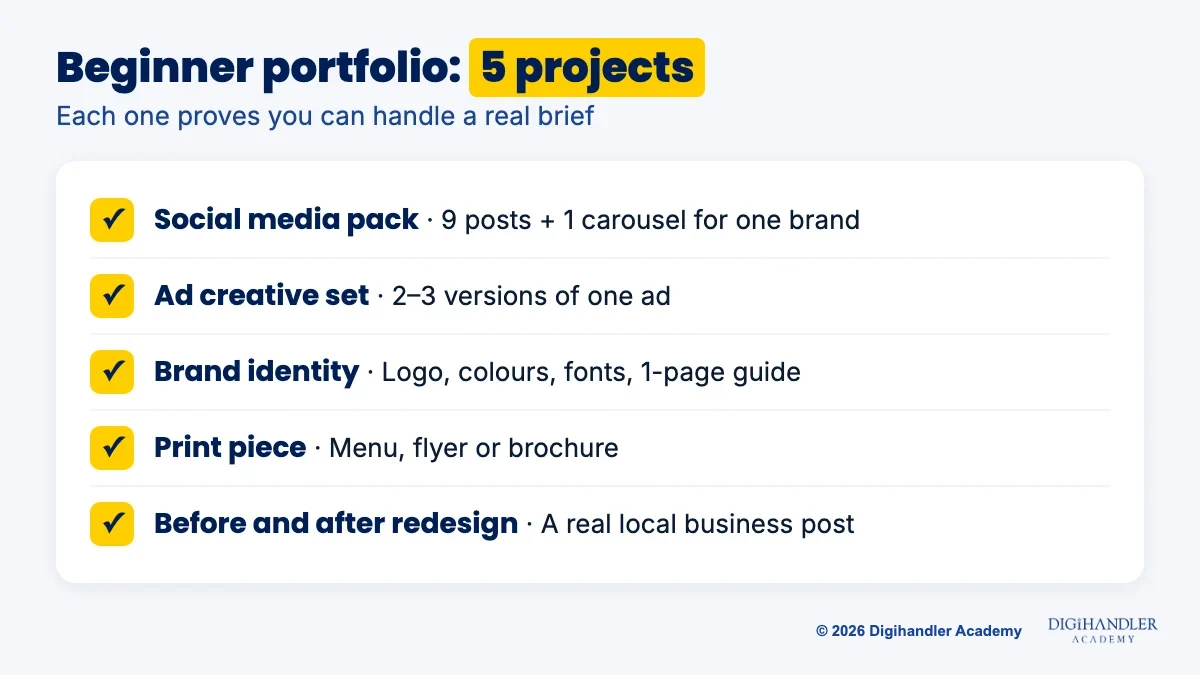
Your portfolio should prove you can solve real problems. Aim for these five projects:
You can follow this whole roadmap free. Pair free lessons with weekly practice.
Self-study is slow when nobody tells you why a design is not working. At Digihandler Academy, graphic design sits inside our AI-powered digital marketing course, in the Graphic Design & AI Content track: brand guidelines, layout and colour basics, Canva designing with AI, Ideogram and creative testing.
Not sure yet? Join 3 days of free demo classes before paying anything. See the graphic design track and all course tracks or the full digital marketing course. Fees are shared on a call.
Whichever path you choose, avoid these common traps:
Riya writes Digihandler Academy's guides and roadmaps. Every article is fact-checked and reviewed by Lovish Madaan, founder & trainer, who has run the Digihandler agency since 2018. More from Riya →
Yes. Most graphic design work is arranging text, photos, shapes and colour so a message is clear, not drawing by hand. Social media posts, ads, flyers and brand guides rely on layout, typography and hierarchy, and those are learnable rules. Drawing helps if you want to do illustration or custom logos, but you can start without it. Tools like Canva, Affinity and Inkscape give you shapes, icons and fonts to work with. Practise the four basics for a few weeks and you will see your designs improve quickly.
With 1 to 2 hours of practice a day, most beginners can work through the basics, Canva, a pro tool, social media creatives, branding and AI tools in about five to six months. That is enough to build a small portfolio and approach first clients. It is a guide, not a promise: people who finish a mini-project every week move faster than those who only watch tutorials. Getting truly good takes longer, and it comes from doing real briefs and getting honest feedback on them.
Canva is enough to start and to earn from simple work like social media posts, flyers and presentations for local businesses. Many small clients only need that. For agency jobs and bigger brands, you will usually also need a pro tool for photo editing and vector logos, such as Photoshop and Illustrator or free options like Affinity, Photopea, GIMP and Inkscape. The design basics you learn in Canva, like layout, colour, typography and hierarchy, carry over to every one of these tools.
No. You can learn every core skill for free. Affinity is a free desktop app for Windows and Mac that covers photo editing, vectors and layouts. Photopea is a free browser editor that opens Photoshop PSD files. GIMP and Inkscape are free and open source. Photoshop and Illustrator are paid subscriptions and still the standard in many agencies, so learn them when a job or client asks for them. Your eye for design matters far more than which software you open.
AI tools can now produce drafts, backgrounds and even readable text in images within seconds, so simple, repetitive design tasks are getting faster. What AI does not do well on its own is understand a client's goal, keep a brand consistent, judge what will work for a specific audience and fix the small details. Designers who use AI for speed and their own judgement for quality are better placed than those who ignore it. That is why this roadmap includes AI tools as a full stage.
Where AI genuinely saves marketers time on real client work, and where it quietly makes things worse.
Read article →
What decides whether an AI assistant quotes your page, and the fixes worth doing first.
Read article →