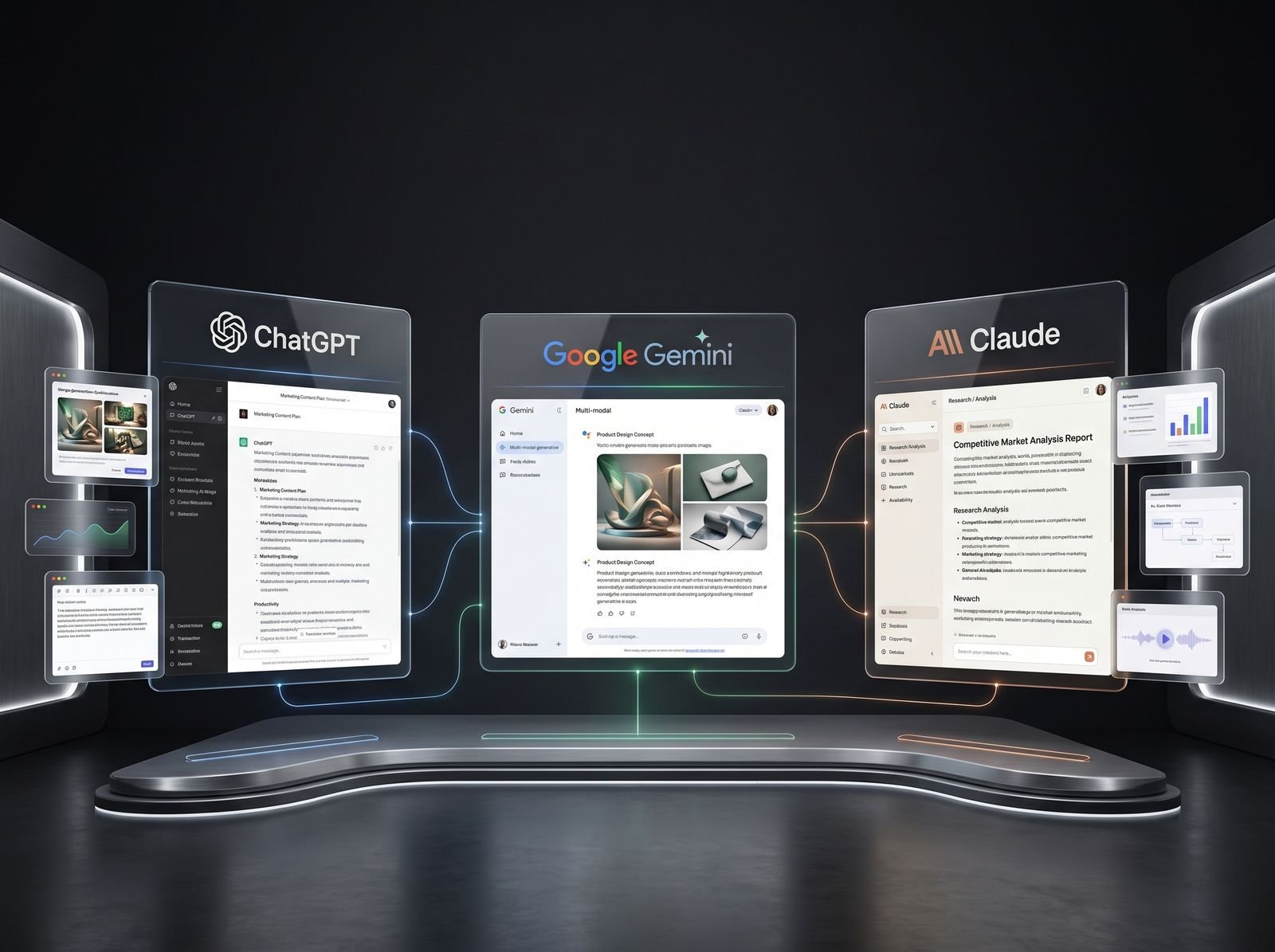
AI in digital marketing: what actually works right now
Where AI genuinely saves marketers time on real client work, and where it quietly makes things worse.
Read article →
So what are AI agents? An AI agent is software that takes a goal from you and works through the steps on its own: it plans, uses tools like a browser or your files, checks what happened, and keeps going until the job is done or it needs you. A chatbot answers. An agent acts. This guide explains the idea in plain words, shows real agents you can use as of November 2026, and gives you a safe way to try your first one.
Think of a chatbot as a helpful friend on the phone. You ask, they tell you what to do, and you do the clicking. An AI agent is more like a new intern with a laptop. You give a goal, and the intern opens the websites, fills the sheet and comes back when it is done or stuck.
IBM describes an AI agent as a system that completes tasks by planning a workflow and using the tools available to it. Anthropic, the company behind Claude, puts it even more simply: agents are usually language models using tools in a loop, deciding the next step from what they see.
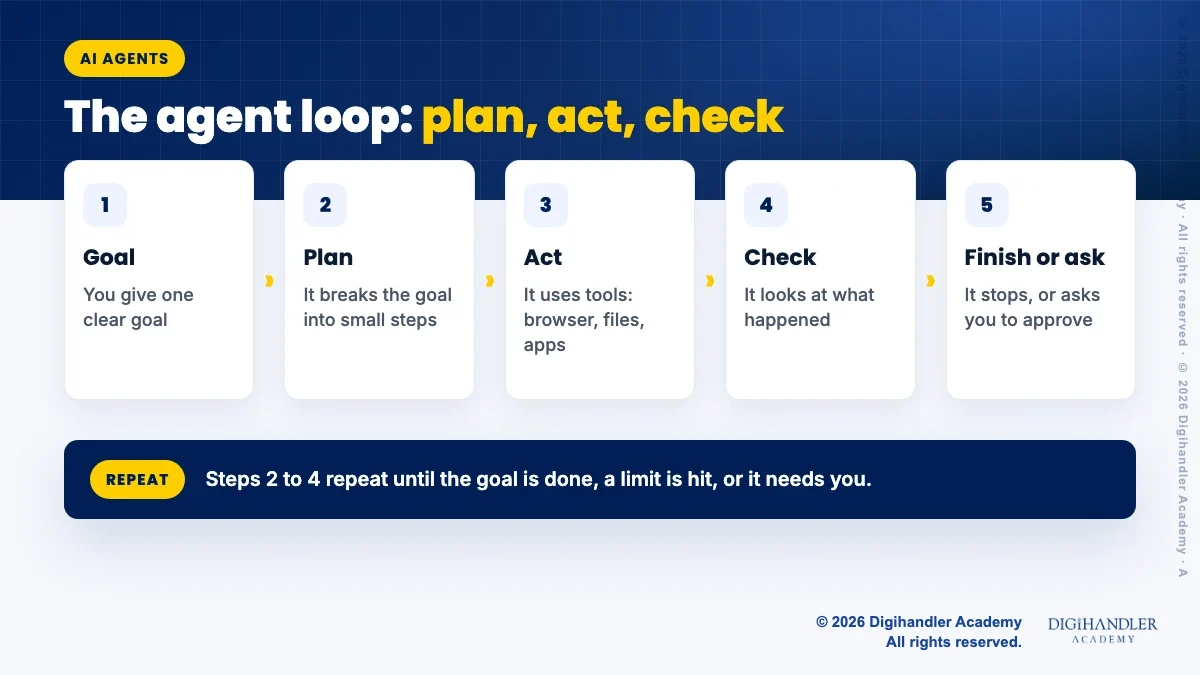
That loop is the heart of it. The agent plans a step, acts with a tool, looks at the result, and decides what to do next. It repeats this until the goal is met, a limit is reached, or it needs your approval.
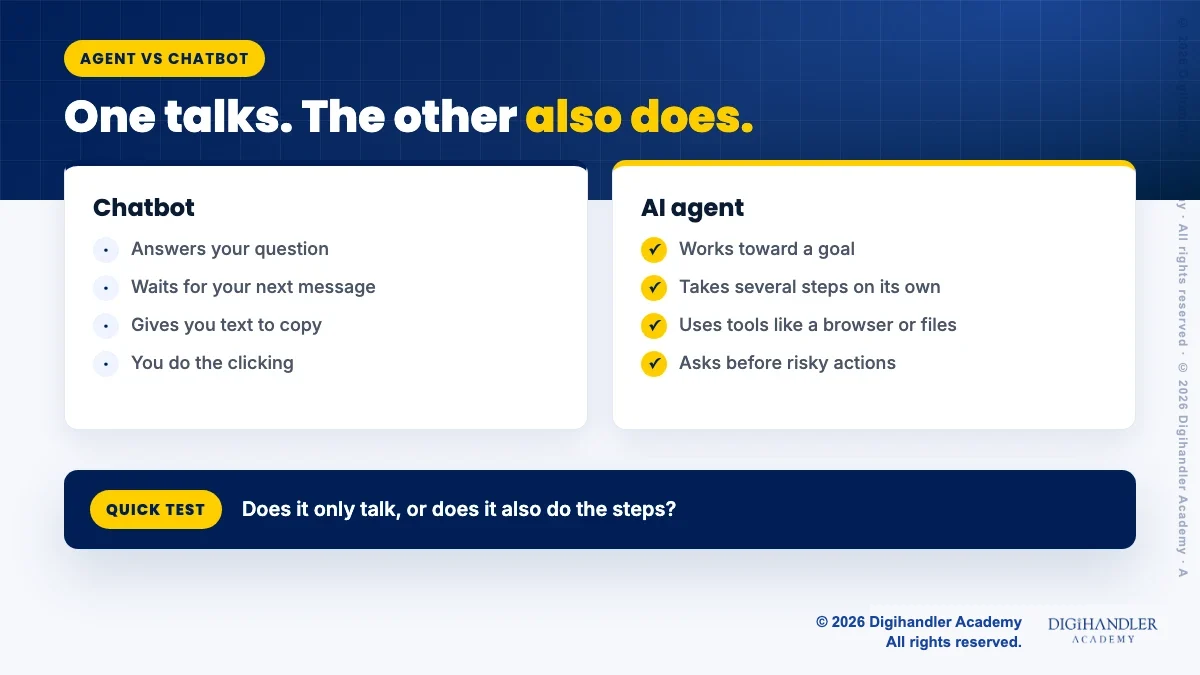
The simplest test: does it only talk, or does it also do? A chatbot gives you text. You copy it, paste it and finish the work yourself. An agent can carry out the steps.
Say you run a small boutique in Jaipur and want a list of fabric wholesalers. A chatbot will suggest how to search. An agent can open search results, visit each site, note names and minimum order sizes, and hand you a ready sheet.
The line is blurring, because chat apps like ChatGPT, Gemini and Claude now have agent modes inside them. So one app can be a chatbot one minute and an agent the next, depending on the mode you switch on.
A 3-page printable with a task picker, a fill-in goal brief, a safety checklist and a review log, so your first agent tasks stay small, clear and safe.
© 2026 Digihandler Academy. All rights reserved. Free for personal use.
You do not need to build one to use one. But knowing the parts helps you give better instructions and spot problems early.
Here are real agents from the big AI companies, checked on their official pages in November 2026. New tools change fast, so check each page again before you rely on it.
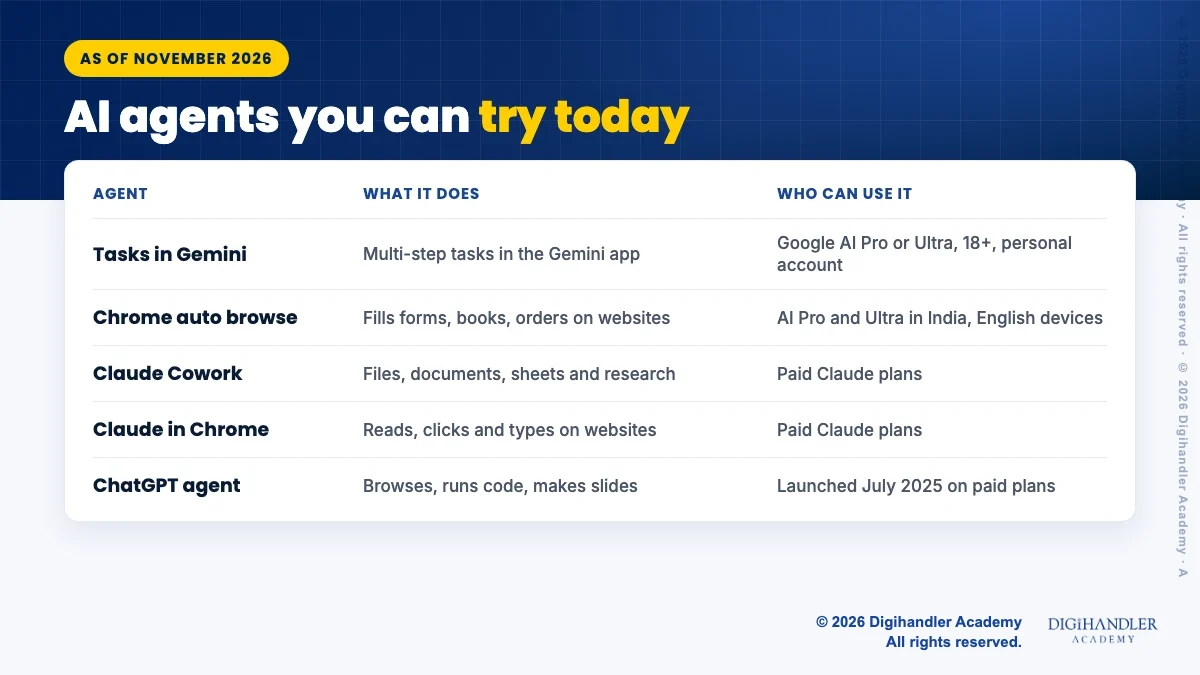
Agents shine on boring, repeatable work with a clear finish line. Some ideas to start with:
Agents are useful, but they are not magic, and giving software the power to click and type on your behalf needs care. Here are the honest limits.
The biggest risk is prompt injection. OWASP, a global security group, explains that a web page or file can hide instructions that change what the AI does. In November 2025, Anthropic reported that even with improved defences, hidden attacks still succeeded about 1 percent of the time against its browser agent in its own tests, and it said no browser agent is immune.
Mistakes also add up. Anthropic notes that more freedom means higher costs and errors that can compound over many steps. IBM adds that agents can get stuck calling the same tool again and again, and that connecting them to business systems raises privacy questions.
The good news is that the main tools build in brakes. Google says Gemini asks you to review actions like sending messages, deleting data, buying things or submitting forms, and asks you to take over for passwords and payment details. Claude Cowork has a mode switch (Manual, Auto or Skip) that sets how often it asks before acting; Manual asks you to approve actions.
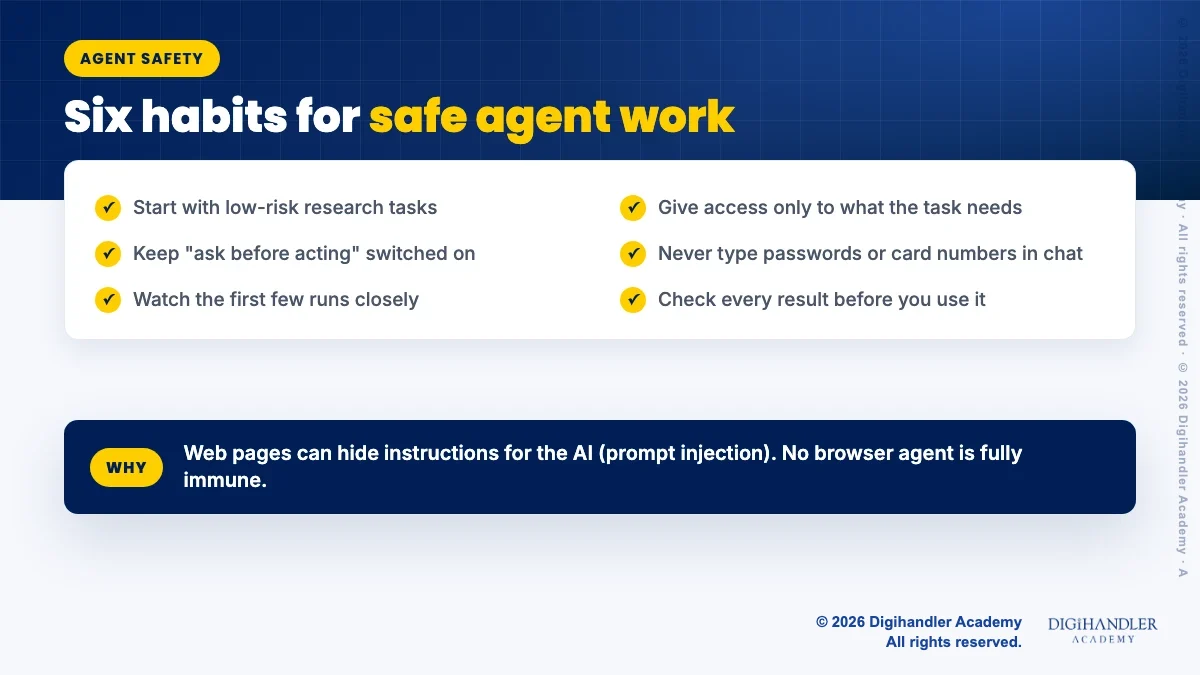
Treat your first week like training a new intern. Small tasks, clear rules, and you check the work. Download the free AI Agent Starter Checklist above to plan it on paper.
One quick hack: ask the agent to show its plan before it starts. You can fix a wrong plan in seconds, but undoing wrong actions takes longer. For more ideas, see these AI agent hacks for small business.
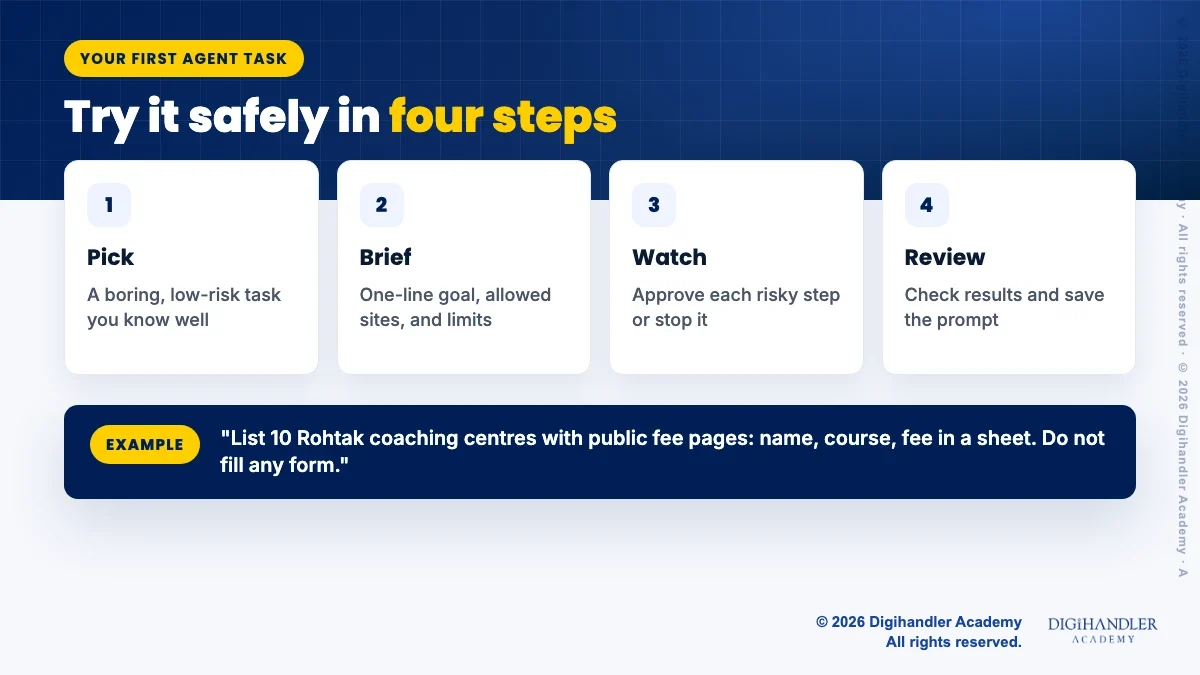
Yes, but start small. Agents are still early, and the official pages themselves call some features experimental or beta. The skill that lasts is not one app. It is knowing how to break work into clear steps, set limits and check results.
If you work in marketing, our guide to agentic AI for marketers shows where agents fit in campaigns, and this list of AI agents for marketers compares tools. If you like no-code automation, n8n automation for beginners is a calm next step.
You can learn all of this on your own with free tools. If you prefer a trainer and live practice, a free demo class at Digihandler Academy is an easy way to see how we teach AI tools.

Riya writes Digihandler Academy's guides and roadmaps. Every article is fact-checked and reviewed by Lovish Madaan, founder & trainer, who has run the Digihandler agency since 2018. More from Riya →
Normal ChatGPT chat is a chatbot: it answers and waits for your next message. But ChatGPT also has an agent mode. TechCrunch reported that OpenAI launched ChatGPT agent on 17 July 2025 for Pro, Plus and Team users, and that it can browse websites, run code and make slides. So ChatGPT can act as an agent when you turn that mode on. Plans and limits change often, so check OpenAI's help centre for what your plan includes today.
Mostly not, as of November 2026. Google's help page says tasks in Gemini need a Google AI Pro or Ultra plan. Anthropic lists Claude Cowork and Claude in Chrome on paid plans only. ChatGPT agent launched on paid plans. Free options do exist in some places, such as limited trials and open-source tools, but they usually need more setup. Check each official pricing page before you pay, because plans, prices and offers change often.
The classic textbook list, which IBM also uses, has five types. Simple reflex agents follow fixed if-then rules. Model-based reflex agents keep a picture of their surroundings. Goal-based agents plan steps toward a goal. Utility-based agents pick the best of several ways to reach that goal. Learning agents improve from experience. Today's AI agents built on large language models mostly behave like goal-based agents that plan, use tools and check their results.
They can be used safely with care, but no agent is risk free. The main danger is prompt injection, where a web page or file hides instructions that trick the AI. Anthropic says no browser agent is immune. Give the agent only the access a task needs, keep approval prompts switched on, never type passwords or card numbers into the chat, and watch the first few runs. Start with research tasks, not payments or emails.
No. Tools like tasks in Gemini, Chrome auto browse, Claude Cowork and ChatGPT agent work through plain-language instructions. What you do need is clear thinking: a one-line goal, a picture of what finished work looks like, the sites or files the agent may use, and the actions it must never take without asking. Coding helps only if you want to build your own agents or connect them to business systems, which comes later.
Where AI genuinely saves marketers time on real client work, and where it quietly makes things worse.
Read article →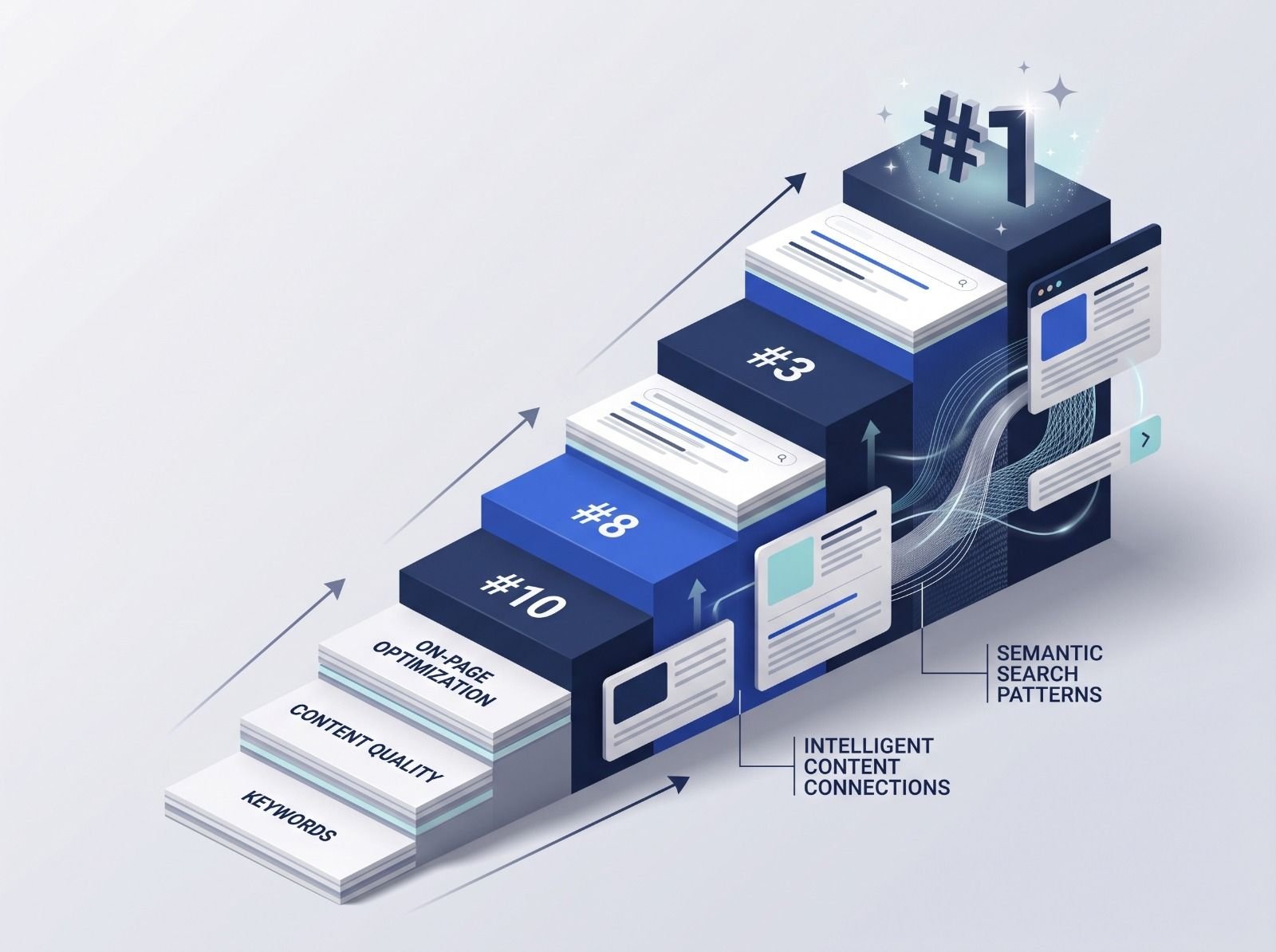
What decides whether an AI assistant quotes your page, and the fixes worth doing first.
Read article →