AI in digital marketing: what actually works right now
Where AI genuinely saves marketers time on real client work, and where it quietly makes things worse.
Read article →
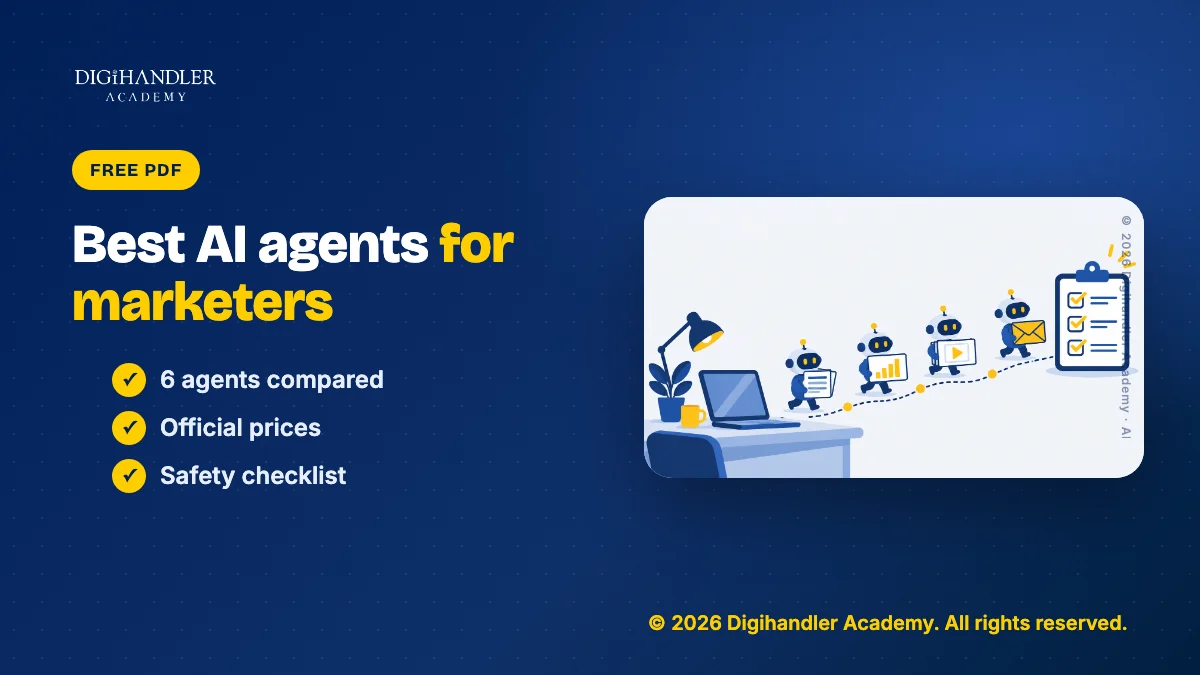
The best AI agents for marketers in November 2026 are ChatGPT Work, Claude Cowork, Gemini Spark, Manus, n8n and Perplexity Comet. Each one takes a goal, works through the steps, and hands back a draft for you to check. Below, we compare them on price, free access and fit for Indian freelancers and small teams, using only the vendors' own pages.
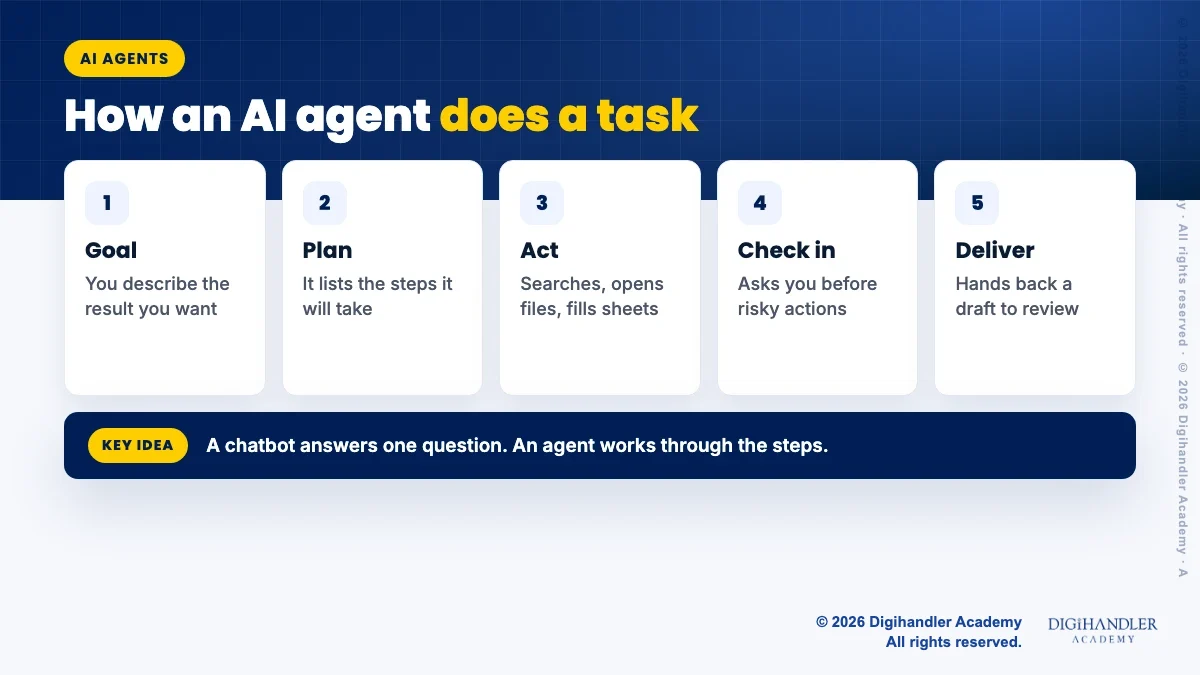
A chatbot answers one question at a time. An AI agent takes a goal and works through the steps on its own. It may search the web, open files, fill a sheet and build a slide deck, then show you the result.
Think of a chatbot as a friend who gives advice on the phone. An agent is more like an intern who goes and runs the errand.
New to the idea? Read what AI agents are, in plain words first, or see how teams plan for them in agentic AI for marketers. This post is about which agents you can actually use today.
We checked each vendor's official page in November 2026 and kept only live products that one person can sign up for, with a price or a free route.
A printable sheet with all six agents side by side, a safety checklist and a fill-in task brief you can use for your first agent job.
© 2026 Digihandler Academy. All rights reserved. Free for personal use.
What it does: OpenAI's help centre describes Work as an agent for longer, multi-step work and finished deliverables. You can ask it to research a topic, analyse data, or create a document, spreadsheet, presentation or report.
Important update: OpenAI's help page now says the older ChatGPT agent is no longer available. If an old tutorial tells you to type /agent, use Work instead.
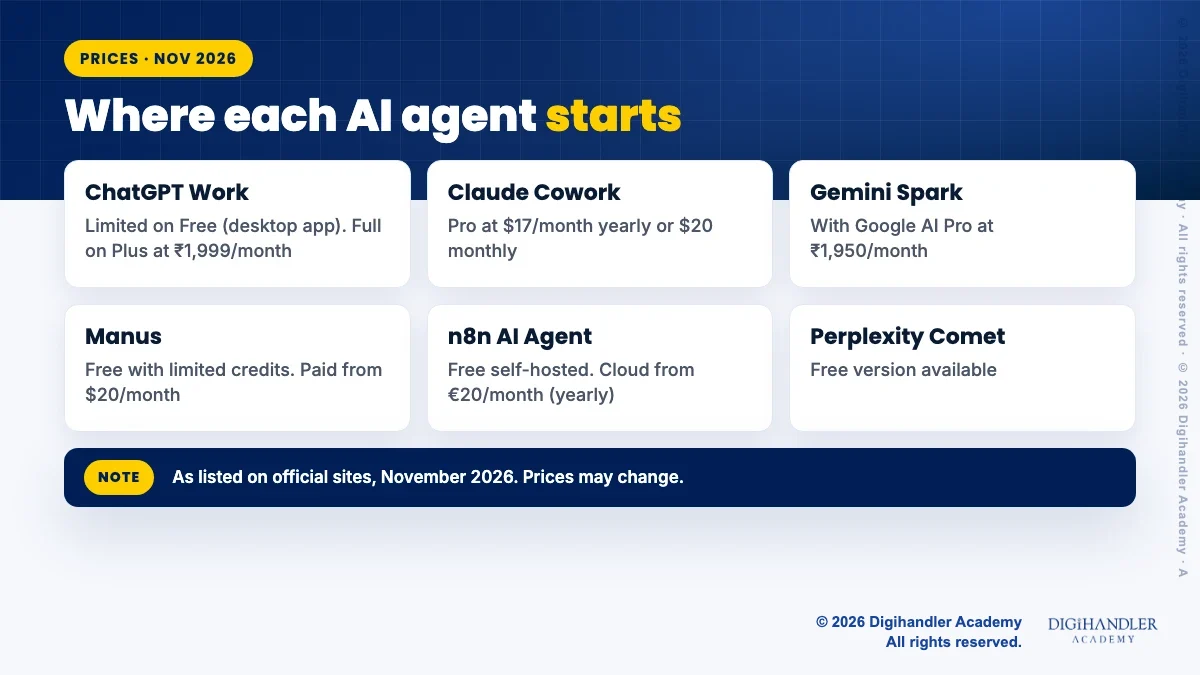
Price: as listed on ChatGPT's site in November 2026 (prices may change), Free is ₹0 and Go is ₹399 a month. Both get limited Work access in the desktop app only. Plus is ₹1,999 a month and adds Work on desktop, web and mobile. Pro starts at ₹10,699 a month. See ChatGPT pricing.
Who it suits: freelancers who send monthly reports and pitch decks to clients.
Limitation: OpenAI says Work usage varies by task, so a long research job uses more of your allowance than a short one.
What it does: Anthropic says Cowork takes a goal and works across the folders and tools you choose, then returns finished work for review. You can schedule a task to repeat, and it keeps running after you close your laptop. A built-in browser opens sites and fills forms in a side panel, separate from your own logins.
Price: as listed on Claude's site in November 2026 (prices may change), Free is $0 but does not include handing off or scheduling tasks. Pro is $17 a month on the annual plan ($200 billed up front) or $20 billed monthly. Max is $100 a month. Prices exclude tax. See Claude pricing.
Who it suits: anyone who builds the same weekly readout from Drive files and connected tools.
Limitation: Cowork needs a paid plan, and Anthropic says the built-in browser is in the desktop app on Pro, Max, Ultra and Team plans.
What it does: Google's India blog introduced Spark on 29 July 2026 as a 24/7 personal agent. It works in the background, even with your laptop closed, and connects with Gmail, Docs and Sheets. Google says it asks you first before high-stakes actions like sending emails or spending money.
Price: Google says Spark is for Google AI Pro and Ultra subscribers. As listed on Google's India page in November 2026 (prices may change), AI Pro is ₹1,950 a month and AI Ultra starts at ₹6,500 a month. See Google AI plans.
Who it suits: a Jaipur boutique owner who wants customer enquiries sorted and reply drafts saved for review.
Limitation: Google said the rollout to AI Pro users in India would happen over a few weeks, so check that it shows in your account before you pay for it.
What it does: Manus is a general agent that runs research, builds slides and websites, and can spread one research job across many items with a feature it calls Wide Research.
Price: as checked on Manus's official help centre in November 2026, a $20 monthly paid plan comes with 4,000 credits a month, and higher tiers cost more. Prices may change. Manus's docs say the Free plan has limited monthly credits. See Manus pricing.
Who it suits: someone who needs a competitor research table or a deck now and then.
Limitation: Manus's docs say credit use depends on how complex the task is, and monthly plan credits reset instead of rolling over.
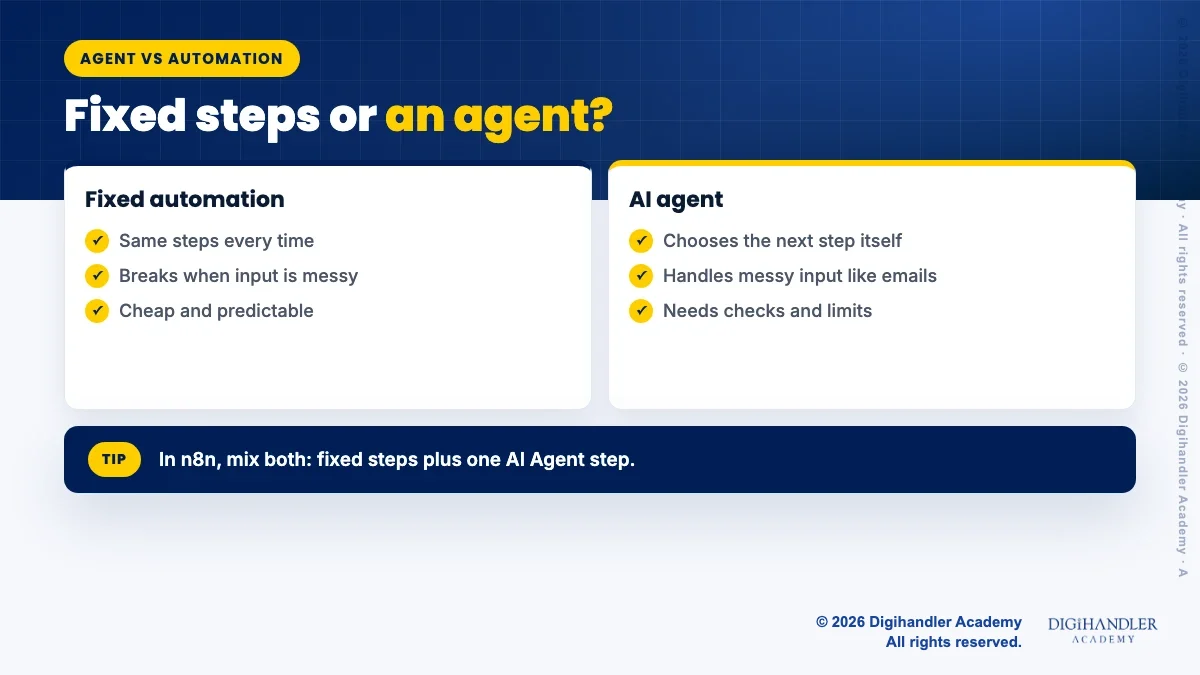
What it does: n8n is a workflow tool. Its AI Agent node connects a chat model to tools, and the agent decides which tool to call. n8n's docs say you must connect at least one tool.
A normal automation is a train on fixed rails. An agent is a driver who picks the road. In n8n you can mix both: fixed steps for the safe parts, and one agent step for the messy part.
Price: n8n's docs say the self-hosted Community edition is free and runs without a licence key. As listed on n8n's site in November 2026 (prices may change), Cloud Starter is €20 a month and Pro is €50 a month, billed annually. Starter includes 2,500 workflow runs a month, with a free trial and no card needed. See n8n pricing.
Who it suits: learners who want a lead or report agent they fully control. Start with n8n automation for beginners.
Limitation: you design the workflow yourself, and self-hosting means running and updating your own server.
What it does: Comet is a web browser from Perplexity with a built-in assistant. It can read and compare pages, draft email replies and carry out tasks on websites. It runs on Mac, Windows, iOS and Android.
Price: Comet is a free download. Perplexity made it free for everyone in October 2025 and said it would stay free, though some advanced features are kept for paid plans. Check the current terms on the Comet page.
Who it suits: freshers who want to watch an agent work before paying for anything.
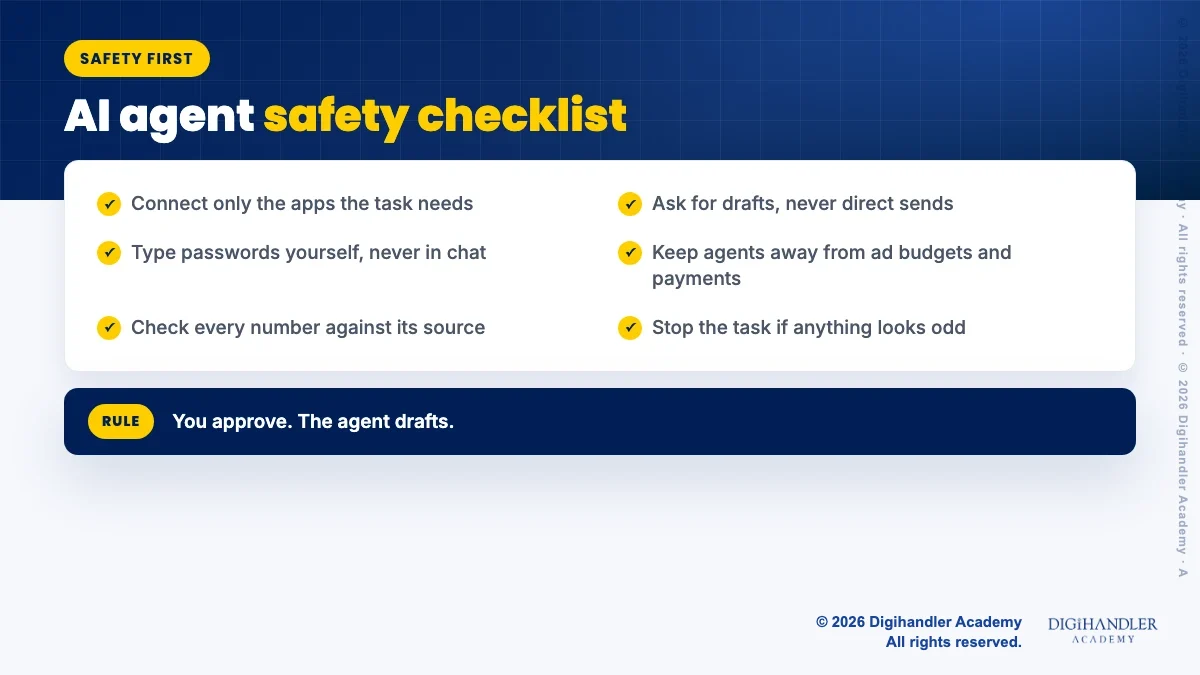
Limitation: a browser agent acts inside sites where you are signed in. Keep it away from ad accounts and payments until you trust it. Learn more in AI browsers and browser agents explained.
They are useful, but they make mistakes and they can be tricked. One known risk is prompt injection: hidden text on a web page that tries to make the agent do something you never asked for.
Use these simple rules for every agent on this list:
Try one of these this week on a real task.
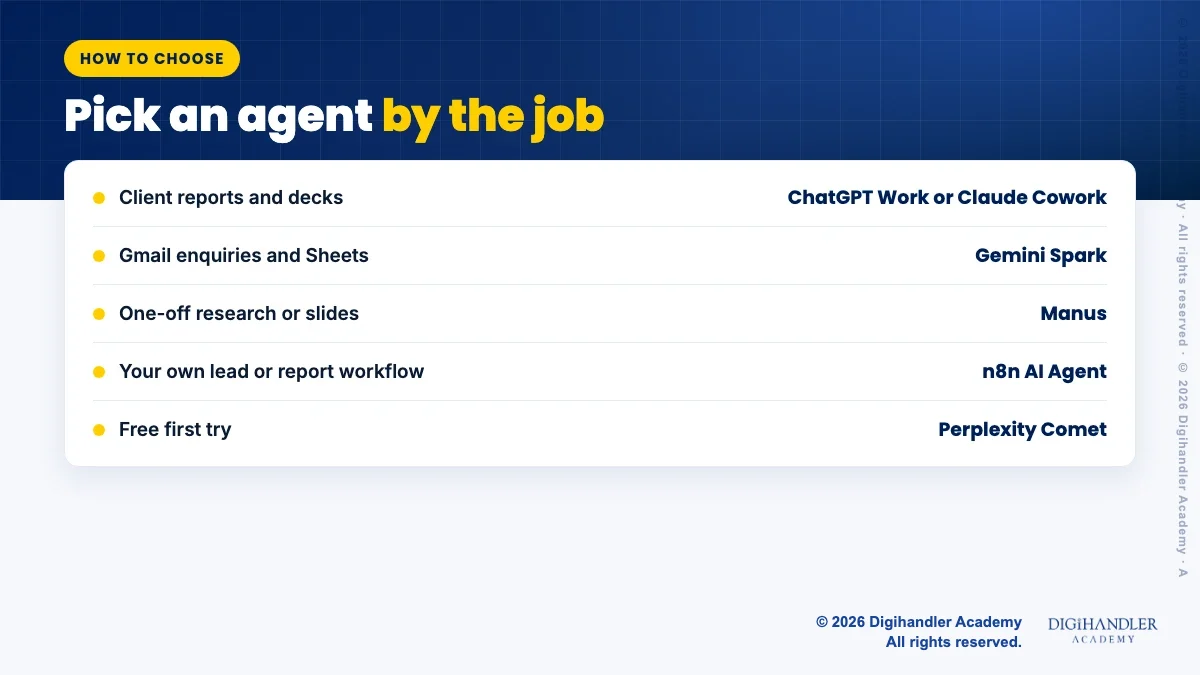
Start from the job, not the tool.
Download the free comparison sheet above for the same list with space for notes. More agent ideas for shops and service businesses are in AI agent hacks for small business.
If you would rather learn these tools with a trainer, Digihandler Academy runs a free demo class you can attend live online.
Prices below were listed on the official pages in November 2026 and may change, so check each official page before you buy.

Riya writes Digihandler Academy's guides and roadmaps. Every article is fact-checked and reviewed by Lovish Madaan, founder & trainer, who has run the Digihandler agency since 2018. More from Riya →
There is no single best AI agent for every marketer. For client reports and slide decks, ChatGPT Work and Claude Cowork are strong all-rounders. If your work lives in Gmail and Google Sheets, Gemini Spark fits better. Manus suits occasional research and slides on a credit budget, n8n suits people who want to build their own workflow, and Perplexity Comet is the easiest free way to try a browser agent. Choose by the job you repeat every week, then test one tool for a month before paying for a second.
Yes, a few. Perplexity's Comet browser is a free download, with some advanced features kept for paid plans. ChatGPT's Free plan lists limited Work access in the desktop app. Manus has a Free plan with limited monthly credits, and n8n's self-hosted Community edition is free, though you need a server to run it. Free access is usually limited, so use it to learn and test. Upgrade only when a paid plan clearly saves you hours on real client work. Check each official page, because free plans change often.
No. As of November 2026, OpenAI's help centre says ChatGPT agent is no longer available and points users to ChatGPT Work for longer, multi-step tasks and finished deliverables. Work can research, analyse information and create documents, spreadsheets, presentations and reports. On ChatGPT's pricing page, Free and Go plans get limited Work access in the desktop app, while Plus and Pro get Work on desktop, web and mobile. If an older video or blog tells you to type /agent, follow the Work steps instead.
It is safer not to let a general AI agent change live ad campaigns or budgets. Agents can make mistakes and can be misled by hidden text on web pages, and a wrong click in an ad account costs real money. Use agents for the work around ads instead: competitor research, draft ad copy, report building and spotting odd numbers in exported data. Then make the actual changes yourself inside Google Ads or Meta Ads Manager, where you can review every setting before it goes live.
AI agents take over repeated steps such as collecting numbers, formatting reports and drafting first versions. They still need someone to set the goal, give context, check facts and make decisions for the client. That makes people who can brief and review agents more useful, not less. For freshers, the practical move is to learn the core skills, such as SEO, ads and content, and then learn to hand the boring steps to an agent. Show both in your portfolio with real before and after examples.
Where AI genuinely saves marketers time on real client work, and where it quietly makes things worse.
Read article →
What decides whether an AI assistant quotes your page, and the fixes worth doing first.
Read article →