AI in digital marketing: what actually works right now
Where AI genuinely saves marketers time on real client work, and where it quietly makes things worse.
Read article →
AI voice typing tools let you talk instead of type, and the new ones also clean up your words as you go. Wispr Flow is one of the best-known names, but free options from Google, Microsoft and Apple already sit on your phone and laptop. Here are six tools with their official free plans, Indian prices and language support as of November 2026, plus simple hacks to get clean text the first time.
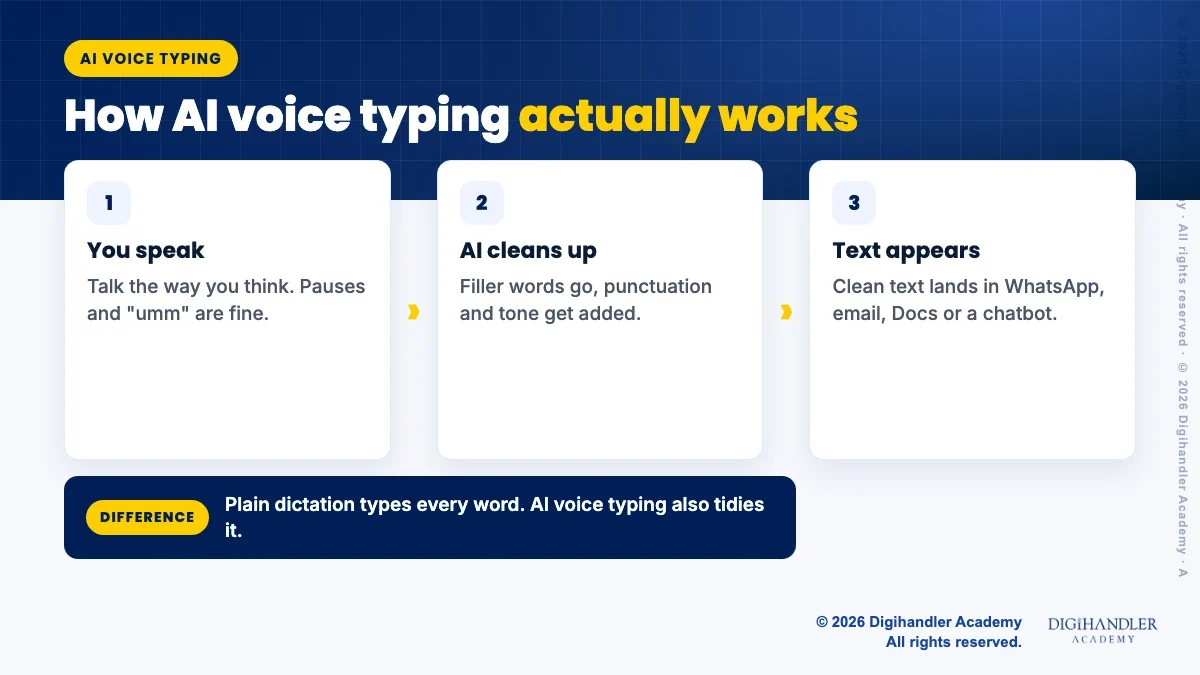
Normal dictation writes down exactly what you say. If you say "umm" or change your mind halfway, that goes onto the page too. You then fix it with the keyboard.
AI voice typing tools add a cleaning step. You talk the way you think, and the tool removes filler words, adds punctuation and shapes the text before it lands in your app. Think of a quick typist who listens to you and also tidies up your sentences.
This matters for anyone who writes a lot: freelancers replying to clients, students writing notes, shop owners answering WhatsApp messages. It also helps when you write long prompts for ChatGPT or Claude, because speaking a detailed prompt is faster than typing it. (New to prompts? See our guide to prompt engineering for marketers.)
Below are six tools we checked on their official pages in November 2026. Two are paid AI apps with free plans. Four are free tools already built into Google, Windows and Mac.
Wispr Flow is one of the best-known AI voice typing apps. It works on Mac, Windows, iPhone and Android, and it types into almost any app where your cursor sits. Its Android app launched on 23 February 2026, according to Wispr's own blog.
Useful features listed on its site: a personal dictionary that learns names and brand words, snippets (say a short phrase and it pastes your saved address, link or bio), and styles that change tone per app, like formal for email and casual for chats.
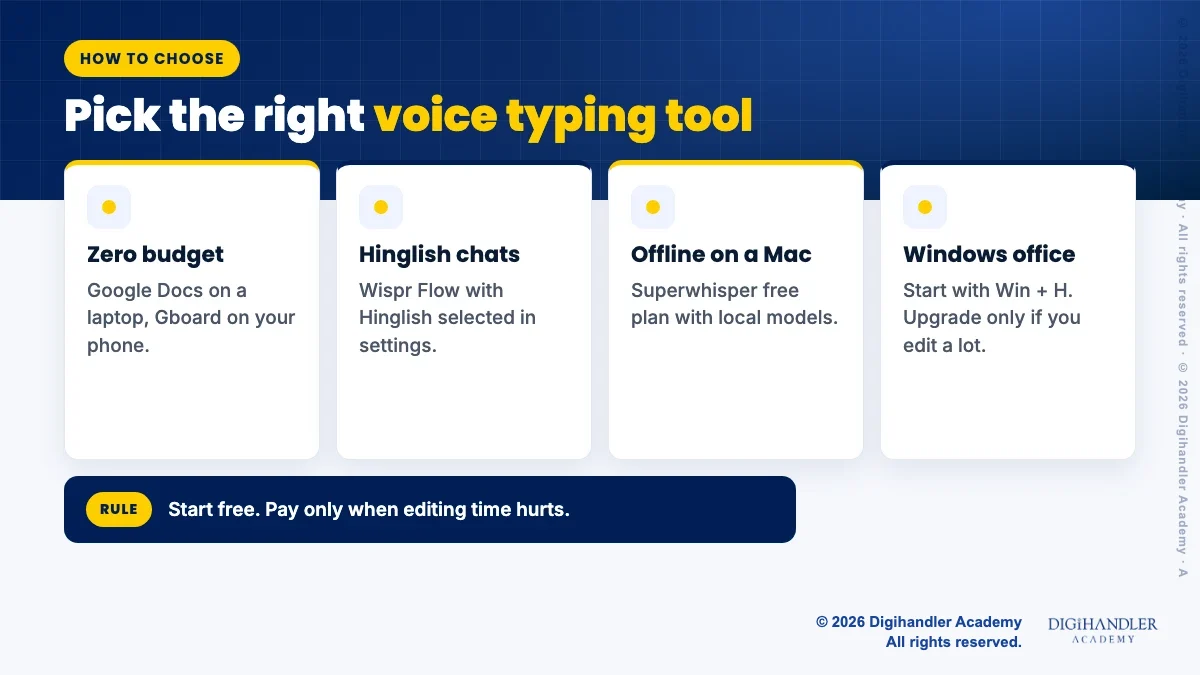
For Indian users, the big news is Hindi and Hinglish. Wispr's help centre says you must select Hinglish yourself in settings, because it is not picked up by auto-detect. Hinglish output stays in Roman letters, the way most of us type on WhatsApp.
Wispr's site claims Flow is 4x faster than typing on a keyboard. That is the vendor's own figure, so treat it as a claim, not a test result.
A printable cheat sheet with start shortcuts for every device, spoken punctuation commands, a setup checklist and a practice log to help you dictate clean text faster.
© 2026 Digihandler Academy. All rights reserved. Free for personal use.
Superwhisper is another AI dictation app. Its site lists Mac, Windows, iOS and Android. It offers modes such as Message and Email, plus custom modes, which shape your speech into the right format.
Its main difference is offline use. The site says it works offline, but adds that offline models run really well only on Apple silicon Macs, and Intel Macs work best with cloud models.
If you have a Google account, you already have this. Open a document in Chrome, Edge or Safari, click Tools, then Voice typing, and press the microphone.
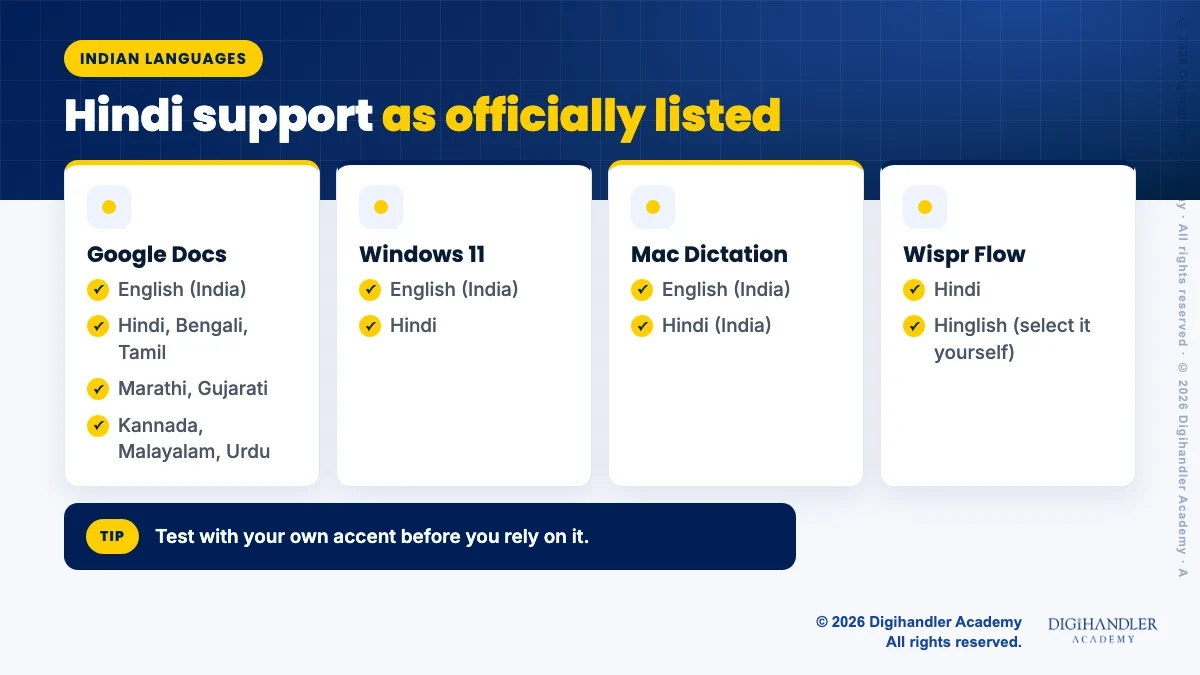
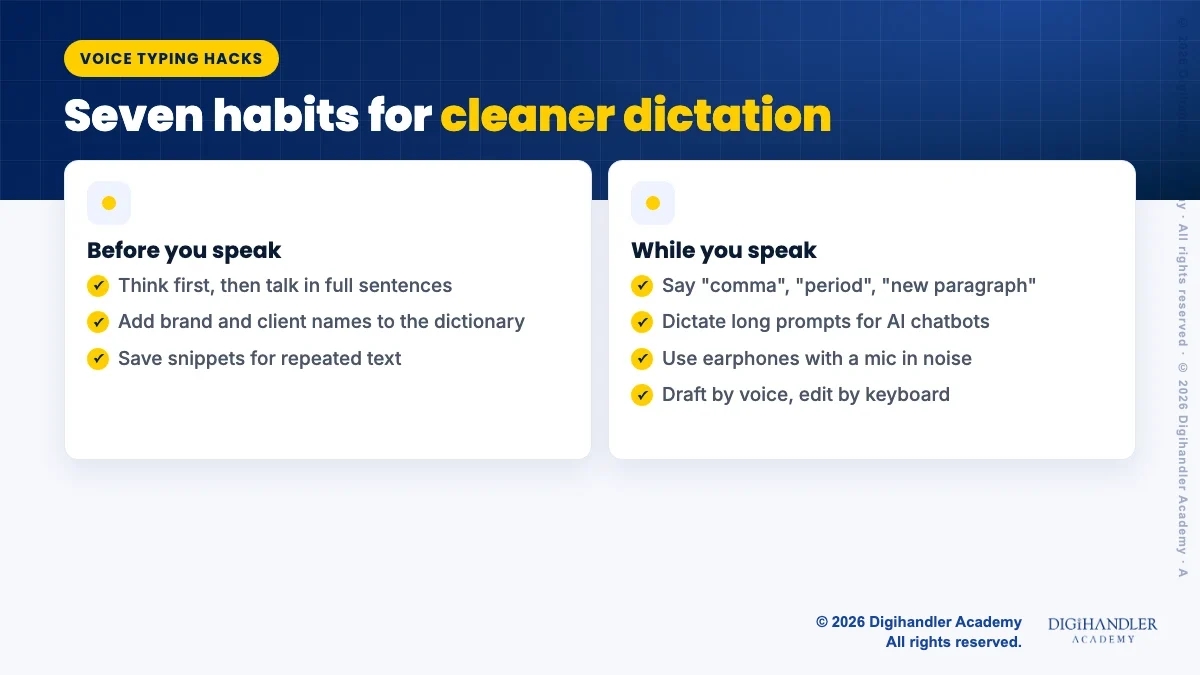
Google's help page lists English (India), Hindi, Bengali, Tamil, Marathi, Gujarati, Kannada, Malayalam and Urdu among its languages. You can say "comma", "period", "new line" and "new paragraph".
Gboard is Google's keyboard app. Tap any text box, then tap the microphone at the top of the keyboard and speak. To fix a word, touch and hold it, tap the mic and say the new word.
Windows has voice typing built in. Put your cursor in a text box and press the Windows key + H. Microsoft's page lists both English (India) and Hindi for voice typing on Windows 11. You can switch on automatic punctuation from the gear icon.
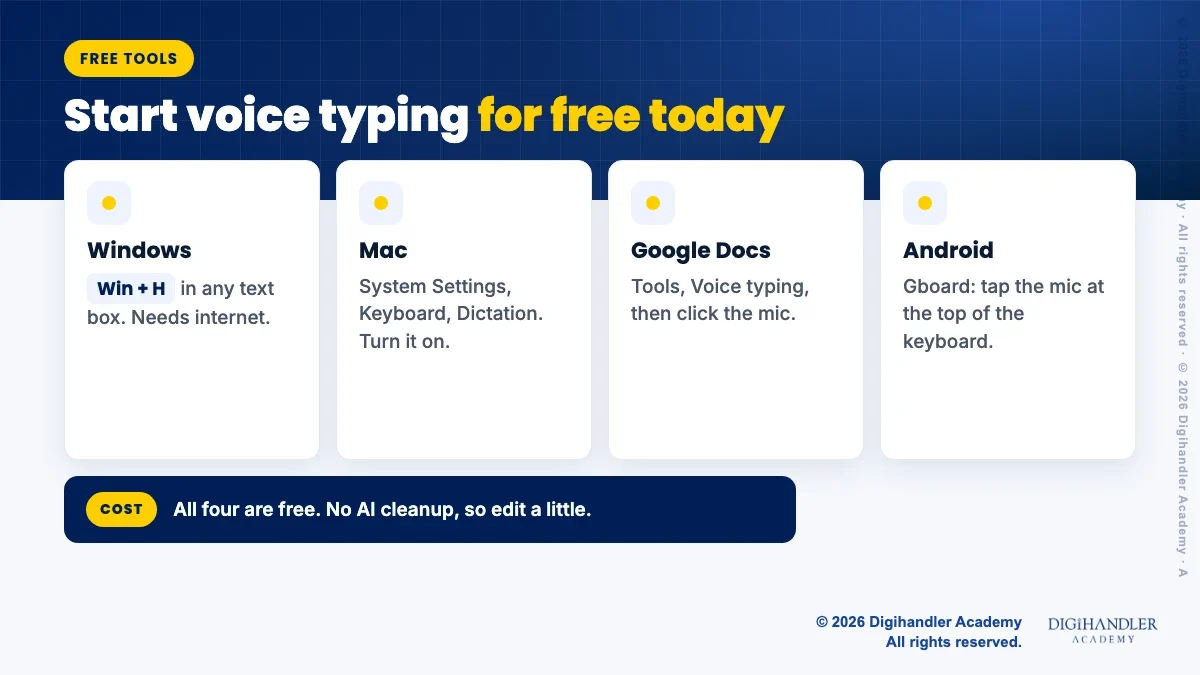
On a Mac, go to System Settings, then Keyboard, then Dictation, and turn it on. Apple says you can dictate text of any length, and it stops after 30 seconds of silence. Say "heart emoji" to insert an emoji.
Pick by where you write, not by hype. Here is a quick comparison based on price, free plan and Indian language support as officially listed.
Want more tools with free plans? See AI tools with free plans compared. If you also want to build things by talking to AI, read our vibe coding tips and hacks.
Most AI voice typing tools send your audio to the cloud. Wispr's help centre says dictation is processed in the cloud. It has two switches under Settings, Data and Privacy: "Improve the model for everyone" and "Dictation cloud storage". Both are on by default.
If you handle client data, turn both off, and do not dictate passwords, OTPs or bank details into any tool. For very private notes, an offline option on your own device is the safer choice.
These tips work with almost every tool above. Download the free cheat sheet above to keep them next to your desk.
Voice also pairs well with AI agents: you speak the task, the agent does the clicks. Our plain guide to what AI agents are explains how. If you want trainer feedback on your AI workflow, you can try a free demo class at Digihandler Academy.

Riya writes Digihandler Academy's guides and roadmaps. Every article is fact-checked and reviewed by Lovish Madaan, founder & trainer, who has run the Digihandler agency since 2018. More from Riya →
Yes. Wispr Flow has a free plan on Mac, Windows, iPhone and Android, and it is available in India. The free plan comes with a weekly word allowance. Wispr's help centre lists defaults such as a warning at 2,000 words a week on Mac and Windows, and notes that allowances can differ by account and change. If you need more, Flow Pro was listed at Rs 400 per month, or Rs 320 per month billed yearly, on Wispr's India page in November 2026. Students and educators get 50% off Pro. Check the official page before you pay.
Several tools officially list Hindi. Google Docs voice typing lists Hindi and English (India), along with Bengali, Tamil, Marathi, Gujarati, Kannada, Malayalam and Urdu. Windows 11 voice typing lists Hindi and English (India). Apple's macOS page lists Hindi (India) for dictation. For Hinglish, the everyday mix of Hindi and English written in Roman letters, Wispr Flow offers a separate Hinglish setting. You must select it yourself, because Wispr says auto-detect does not pick Hinglish. Always test with your own accent first.
It depends on your device. On a Windows laptop, press the Windows key and H to start free voice typing in any text box. On a Mac, turn on Dictation in System Settings under Keyboard. For long documents, Google Docs voice typing is free with a Google account and supports many Indian languages. On Android, Gboard's microphone works in almost any app. These free tools type what you say but do not clean up filler words, so expect a little editing. Try them before paying for an AI app.
Some tools do and some do not. Wispr Flow needs an internet connection and its India page says it does not work offline. Windows voice typing also needs internet because it uses Microsoft's online speech recognition. Superwhisper says it works offline with local models, but adds that offline models run really well only on Apple silicon Macs. If you often work with weak internet, test an offline option first and keep a cloud tool as a backup for longer, cleaner drafts.
Be careful. Cloud tools send your audio to their servers to turn it into text. Wispr's help centre, for example, says dictation is processed in the cloud, and its two data switches are on by default. Before dictating client work, open the privacy or data settings and turn off model training and cloud storage where the tool allows it. Never dictate passwords, OTPs, card numbers or bank details. For very sensitive notes, use an offline tool that runs on your own device.
Where AI genuinely saves marketers time on real client work, and where it quietly makes things worse.
Read article →
What decides whether an AI assistant quotes your page, and the fixes worth doing first.
Read article →