AI in digital marketing: what actually works right now
Where AI genuinely saves marketers time on real client work, and where it quietly makes things worse.
Read article →
What is vibe coding? It is the new way people build apps and websites by describing them to an AI in plain English. This beginner guide explains who coined the term, how it works, which tools offer free plans as of November 2026, where it falls short, and the safety checks to run before you share anything you build.
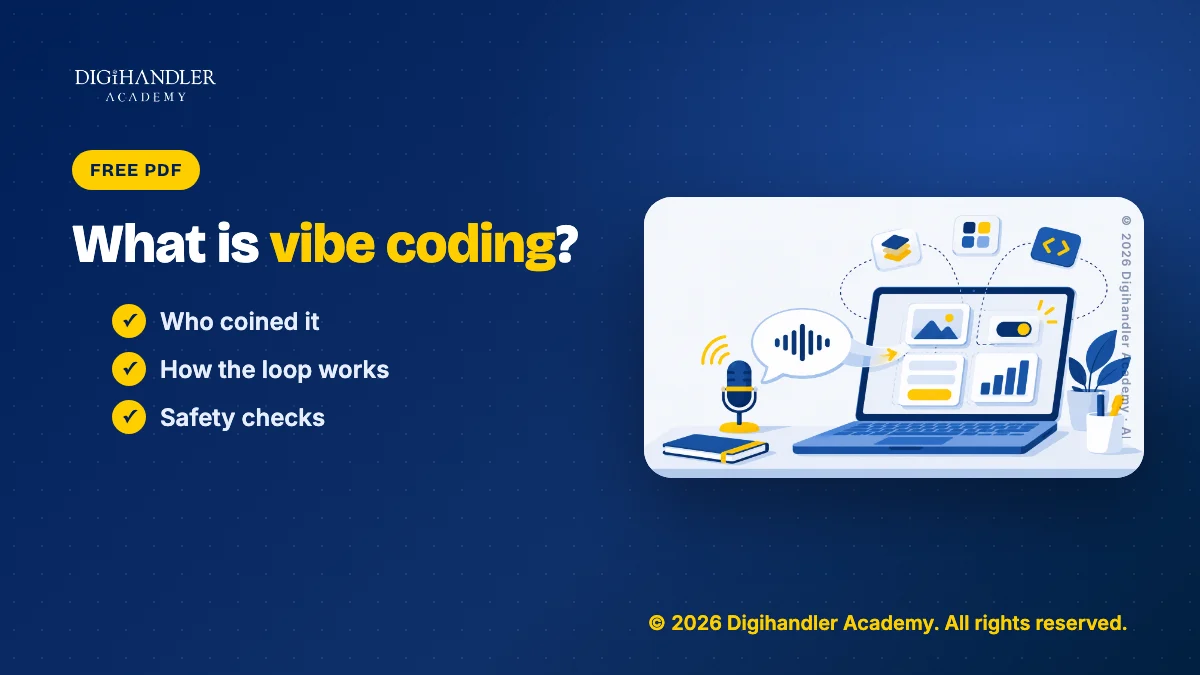
Vibe coding means building software by telling an AI what you want in plain English, instead of typing the code yourself. You describe the app. The AI writes the code. You try it, say what is wrong, and the AI fixes it.
Think of a tailor. You do not stitch the shirt. You explain the fit, try it on and ask for changes. In vibe coding, the AI is the tailor.
Collins Dictionary named vibe coding its Word of the Year for 2025. Collins describes it as using AI, prompted by natural language, to write computer code. Teachers, shop owners and marketers now use it to make small tools.
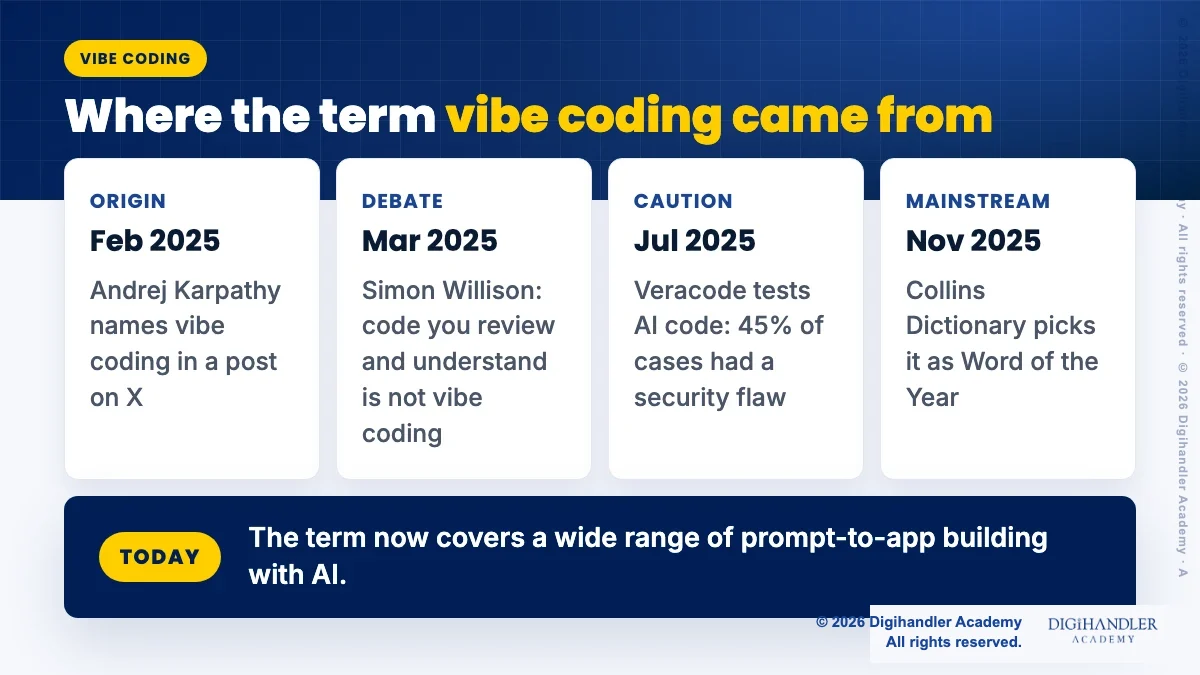
The term comes from Andrej Karpathy, an AI researcher. He used it in a post on X on 2 February 2025.
In that post he described a loose way of working. He spoke to an AI code editor (Cursor) through a voice tool called SuperWhisper, clicked "Accept All" on its changes and did not read them. He pasted errors straight back to the AI. His own words were to "forget that the code even exists". He also said the method was fine for throwaway weekend projects.
So the person who named it saw it as a playful way to build small things fast. Since then the meaning has grown, and Google Cloud's guide now uses it for both quick experiments and careful, reviewed app building with AI.
A printable brief, prompt template, build loop checklist and safety checks to take any small app idea from first prompt to a safe share.
© 2026 Digihandler Academy. All rights reserved. Free for personal use.
At heart, you talk, the AI builds and you check. Your effort moves from typing code to clear thinking about what the app should do and for whom.
Some tools also offer what Google calls "vibe deploying": putting the app live on the internet with one click or one prompt.
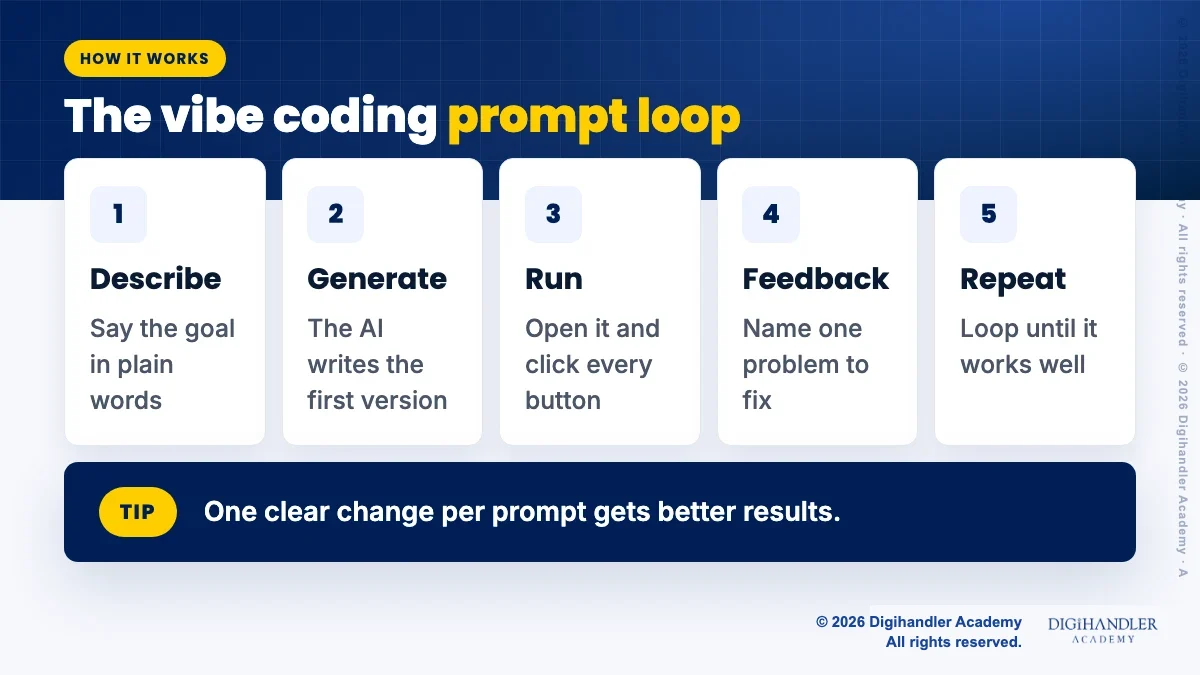
Google Cloud describes the core loop in five steps, and you will see it in every tool:
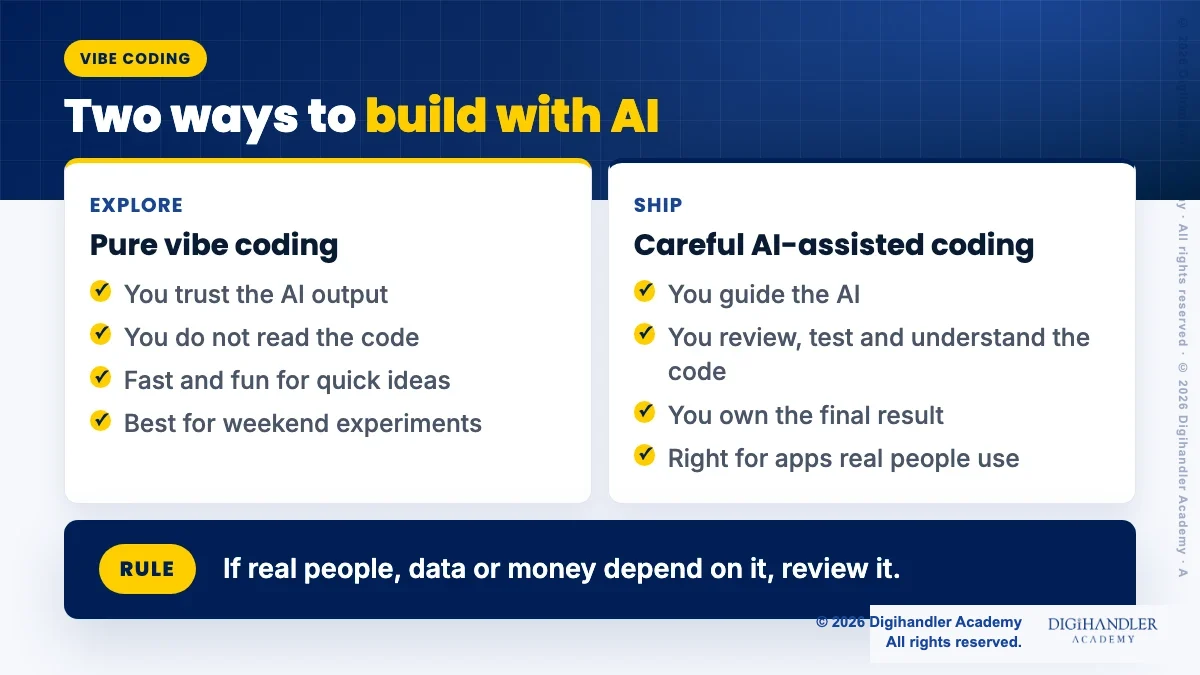
Not everyone who uses AI to code is vibe coding. Programmer Simon Willison argued in March 2025 that if you review, test and understand the code, it is simply software development with AI help. His personal rule is to never commit code he could not explain to someone else.
For a beginner, start pure to learn and play. Switch to the careful style once real people will use what you made.
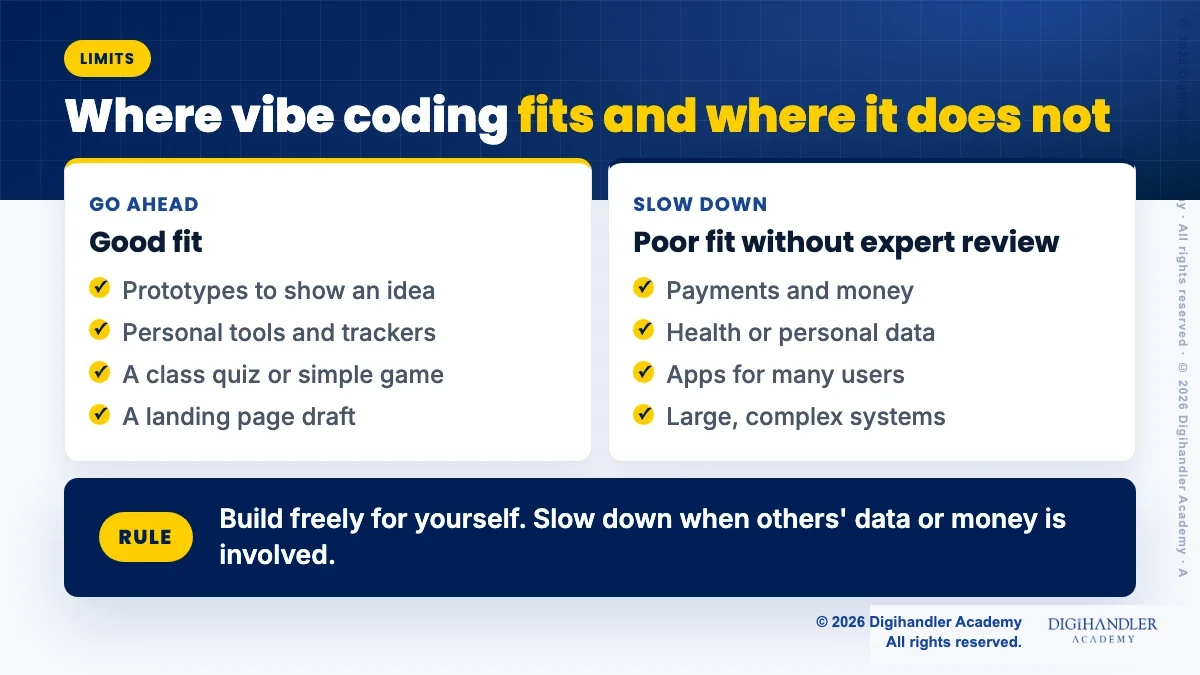
Google Cloud describes the two styles like this:
Browser app builders, where a prompt gives you a working app, suit beginners. AI code editors and terminal agents, such as Cursor and Claude Code, suit people who already work with code.
Prices and free limits change often, so check each official page before you pay. The pages below show prices in dollars ($). For a fuller comparison, see our list of the best vibe coding tools.
Here are three beginner-friendly options, with free plans as listed on each vendor's site in November 2026:
Pick something small you would actually use. Say you help at a coaching centre in Rohtak: a one-page form where parents pick a demo class slot is a good start.
Before you open any tool, write four lines: what the app does, who uses it, three must-have features, and what data it collects. This is your brief. Download the free checklist above; its first page has a fill-in brief for exactly this.
Then write one clear first prompt, like this: Build a simple mobile-friendly page for a coaching centre. Parents enter child name, class and phone number, and pick a demo slot from Monday to Saturday, 4 pm to 7 pm. Show a thank-you message after submit.
Run it, test it on your phone, and fix one thing per prompt. Since this form collects phone numbers, read the safety section below before sharing it.
These save hours of back and forth with the AI. More ideas are in our vibe coding tips and hacks guide.
Try these small habits today:
Vibe coding is great at small, simple things. It struggles as projects grow. Microsoft's training module on vibe coding says AI tools lack the judgement needed for design choices, performance and secure patterns, and that unchecked AI code can be hard to maintain.
Beginners usually hit three walls. The bug loop, where the AI fixes one thing and breaks another. Code that grows so big nobody understands it, which Karpathy admitted happened to him. And payments or logins that need care the AI may skip.
Microsoft's advice for less experienced builders is simple: use vibe coding for experiments and apps that are not critical.
Yes, as an extra skill. A marketer who can build a quiz, lead form or landing page draft in an afternoon can test ideas without waiting for a developer.
Microsoft gives a similar example: a marketing person vibe codes a prototype to pitch an idea, then developers build it properly.
Freshers can add small vibe-coded tools to a portfolio, if they say honestly what the AI built. It also helps to understand how AI agents work, since many of these tools run as agents.
If you prefer to learn AI tools with a trainer and live feedback, you can sit in on a free demo class at Digihandler Academy before deciding anything.
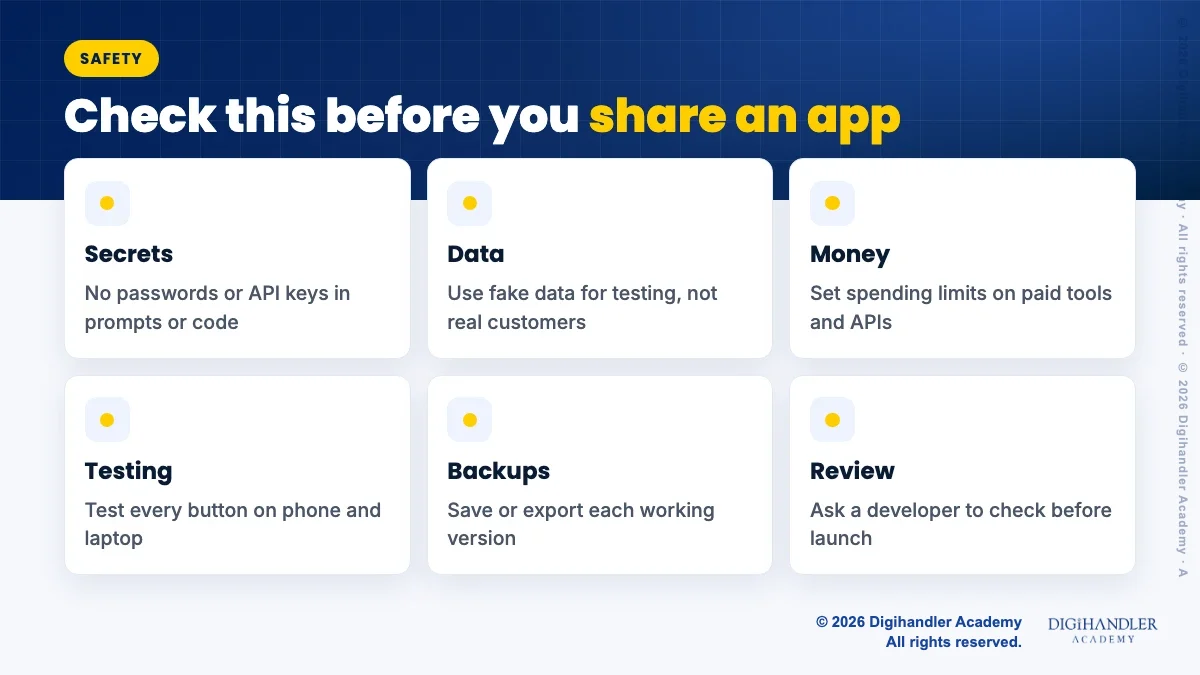
Treat AI-written code as untested until you test it. In a July 2025 study, Veracode, a company that sells code security tools, gave 80 coding tasks to more than 100 AI models. In 45% of cases the code had a security flaw. That figure comes from Veracode's own test set, not every app, but the lesson holds: check before you trust.
None of this should scare you off. Build freely for yourself. Slow down and get help once other people's data or money is involved.
Simon Willison's safety advice for vibe coding works well for beginners:

Riya writes Digihandler Academy's guides and roadmaps. Every article is fact-checked and reviewed by Lovish Madaan, founder & trainer, who has run the Digihandler agency since 2018. More from Riya →
AI researcher Andrej Karpathy coined the term in a post on X on 2 February 2025. He described talking to an AI code editor, accepting all its changes without reading them, and pasting errors back until things worked. He said this was fine for throwaway weekend projects. The phrase spread quickly, and Collins Dictionary named vibe coding its Word of the Year for 2025. Today many people use it more broadly for any app building done by chatting with AI.
No. You can start with zero coding knowledge, because you describe what you want in plain language and the AI writes the code. Browser tools such as Lovable, Bolt and Google AI Studio Build mode show a live preview, so you can test as you go. However, some basic understanding helps a lot once things break. A simple habit is to ask the AI to explain each file in simple words. Over time you will learn real coding concepts while you build.
You can try it for free. As listed on the vendors' sites in November 2026, Lovable's free plan gives 5 credits a day up to 30 a month, and Bolt's free plan gives 300K tokens a day and 1M a month, with Bolt branding on free sites. Google AI Studio Build mode may cost money if you use paid models or deploy to Cloud Run. Free limits run out fast on bigger apps, and prices change often, so always check the official pricing page first.
It can be, but only after proper checks. A July 2025 Veracode study of more than 100 AI models found security flaws in 45% of its test cases, so AI code should be treated as untested. Keep passwords and API keys out of your code, test with fake data, set spending limits on paid tools, and ask an experienced developer to review the app before customers use it. This matters most for apps that handle payments, phone numbers or other personal data.
Not in the way headlines suggest. Microsoft's training material on vibe coding says it does not replace the need for experienced developers, because AI tools lack judgement on design, performance and security. What changes is who can build the first version. A marketer or shop owner can now make a working prototype in an afternoon, then hand it to a developer to build properly. Developers who use these tools well can also move faster on routine work.
Where AI genuinely saves marketers time on real client work, and where it quietly makes things worse.
Read article →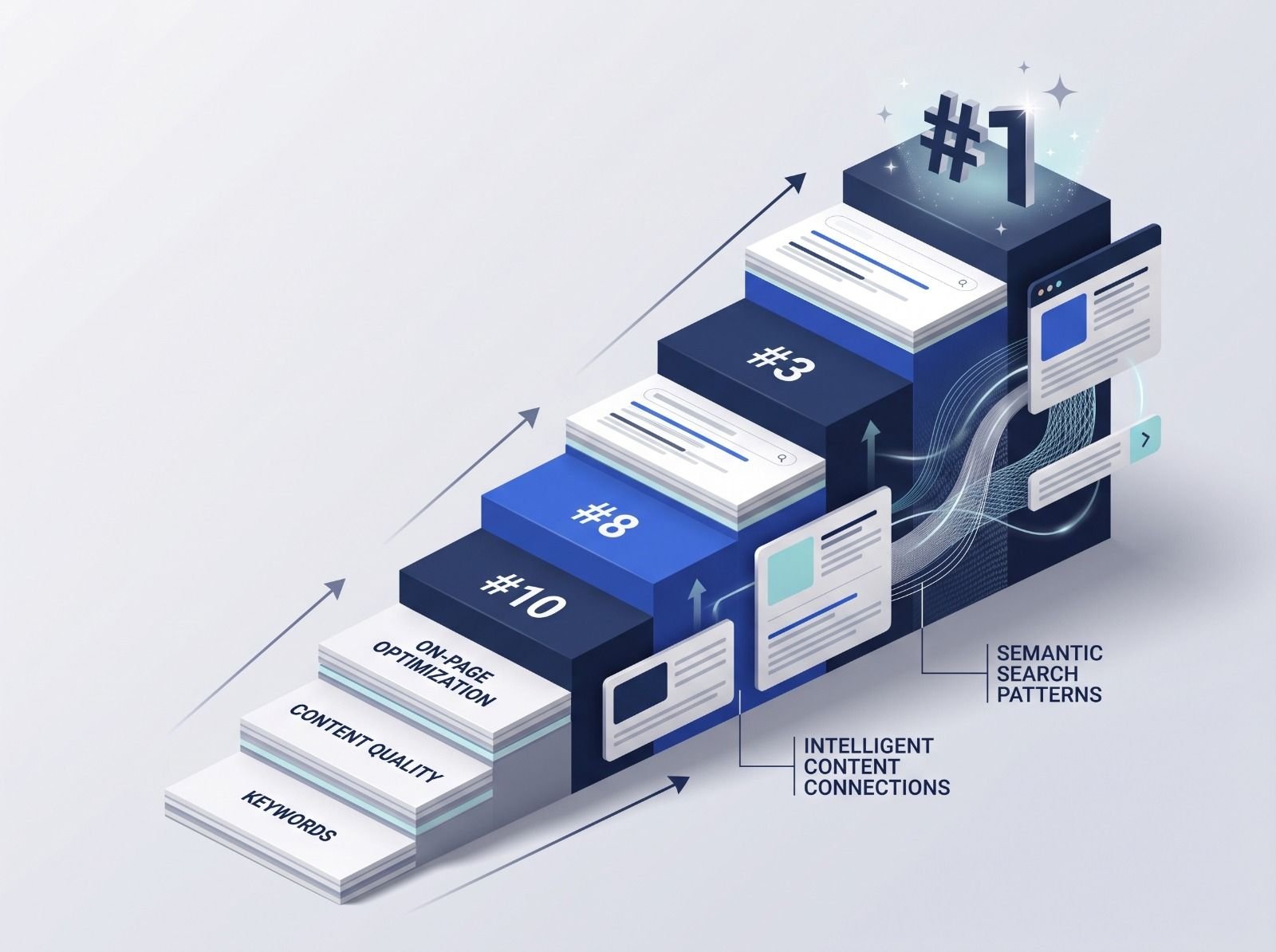
What decides whether an AI assistant quotes your page, and the fixes worth doing first.
Read article →