AI in digital marketing: what actually works right now
Where AI genuinely saves marketers time on real client work, and where it quietly makes things worse.
Read article →
AI browser agents can now open websites, click buttons and fill forms for you. That sounds like magic, and sometimes it is. This guide explains in plain words which tools are real in India as of November 2026, what they do well, where they fail, and how to use them without putting your accounts at risk.
An AI browser agent is an AI helper that can use a web browser the way you do. It reads the page, decides the next step, then clicks, scrolls and types. You give it a goal in plain words, like "find three PG rooms near MDU Rohtak under ₹8,000 and put them in a table". It does the clicking.
Think of it as a new office junior sitting at your keyboard. Quick, never tired, but very literal. It follows the instructions it reads, and that can include text written by strangers on a web page. Keep that picture in mind for the safety part below.
A normal chatbot answers questions. An agent takes actions. For the bigger picture beyond the browser, read our plain guide to AI agents.
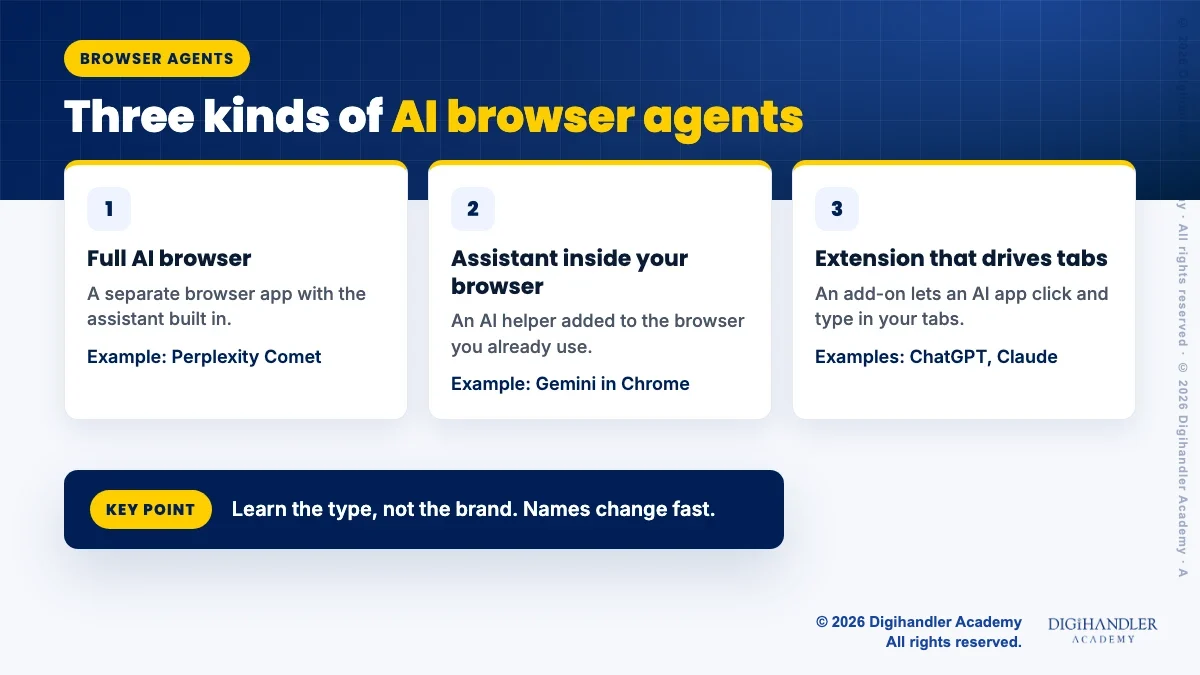
As of November 2026 you will meet browser agents in three forms. Brand names change often, so learn the forms first.
A 3-page printable checklist with setup steps, where each tool's safety controls are, red flags, safe vs risky tasks, a task log and a safe prompt template.
© 2026 Digihandler Academy. All rights reserved. Free for personal use.
Here is what we could verify on each company's own pages in November 2026. Features roll out by country and plan, so treat this as a snapshot.
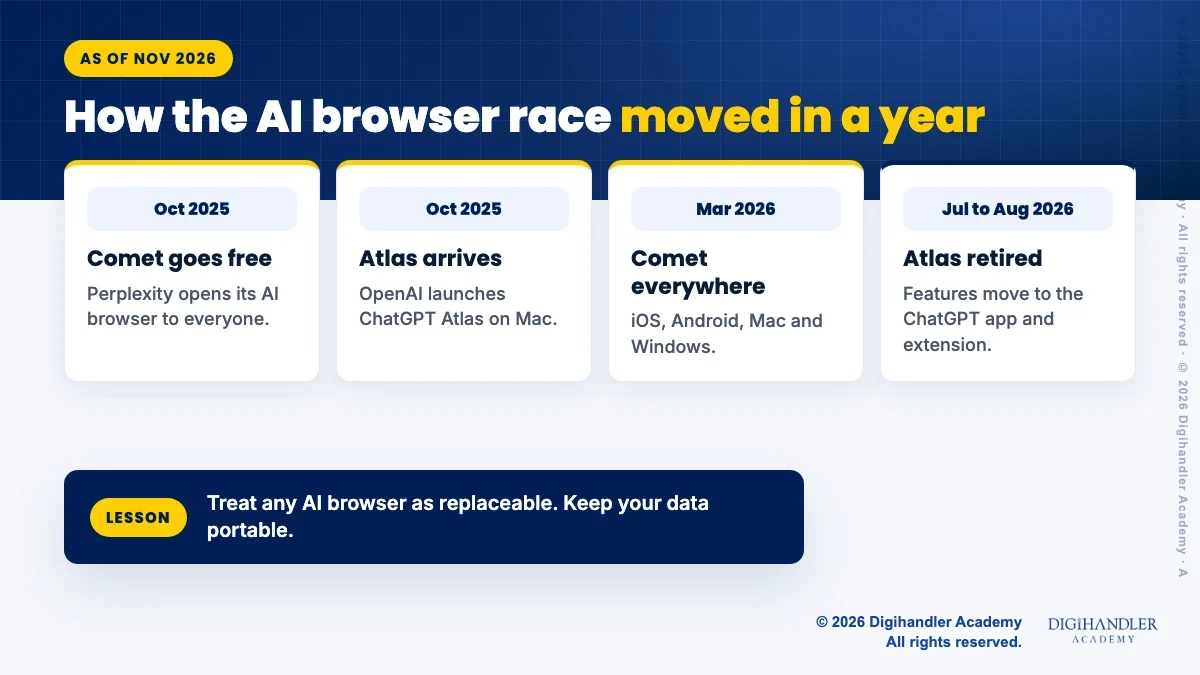
OpenAI launched ChatGPT Atlas, its own AI browser, on Mac in October 2025. On 9 July 2026 OpenAI said it would discontinue Atlas, with a target end date of 9 August 2026, as reported by 9to5Mac. Its browsing features now live in the ChatGPT desktop app and the browser extension.
The lesson is simple. Do not build your whole routine around one shiny tool. In under a year a headline browser came and went. Keep your bookmarks and passwords somewhere you control, and treat any AI browser as replaceable.
Agents are best at boring, repeatable web work where a small mistake is cheap.
They struggle with CAPTCHAs, pop-ups and logins, with tasks that need judgement, and with anything where one wrong click costs money. A Jaipur boutique owner can ask an agent to collect supplier prices from five websites. She should not let it place the order alone.
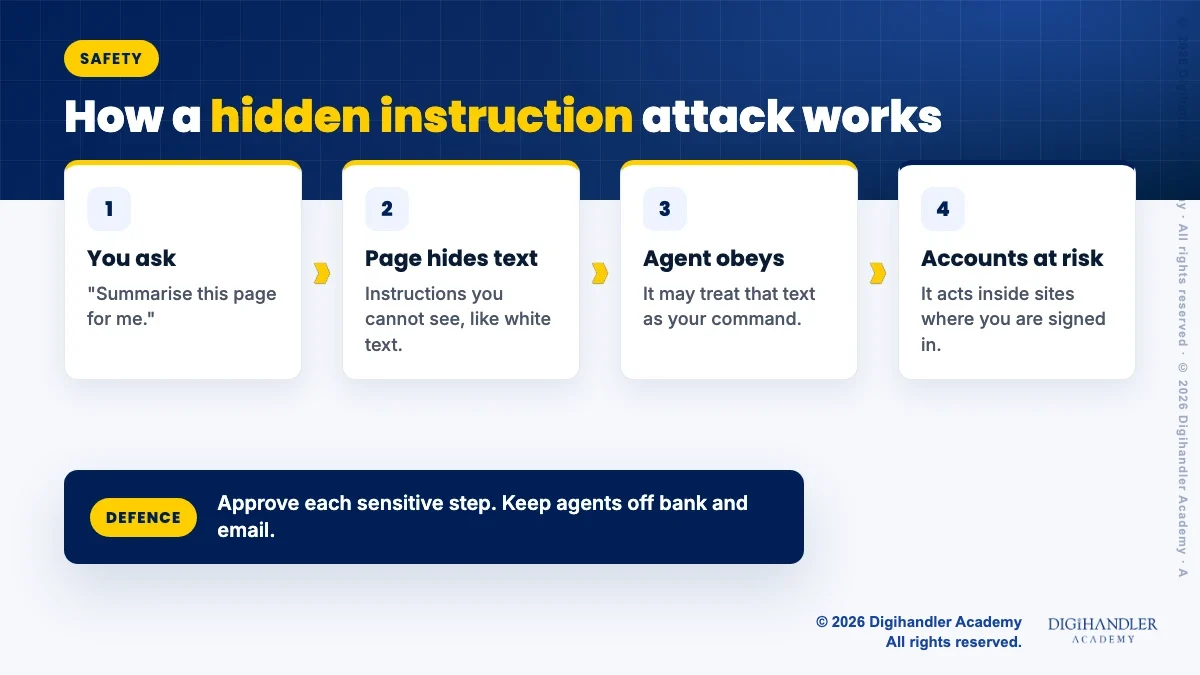
The biggest risk has a name: prompt injection. OWASP, a well known security project, describes the indirect kind as hidden instructions inside a web page or file that change what the AI does. You cannot see the text. The agent can.
This is not theory. In August 2025 the Brave browser team showed that hidden text in a Reddit comment could make Comet's assistant fetch a user's email address and a login code and post them back to the attacker. The user had only asked it to summarise the page. Perplexity issued a fix, and Brave wrote that its retest found the first fix incomplete.
Companies are working on it. In Anthropic's August 2025 tests, 123 attack cases succeeded 23.6% of the time without safety measures and 11.2% with them in autonomous mode. Better, not zero. OpenAI's own guide gives the same advice: treat page content as untrusted.
It depends on the tool, so read its privacy page before you install. Two examples from official help pages:
If you run a small team, write down which tools are allowed and for what. Our AI use policy template for small teams gives you a ready starting point.
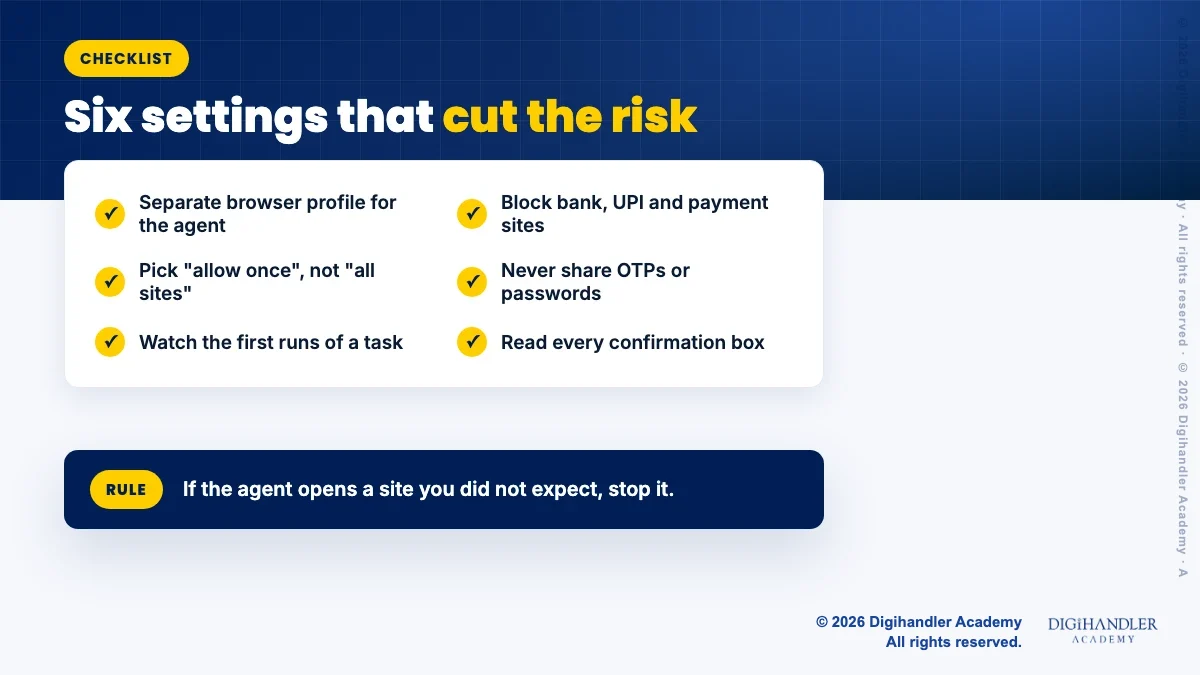
These take about ten minutes and remove most of the risk. They are all in the free checklist, so download the free AI browser safety checklist above and tick them off as you go.
Our criteria here are price, a free option, and ease for a beginner. On that basis:
Plan rules above are as listed on each vendor's site in November 2026. Prices and offers change, so check the official pricing page before you pay. For a wider comparison, see the best AI agents for marketers. If you would like a trainer to walk you through tools like these live, you can book a free demo class at the academy.
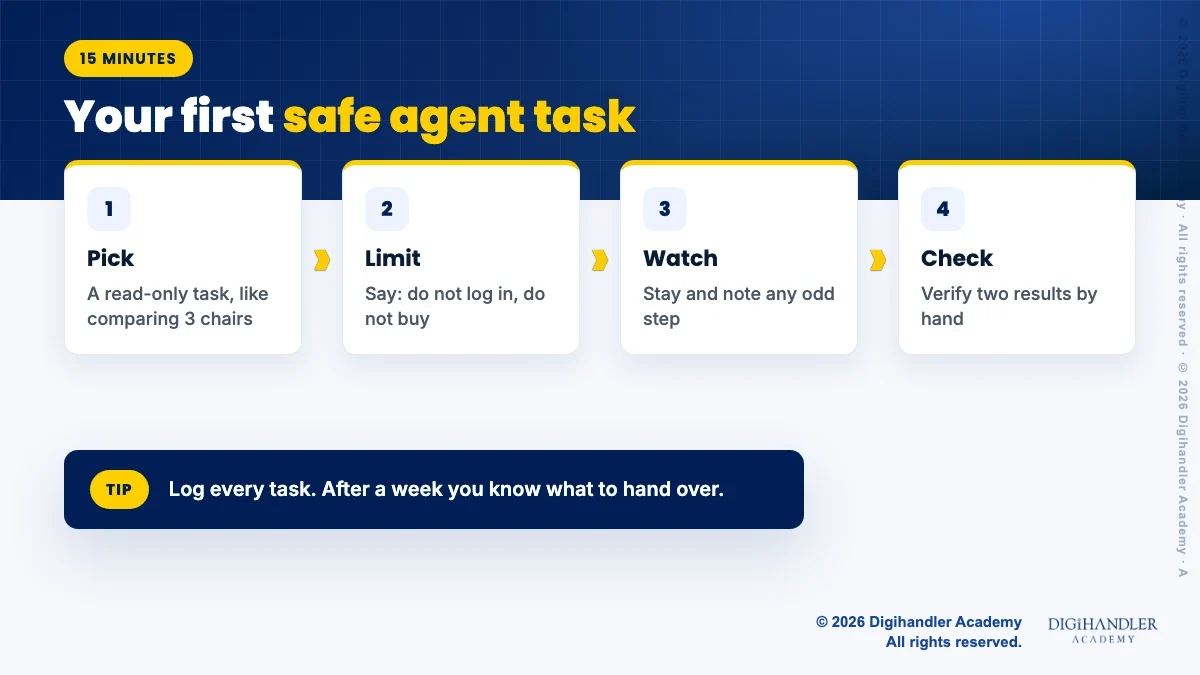
Start small and read-only. Here is a simple routine that works with any of the tools above.
Log each task in the PDF's task log. After a week you will know which jobs to hand over and which to keep. For ready ideas, see AI agent hacks for small business and our guide to agentic AI for marketers.

Riya writes Digihandler Academy's guides and roadmaps. Every article is fact-checked and reviewed by Lovish Madaan, founder & trainer, who has run the Digihandler agency since 2018. More from Riya →
Yes. Perplexity announced on 2 October 2025 that anyone in the world can download Comet for free, and its March 2026 changelog lists iOS, Android, Mac and Windows versions. Some advanced features and partner content may sit behind paid Perplexity plans, and those plans and prices change. Before you pay for anything, check Perplexity's own pricing page in your account. For a beginner, the free browser is enough to try research, summaries and simple comparisons, as long as you set up the privacy controls first and keep banking and email sites blocked.
OpenAI launched ChatGPT Atlas on Mac in October 2025. On 9 July 2026 it said it would discontinue Atlas, with a target end date of 9 August 2026, as reported by 9to5Mac. OpenAI moved its browser features into the ChatGPT desktop app, which has a built-in browser, and into a ChatGPT extension for Chrome, Edge, Brave, Opera and Vivaldi. If you used Atlas, export or save your bookmarks and important pages, and use the desktop app or extension for agent tasks instead.
No, keep money tasks for yourself. AI agents can be tricked by hidden instructions on web pages, a risk called prompt injection, and even the companies' own tests show it is reduced, not removed. Anthropic, for example, said in its August 2025 Claude for Chrome announcement that it blocks high-risk site categories such as financial services. A simple rule works well: block net banking, UPI, wallet and payment sites in the agent's settings, never share an OTP or password with it, and stop the agent if it reaches a checkout or payment page.
Yes, with conditions. Google's India blog says Gemini in Chrome is available to all Android users in India, while auto browse, the feature that carries out tasks for you, works on desktop and Android for Google AI Pro and AI Ultra subscribers on devices set to English. Google gives examples like filling long forms and ordering groceries, and says auto browse asks for confirmation before some sensitive tasks. Plan prices change, so check the Google One plans page for the current rupee price before subscribing.
Prompt injection is when hidden text tricks an AI into doing something you did not ask for. In a browser, the text can sit on a web page, in a comment or in an email, written in white on white so you cannot see it. The agent reads it and may treat it as your command, for example to copy your email address or a login code. Security group OWASP lists it as a top risk for AI apps. The best defences are limiting what the agent can access and approving sensitive steps yourself.
Where AI genuinely saves marketers time on real client work, and where it quietly makes things worse.
Read article →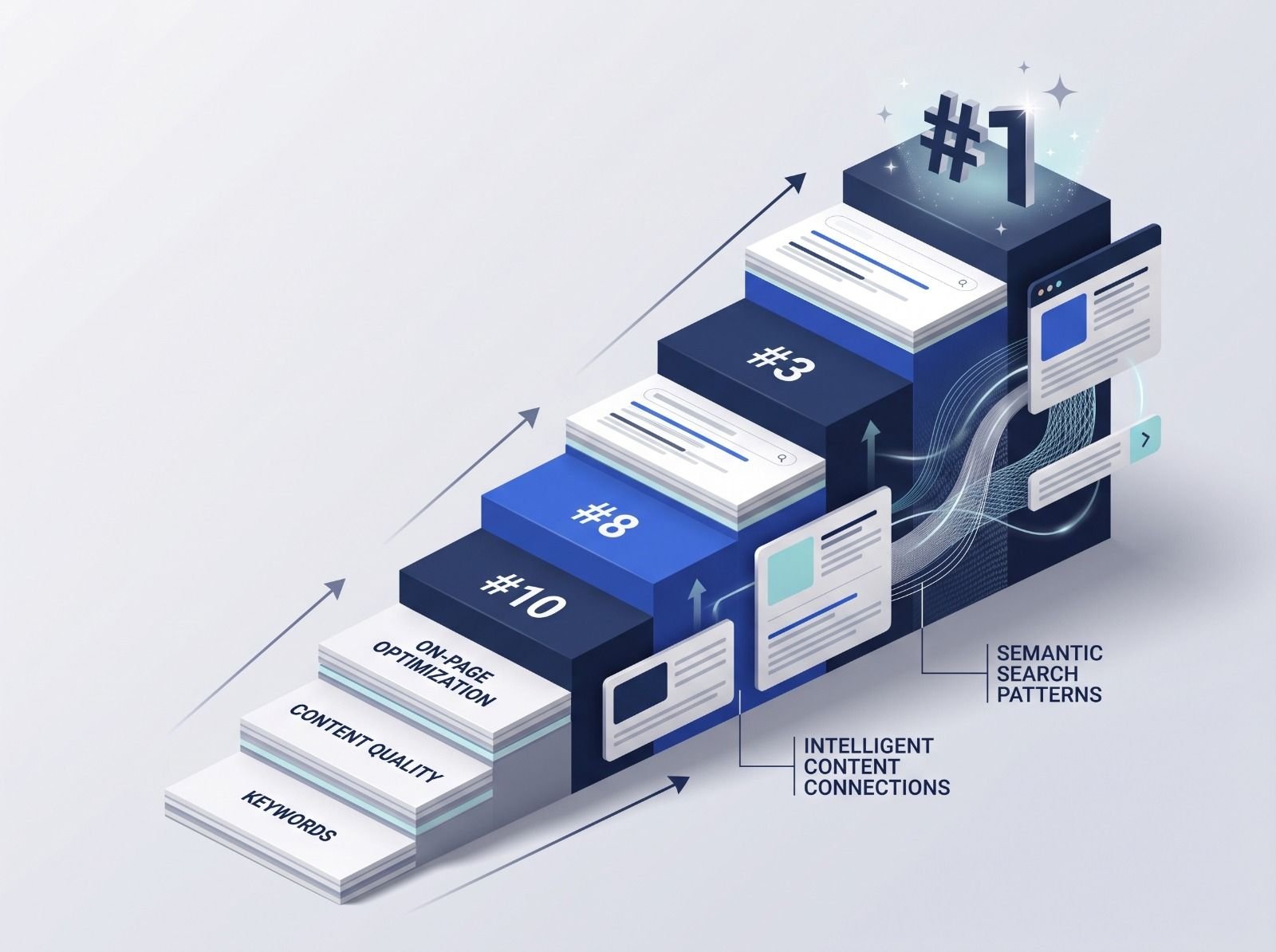
What decides whether an AI assistant quotes your page, and the fixes worth doing first.
Read article →