AI in digital marketing: what actually works right now
Where AI genuinely saves marketers time on real client work, and where it quietly makes things worse.
Read article →
You can build a website with AI without coding, often in one afternoon. You type what you want in plain English, the AI builds the page, and you publish it with a click. This guide follows one simple example, a landing page for a small coaching centre in Rohtak, using Lovable, a popular vibe coding tool. Every price and limit below is as listed on Lovable's own site in November 2026.
Yes, for a simple site like a landing page, a menu page or a portfolio. The new style of doing this is called vibe coding: you describe the result, and an AI writes the code behind it. You never have to open that code. If the term is new to you, read what vibe coding means first.
Think of it as a fast web designer who follows instructions. You decide, the AI types.
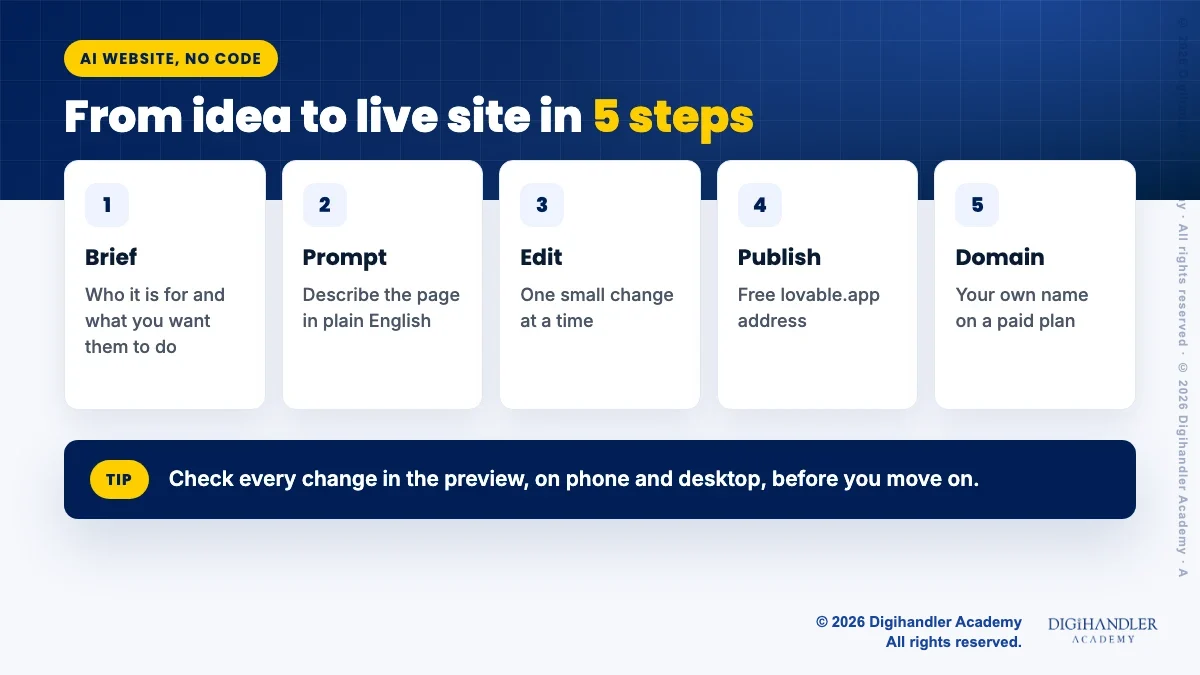
The whole job has five parts: a short brief, a first prompt, small edits, publishing, and connecting your own domain. We will do each one in order.
There are many good tools, and we compare them in the best vibe coding tools. For this tutorial we use one tool, Lovable, because its official docs clearly explain building, publishing and custom domains for non coders. Lovable says it grew out of gpt-engineer, an open source project it created in mid 2023.
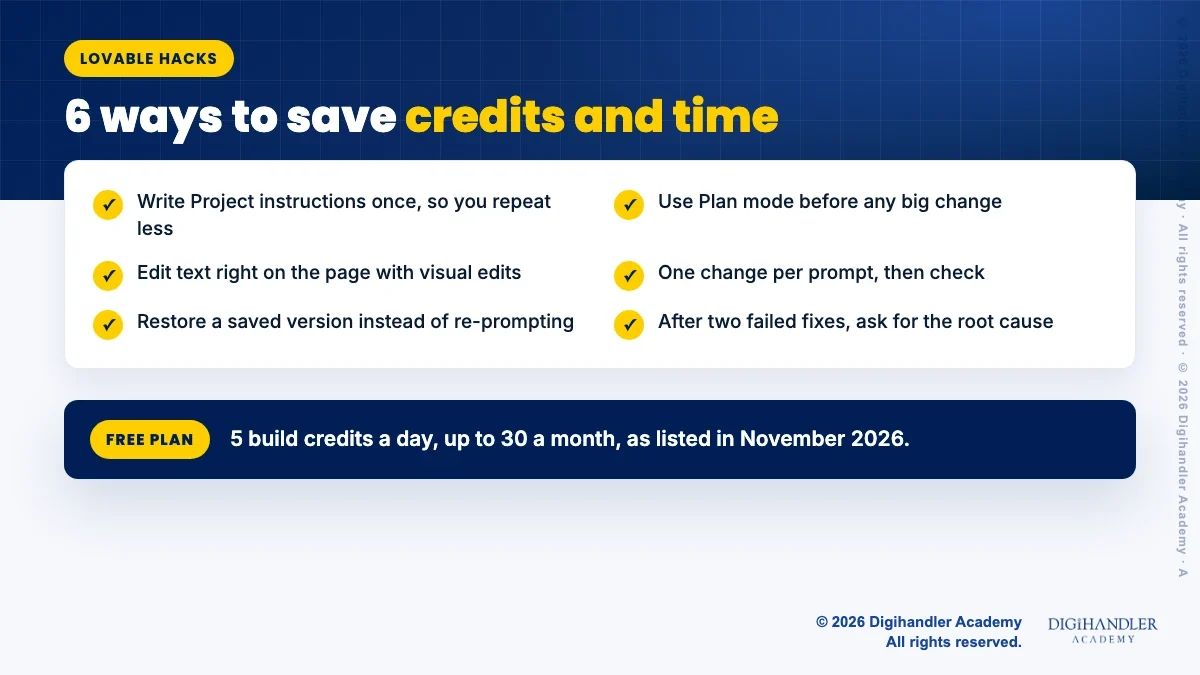
Here is what Lovable lists on its site in November 2026. The Free plan gives 5 build credits a day, up to 30 a month, and you can publish publicly on a free lovable.app address. The Pro plan starts at US$25 a month, or US$250 a year, with 100 monthly credits. Pro adds custom domains, removes the "Edit with Lovable" badge and lets you edit or download the code. Students and teachers who verify a school email while on the Free plan can get 50% off Pro (100 credits a month, billed monthly) for up to 12 months, as listed on Lovable's student page in November 2026.
Prices are in US dollars and were listed in November 2026. Prices and offers change often, so check Lovable pricing before you pay.
A credit is Lovable's unit of usage. Its pricing page shows a landing page prompt with generated images costing 1.70 credits, and making a button gray costing 0.50. So free credits can build a small one page site over a few days.
A 3 page printable with a fill-in business brief, a first prompt template, build, publish and domain checklists, and the DNS records you need, so you can tick each step as you go.
© 2026 Digihandler Academy. All rights reserved. Free for personal use.
The AI is only as good as your instructions. Spend ten minutes on a brief before you type any prompt. Use the brief page in the free checklist above, or answer these on paper.
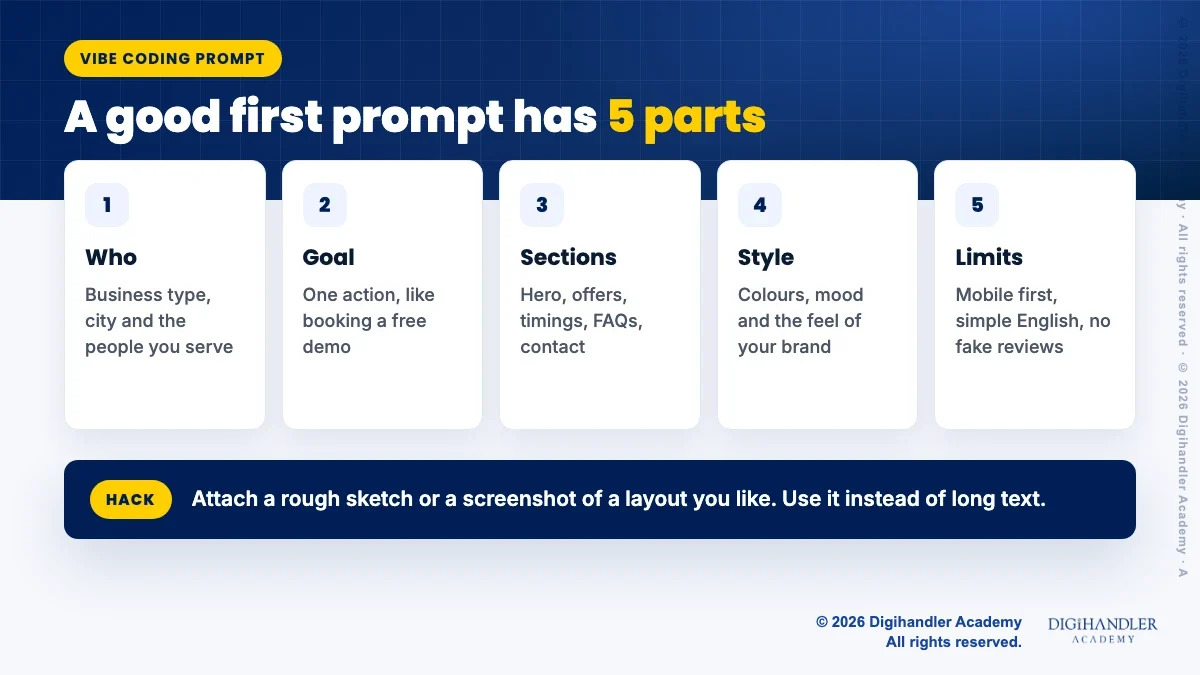
Sign up at Lovable, start a new project and paste one clear prompt. A good first prompt has five parts: who, goal, sections, style and limits. Here is a version you can adapt:
Build a one page website for a coaching centre in Rohtak for Class 11 and 12 science students. The main goal is to get parents to book a free trial class on WhatsApp. Sections: hero with a Book free trial button, courses, why choose us, timings and address, FAQs, contact. Style: navy and yellow, clean, friendly, mobile first. Use simple English. Do not invent reviews, prices or numbers; leave placeholders I can fill.
Hack: attach a rough sketch or a screenshot of a layout you like. Lovable's own guide suggests attaching a screenshot instead of describing the layout in words. You can also dictate a long prompt with the microphone.
Ask for contact options one at a time: first a call button, then a WhatsApp button with your number, then a simple enquiry form.
A form needs somewhere to store the entries. Lovable has a built in backend called Lovable Cloud, with a database, storage and sign in features, and it is switched on by default for workspaces. When a feature needs it, Lovable either turns it on or asks you first. Always send one test entry and confirm you can see it before you go live.
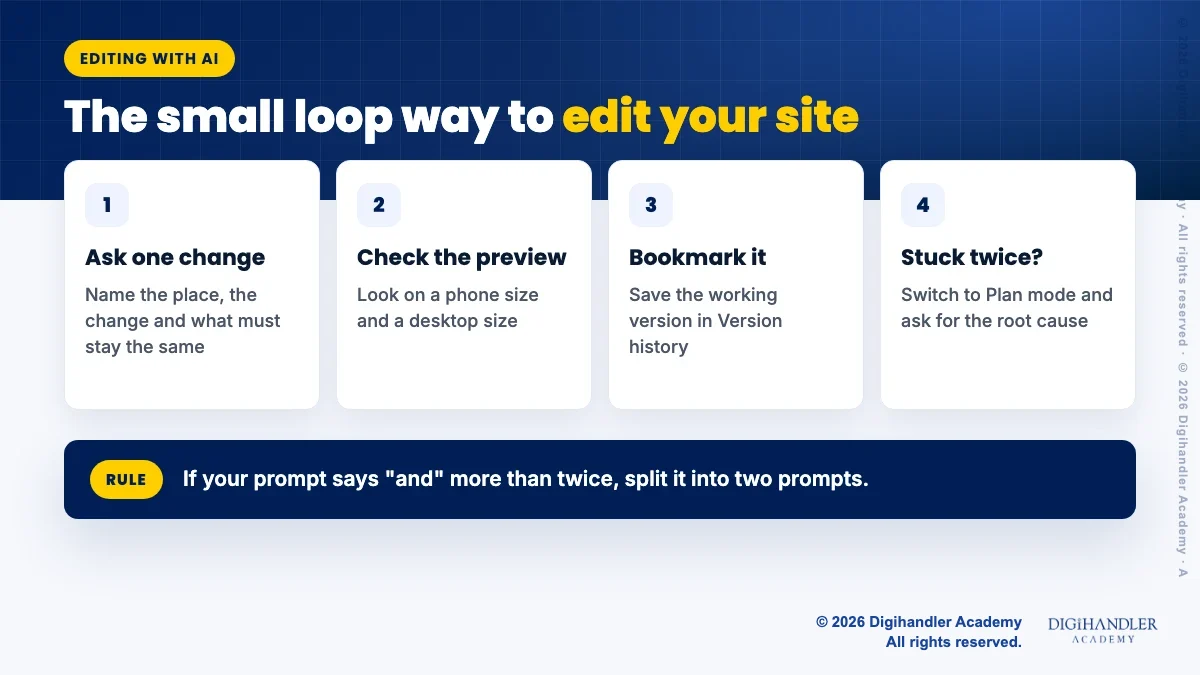
Lovable's best practice guide calls it building in small loops: one change per prompt, check the preview, then move on. Name the place, the exact change, and what must stay the same, for example "Change only the hero heading. Don't change the navigation."
A few features make this easier. Plan mode suggests a plan you can edit before any code is written, so use it for bigger changes. The preview toolbar lets you select an element or fix text right on the page. Every change saves to Version history, so bookmark each version that works and restore it if an experiment fails.
Before you publish, replace every placeholder with real details and click every button yourself.
On the Free plan the site is Public by default, which means anyone with the link can visit. Later edits do not go live on their own. Open Publish and click Publish changes each time.
Lovable also writes a page title, description and small site icon for you. Check them in the Social and Search previews, and ask in chat to change them, for example to include your business name and city.
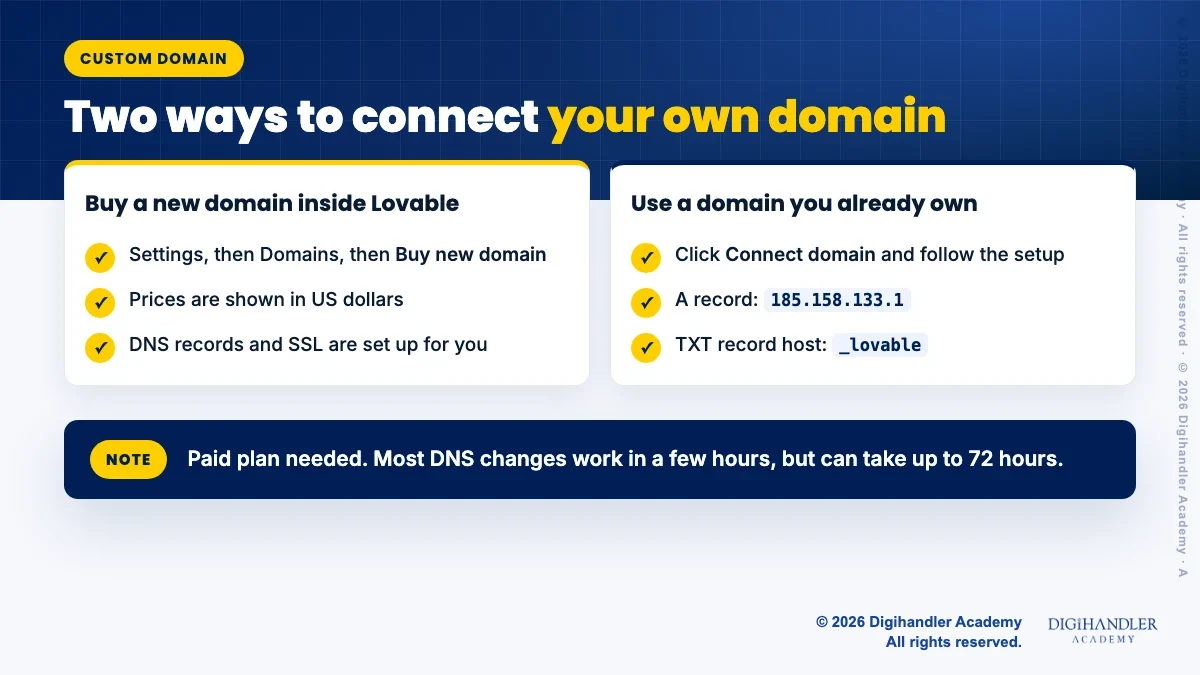
A name like yourcoaching.in looks more trustworthy than a free address. Custom domains need a paid Lovable plan, and the domain only shows your site once the project is published. There are two ways.
Buy inside Lovable: go to Project Settings, then Domains, then Buy new domain. Prices are shown in US dollars, and Lovable sets up the DNS records and the SSL certificate for you. Domains bought this way are billed separately from your plan and auto renew by default. Lovable's docs say the renewal price may differ from the purchase price and is shown at checkout and in your domain settings, so check it before you buy.
Use a domain you already own: choose Connect domain and follow the automatic setup, or add records by hand at your registrar. Lovable's docs list an A record pointing to 185.158.133.1 and a TXT record on the host _lovable with the verify code it shows you. Remove any old AAAA records first. For tips on buying a domain in India, see our cheap domain guide.
Lovable says most DNS updates work within a few hours, but can take up to 72 hours. A free SSL certificate is added automatically.
Publishing does not mean Google shows your site the same day. Add your domain to Google Search Console as a Domain property, which you verify with a DNS record. Then use the URL Inspection tool on your home page and request indexing once.
Google's own docs say crawling can take anywhere from a few days to a few weeks, and asking again and again does not make it faster. Meanwhile, add the link to your Google Business Profile and Instagram bio.
You will find more ideas in our vibe coding tips and hacks.
AI builders are great for a fast landing page. They are weaker when you need many pages of blog content, a big online store, or a team of editors. For those, a CMS like WordPress is often the better fit, and our guide to making WordPress fast without a developer helps there.
Costs can rise as your site grows, and the AI can make mistakes, so read every word before it goes live. If you want a trainer to guide you through websites, SEO and ads together, you can try a free demo class at Digihandler Academy. Self study works too, with weekly practice.

Riya writes Digihandler Academy's guides and roadmaps. Every article is fact-checked and reviewed by Lovish Madaan, founder & trainer, who has run the Digihandler agency since 2018. More from Riya →
Yes, you can build and publish a simple site for free. As listed on Lovable's site in November 2026, the Free plan gives 5 build credits a day, up to 30 a month, and lets you publish publicly on a free lovable.app address. What you cannot do on the free plan is connect your own domain or remove the "Edit with Lovable" badge. Those need a paid plan, which starts at US$25 a month. Prices change, so check the official pricing page first.
No. You describe what you want in plain English and Lovable writes the code for you. You can also change text and pick elements straight from the preview, without touching code. That said, it helps to understand basic website ideas, such as what a domain is, what DNS records do and why a page needs a clear call to action. These basics help you write better prompts and spot mistakes before your customers do.
A first draft usually appears within minutes of your first prompt. The real time goes into the brief, the editing and checking every detail. For a simple one page site for a small business, many beginners can finish in an afternoon or spread it over a few days on the free daily credits. Connecting your own domain adds waiting time, because DNS changes can take from a few hours up to 72 hours to work.
Google can find and show any public website, whoever or whatever built it. To help it along, add your domain to Google Search Console, verify it and request indexing for your home page once with the URL Inspection tool. Google says crawling can take from a few days to a few weeks. Clear titles, a description that names your business and city, and useful, honest content matter more than which tool made the page.
Lovable's pricing page says you own your code, including the apps and websites you build and the AI output you generate. Paid plans let you edit and download the code, and all plans list Git sync with services like GitHub. This matters if you ever want to move your site to another host or hand it to a developer later.
Where AI genuinely saves marketers time on real client work, and where it quietly makes things worse.
Read article →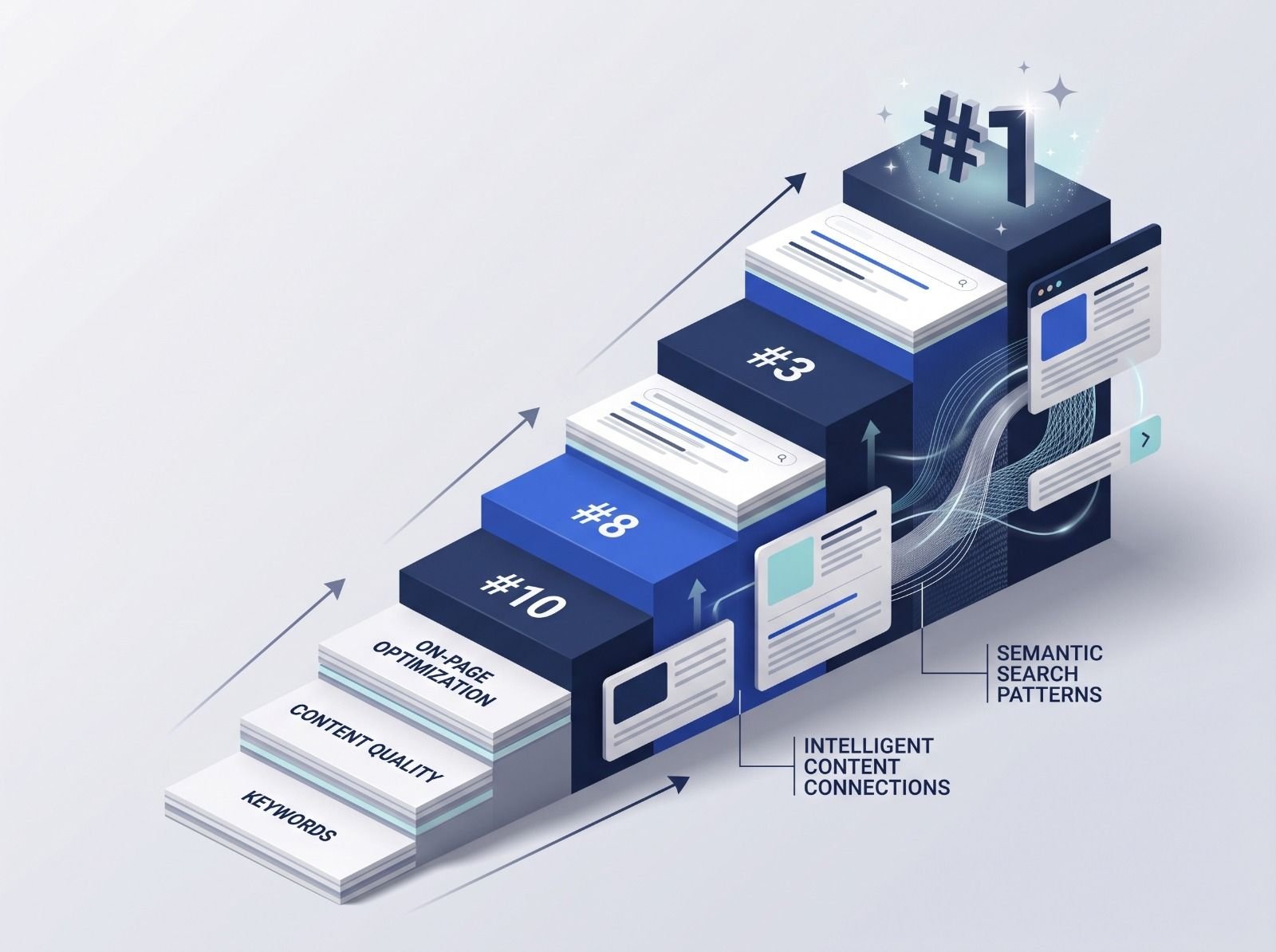
What decides whether an AI assistant quotes your page, and the fixes worth doing first.
Read article →