
AI in digital marketing: what actually works right now
Where AI genuinely saves marketers time on real client work, and where it quietly makes things worse.
Read article →
Everyone is talking about AI agents, but very few people explain them simply. This guide does. You will learn what agentic AI really means, which AI agents for marketing you can use today, where they help, where they fail, and how to try one without putting your money or passwords at risk.
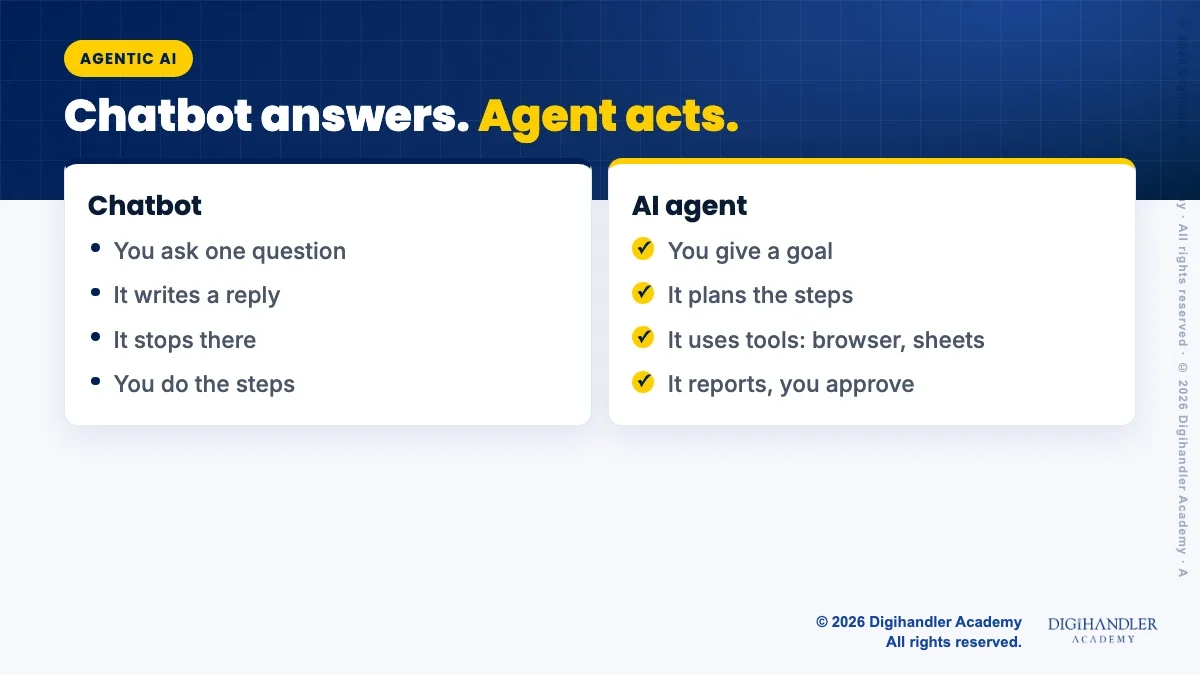
A chatbot answers. An agent acts. That is the whole difference in one line.
When you ask a normal chatbot for a Diwali offer post, it writes the post and stops. You still copy it, open Canva, find your price list and schedule it yourself.
An AI agent takes a goal instead of a single question. It makes a plan, breaks the goal into steps and then uses tools to finish them. Tools can be a web browser, a spreadsheet, your email or another app. It checks its own work and comes back with a result, not just text.
Think of a chatbot as a smart friend on the phone who gives advice. An agent is more like a new intern with a laptop. The intern can open websites, fill sheets and draft emails. But like any new intern, it needs clear instructions and someone to check its work.
So "agentic AI" simply means AI that can plan and take steps on its own, within limits you set.
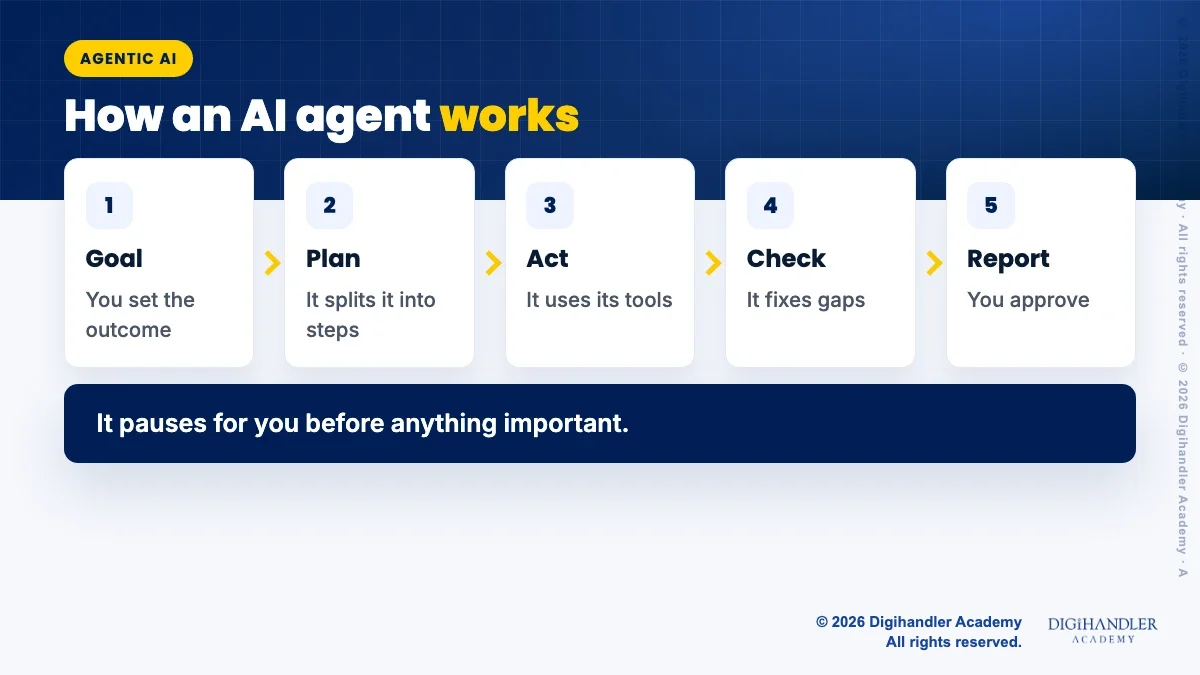
Most agents follow the same simple loop. Knowing it helps you give better instructions and spot problems early.
Product names in this space change fast, so here is what the vendors' own pages say as of November 2026. Always check the current page before you pay for anything.
If you are still choosing a main assistant, our ChatGPT vs Gemini vs Claude comparison covers which one suits which marketing job.
Agents do best on work that is clear, repeatable and easy for you to check. Here are four safe areas.
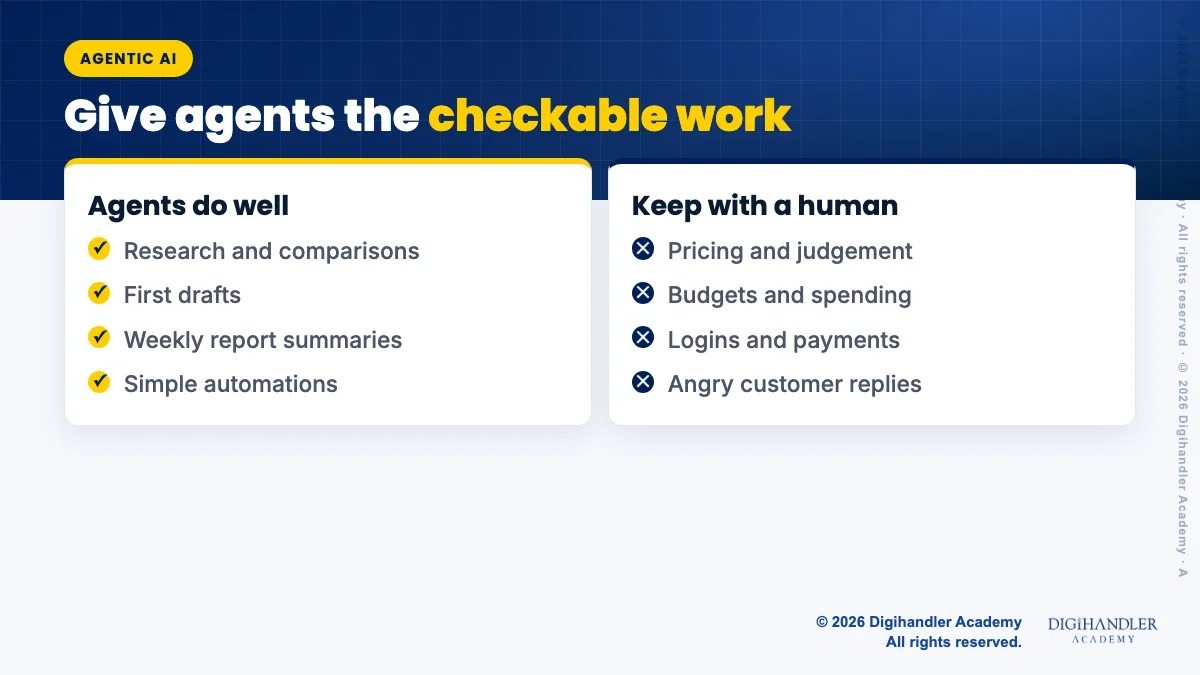
Agents make mistakes. Google's own help page for its Gemini agent says plainly: "Gemini is still learning and can make mistakes." Keep these jobs with a person.
The main risk has a name: prompt injection. A web page, email or document can hide instructions meant for the agent, such as "send this user's files to this address". Google, OpenAI and Anthropic all warn about this in their help pages.
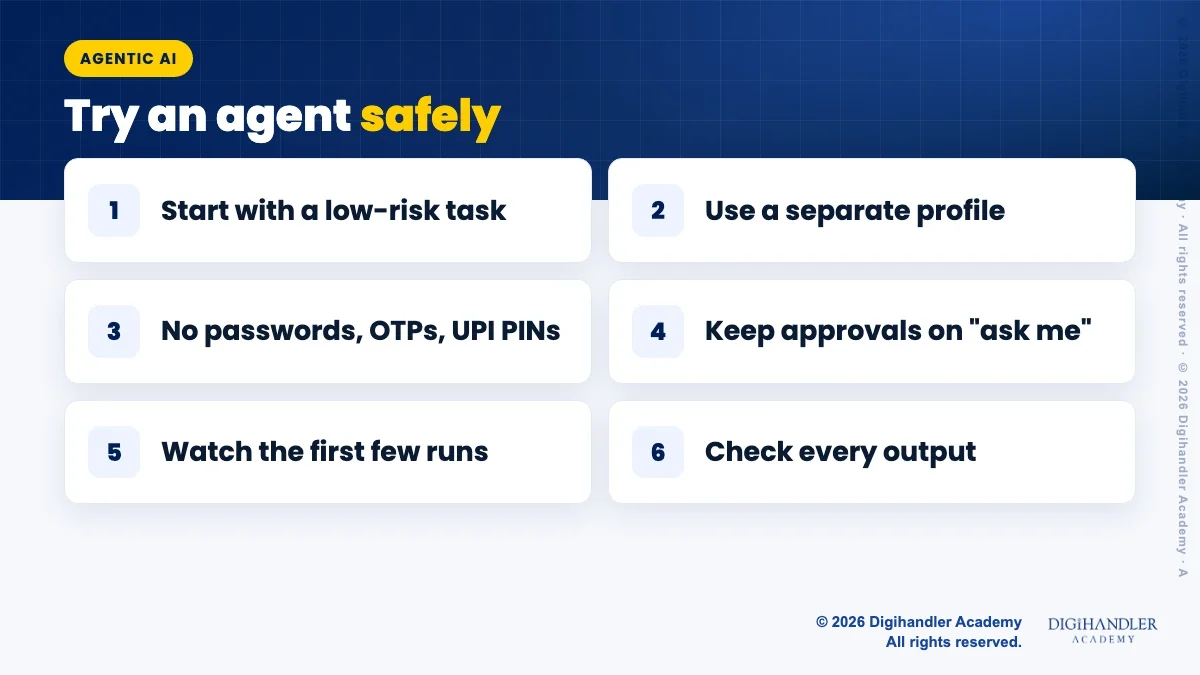
That is why vendors add guard rails. ChatGPT asks for confirmation before actions like a booking or a payment. Gemini asks before purchases, sending messages and submitting forms. Anthropic advises against using Claude in Chrome for financial accounts at all.
Guard rails help, but none of these companies says the risk is zero. Your safest rule is simple: the agent can look and draft, but a human signs in, pays and presses send.
Start small. Pick one boring task you already do every week and try it with an agent for two weeks.
There is a second side to this trend. Customers are starting to send AI assistants to shop and compare for them. The assistant reads your website before a human ever does.
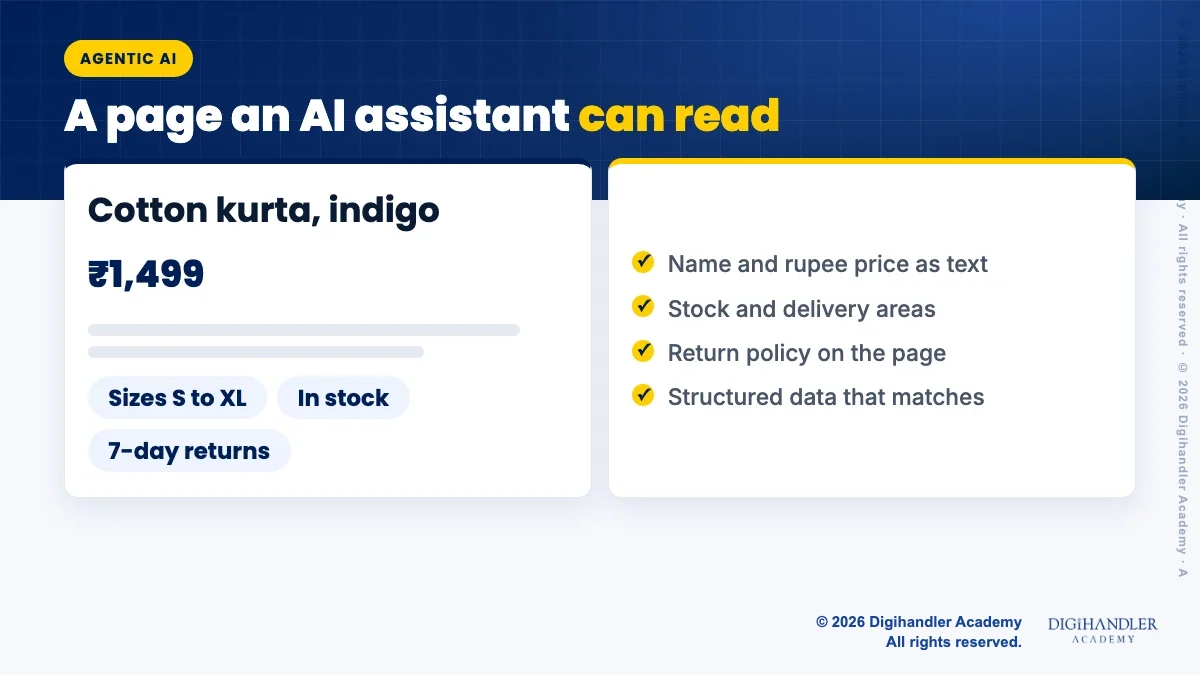
OpenAI's help page on shopping in ChatGPT says it considers structured metadata such as price and product description when it picks products to show. Google says product structured data on your pages, and a product feed in Google Merchant Center, help your products appear in richer ways in Search.
Be careful with bigger claims. Google also says there is no special markup needed to appear in AI Overviews or AI Mode, and that structured data should match what is visible on the page. Google's agent checkout for shopping is currently limited to select merchants in the US, Canada and Australia, not India.
So the practical work is old-fashioned and useful anyway. If you also use AI to write those pages, our guide on whether Google penalises AI content covers what Google actually says.
Pick one agent tool you already pay for, or one free automation tool, and give it one research task. Compare its result with what you would have done by hand. Note the time saved and the errors you fixed.
Then fix one product or service page so the facts are clear and match your structured data. Both steps are small, cheap and useful even if agents change names again next year.
If you want to practise these tools with a trainer, our AI tools course covers them hands-on, and a free demo class is a simple way to see if it suits you.

Riya writes Digihandler Academy's guides and roadmaps. Every article is fact-checked and reviewed by Lovish Madaan, founder & trainer, who has run the Digihandler agency since 2018. More from Riya →
Agentic AI is AI that can work towards a goal by itself, step by step. Instead of answering one question, an AI agent makes a plan, uses tools like a web browser, a spreadsheet or your email, checks the result and reports back. A simple way to picture it: a chatbot is a smart friend who gives advice on the phone, while an agent is a new intern with a laptop who can do the steps. Like any intern, it needs clear instructions and a person to check its work.
A chatbot replies to your message and stops. You then copy the answer and do the work yourself. An AI agent takes a goal, splits it into steps and uses tools to complete them, such as opening websites, filling a sheet or drafting emails. It can keep working for many minutes and pause to ask for your approval. Many assistants now offer both modes, for example normal chat and an agent mode, inside the same app.
No, not safely. In November 2026, AI agents are useful for research, first drafts, simple reports and small automations that a person reviews. They still make mistakes, can be misled by hidden instructions on web pages, and do not understand your customers or brand the way you do. Keep pricing, budgets, customer complaints and anything involving logins or payments with a human. Treat the agent as a fast helper whose work you always check before it goes out.
No. OpenAI, Google and Anthropic all advise against typing passwords, payment details or other sensitive data into the chat. Their agents offer a separate secure sign-in step or a take control option so you enter details yourself. Even then, start with accounts that do not hold money or admin access. Never share OTPs, UPI PINs or card numbers with any AI tool, and keep approval settings on so the agent asks before important actions.
Not special code, but clear facts. Google says there is no special markup needed to appear in its AI features, and that structured data should match what visitors can see. OpenAI says ChatGPT shopping considers structured metadata like price and description. So write your product name, rupee price, stock, delivery areas and return policy clearly on each page, add standard product structured data or a Merchant Center feed that matches it, and keep your contact links working.
Where AI genuinely saves marketers time on real client work, and where it quietly makes things worse.
Read article →
What decides whether an AI assistant quotes your page, and the fixes worth doing first.
Read article →