
AI in digital marketing: what actually works right now
Where AI genuinely saves marketers time on real client work, and where it quietly makes things worse.
Read article →
Searching for the best Claude skills usually ends in a list of 500 links. This guide is shorter. We opened each repo, read the files, checked the licence and the last update, and kept only what a marketer, creator or small business owner can really use.
A skill is a folder with a SKILL.md file of instructions, and sometimes scripts or templates. Claude reads it only when your task needs it. If you are new to the idea, read what Claude skills are first. If you want the full learning path, start with our step by step AI roadmap.
When we looked for the best Claude skills on GitHub in early November 2026, three sources stood out. All three are active, clearly licensed and useful for marketing work.
We also checked several popular "awesome" lists. We left them out. More on why below.
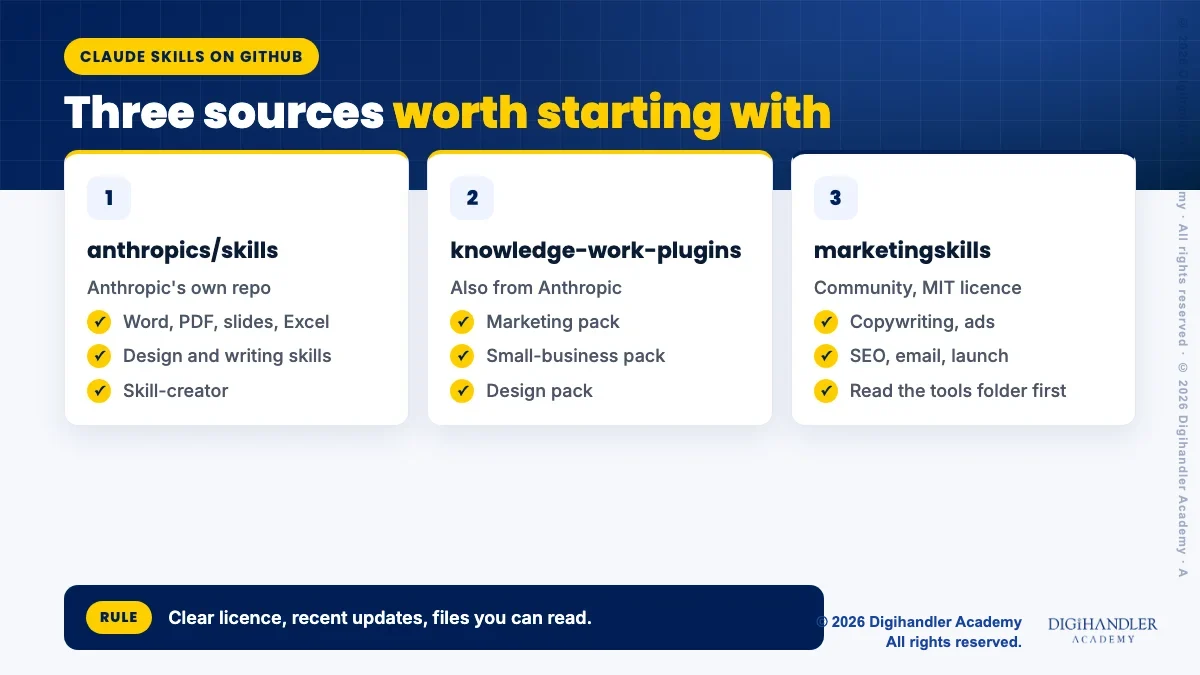
The anthropic skills repo lives at github.com/anthropics/skills. Its README says the skills are for demonstration and learning, and that results inside Claude may differ. Treat them as strong examples to use and copy, not as a promise.
There are two kinds of licence here, and it matters. Most example skills are open source under Apache 2.0. The four document skills (Word, PDF, PowerPoint, Excel) are source-available: you can read them, but their licence points to your agreement with Anthropic, so you cannot reuse that code freely.
Here are the skills in the repo that matter most for marketing, documents and design:
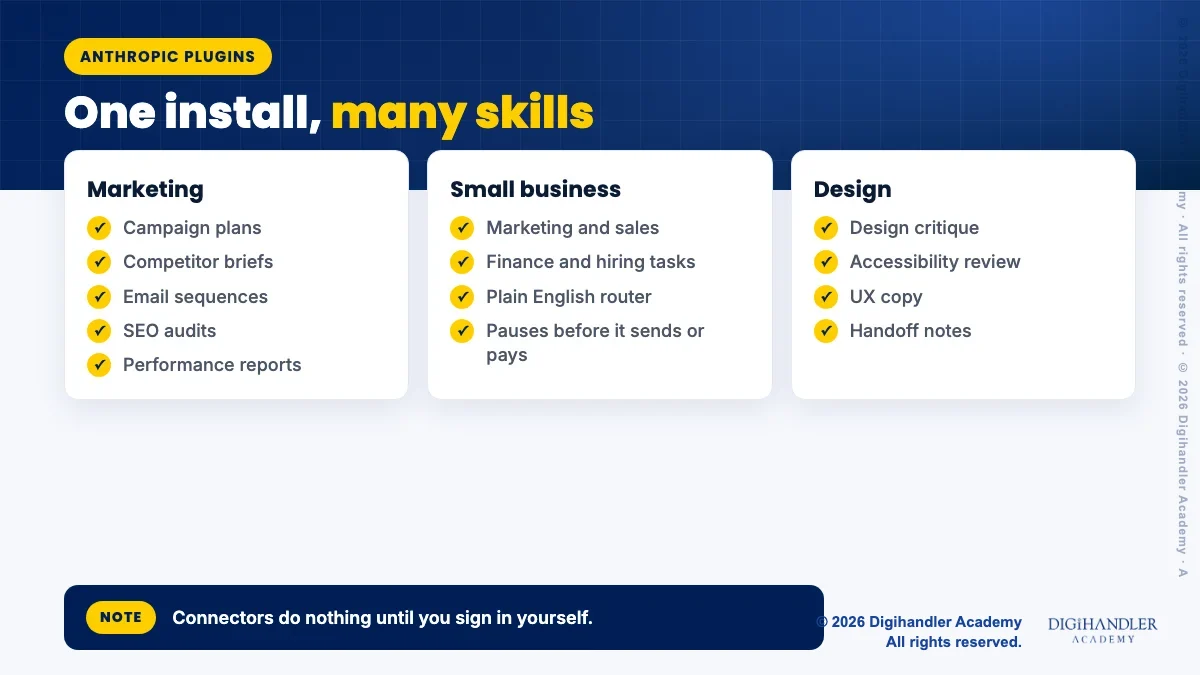
Anthropic's second repo, anthropics/knowledge-work-plugins (Apache 2.0), bundles skills by job role. Each plugin can also include slash commands and connector settings for tools like Canva, HubSpot or Notion. The connectors do nothing until you sign in to that tool yourself.
Three plugins fit our readers best:
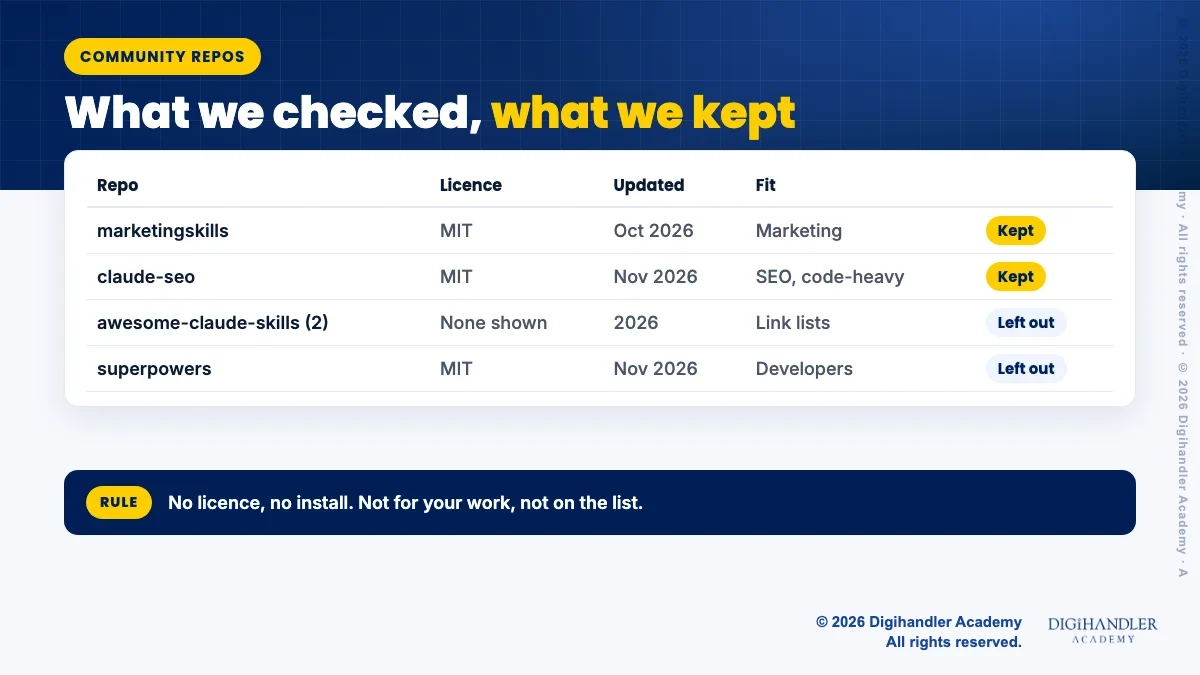
Community repos change fast, so we used strict rules. A repo had to have a clear licence, recent commits, readable files and a purpose that matches marketing work.
coreyhaines31/marketingskills passed. It is MIT licensed and was updated in the last week of October 2026. It holds dozens of skills: copywriting, copy editing, ad creative, SEO audit, AI SEO, email, social, pricing, launch and marketing plans. Most skills are plain Markdown. The repo also has a tools folder with scripts and guides that connect to marketing accounts using your own API keys, and it lists paid partners, which the README discloses. Install the skills you need, and skip the tools part until you have read it.
AgriciDaniel/claude-seo also passed our licence and update checks (MIT, updated 1 November 2026). It is much heavier: many Python scripts, sub-agents and an install script. We only suggest it for people who are comfortable reading code.
We dropped travisvn/awesome-claude-skills and ComposioHQ/awesome-claude-skills because neither shows a licence on GitHub. obra/superpowers is well kept and MIT licensed, but it is built for software developers, so it does not fit this list.
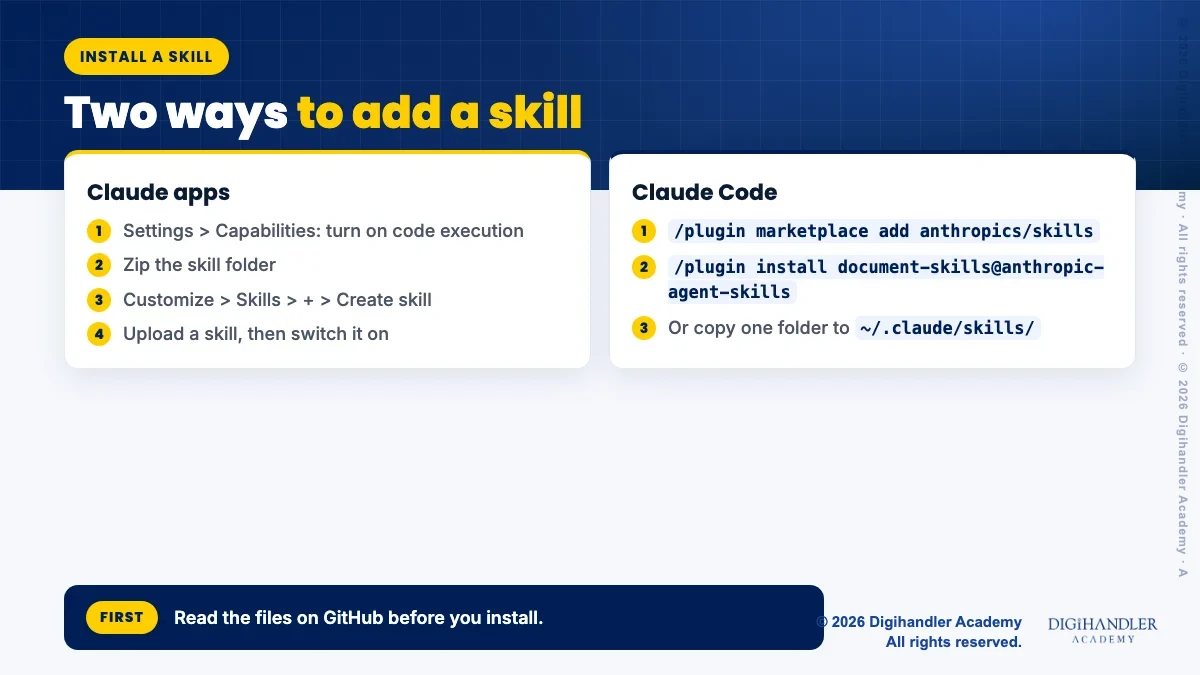
We cover every click in our full guide to installing Claude skills. Here is the short version from Anthropic's own docs.
In the Claude apps, skills need code execution. Turn on "Code execution and file creation" under Settings > Capabilities (on Team and Enterprise plans an owner controls this). Anthropic's Word, Excel, PowerPoint and PDF skills are already built in once it is on. For a skill from GitHub, zip its folder, then go to Customize > Skills, click +, choose Create skill, then Upload a skill.
In Claude Code, the anthropic skills repo works as a plugin marketplace. Run /plugin marketplace add anthropics/skills, then /plugin install document-skills@anthropic-agent-skills or example-skills@anthropic-agent-skills. For a single skill you can also place its folder in ~/.claude/skills/ (all your projects) or .claude/skills/ inside one project.
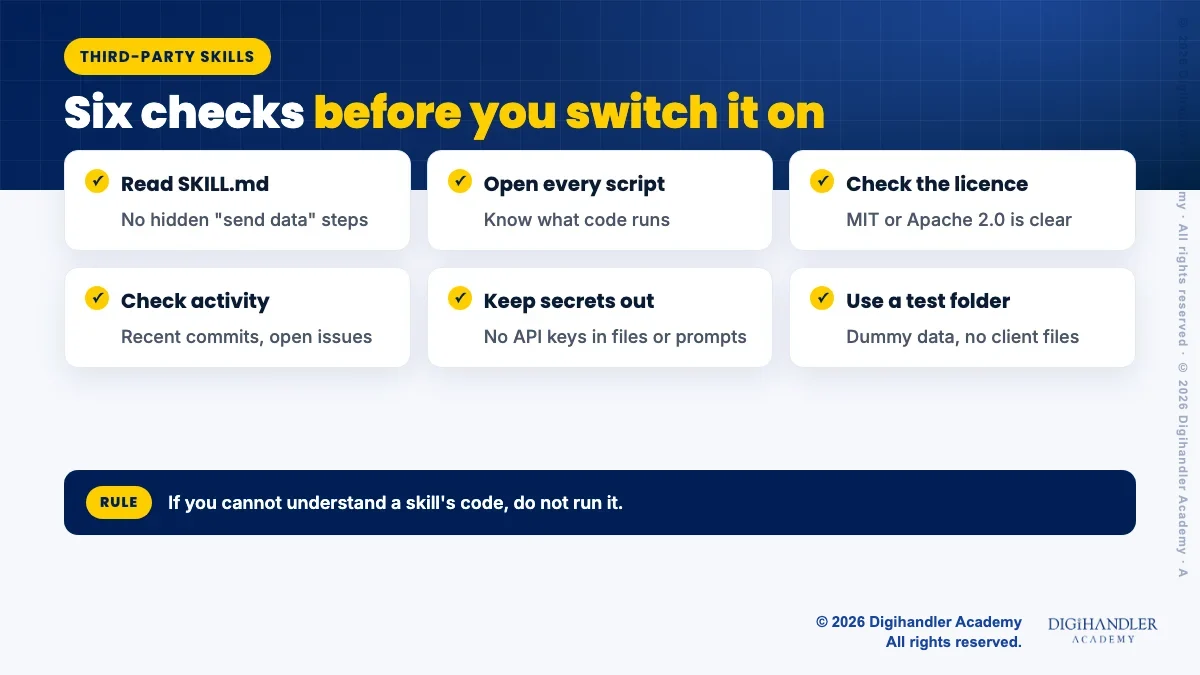
A skill is like a recipe card you hand to a cook. A good card gives great food. A bad card can say "also open the back door". Anthropic's help centre warns that skills can carry prompt injection or code that leaks data, and says to install skills only from trusted sources. The official plugin directory also says Anthropic cannot verify that third-party plugins will work as intended or will not change.
Before you turn on any skill you did not write, go through this list:
Do not install everything. Each extra skill is one more thing to review. Pick by the work you do this week.
A Jaipur boutique owner who sends offers and price lists can start with the built-in document skills and theme-factory. A Rohtak coaching centre writing weekly parent updates can use internal-comms. A freelancer who writes ads and landing pages can add two or three skills from marketingskills, such as copywriting and ad-creative.
Once you see what a good skill looks like, write your own with your brand voice and offers. Our guide to creating a Claude skill walks through it. For tools beyond skills, see the best GitHub repos for AI workflows. If you want structured practice with these tools, our AI tools course covers them step by step.

Riya writes Digihandler Academy's guides and roadmaps. Every article is fact-checked and reviewed by Lovish Madaan, founder & trainer, who has run the Digihandler agency since 2018. More from Riya →
For most marketers, start with Anthropic's own skills: the Word, PowerPoint, Excel and PDF skills for reports and proposals, theme-factory for consistent styling, and internal-comms for regular updates. Anthropic's marketing plugin in the knowledge-work-plugins repo adds campaign plans, competitor briefs, email sequences and SEO audits. For more copywriting and SEO depth, the MIT-licensed coreyhaines31/marketingskills library on GitHub is well maintained. Install only the few you need, read each skill's files first, and test them on a small task before using them for client work.
It is github.com/anthropics/skills, Anthropic's public repository of Agent Skills. It holds example skills for design, writing, documents and development, the document skills behind Claude's file creation, the Agent Skills specification and a starter template. Most example skills are Apache 2.0 licensed. The Word, PDF, PowerPoint and Excel skills are source-available, so you can read them but not reuse the code freely. The README says the skills are for demonstration and learning, so test them in your own setup before relying on them.
The files in public repos like anthropics/skills and coreyhaines31/marketingskills cost nothing to download. To use them you still need Claude itself. Anthropic's help centre lists skills on Free, Pro, Max, Ultra, Team and Enterprise plans, and in Claude Code, with code execution turned on. Some community repos also link to paid tools or need API keys for outside services, which may cost money. Check the README and the licence of each repo before using a skill for commercial work.
In the Claude apps, turn on code execution under Settings > Capabilities, download the skill folder, zip it, then go to Customize > Skills, click +, choose Create skill and Upload a skill. In Claude Code, you can add a repo that works as a plugin marketplace, for example with /plugin marketplace add anthropics/skills, and then install a plugin from it. You can also copy a skill folder into ~/.claude/skills/ for all projects or .claude/skills/ for one project. Always read the files first.
It can be, if you check them first. Anthropic warns that skills can include prompt injection or code that leaks data, and advises installing skills only from trusted sources. Before enabling one, read SKILL.md and every script, note any instruction to contact websites, confirm a clear licence and recent updates, and never put API keys or passwords in skill files or prompts. Test new skills in an empty folder with dummy data, not next to client files. If a skill's code is unclear to you, skip it.
Where AI genuinely saves marketers time on real client work, and where it quietly makes things worse.
Read article →
What decides whether an AI assistant quotes your page, and the fixes worth doing first.
Read article →