
AI in digital marketing: what actually works right now
Where AI genuinely saves marketers time on real client work, and where it quietly makes things worse.
Read article →
What are Claude skills? They are saved sets of instructions that teach Claude how to do a specific task your way, every time, without you typing the same long prompt again. This guide explains skills in plain words: what is inside one, how Claude decides when to use it, where skills work, and a few everyday examples you could copy.

A skill is a folder of instructions, and sometimes extra files, that Claude can load when a task needs it. Anthropic describes skills as folders of instructions, scripts and resources that Claude loads dynamically to do better on specialised tasks.
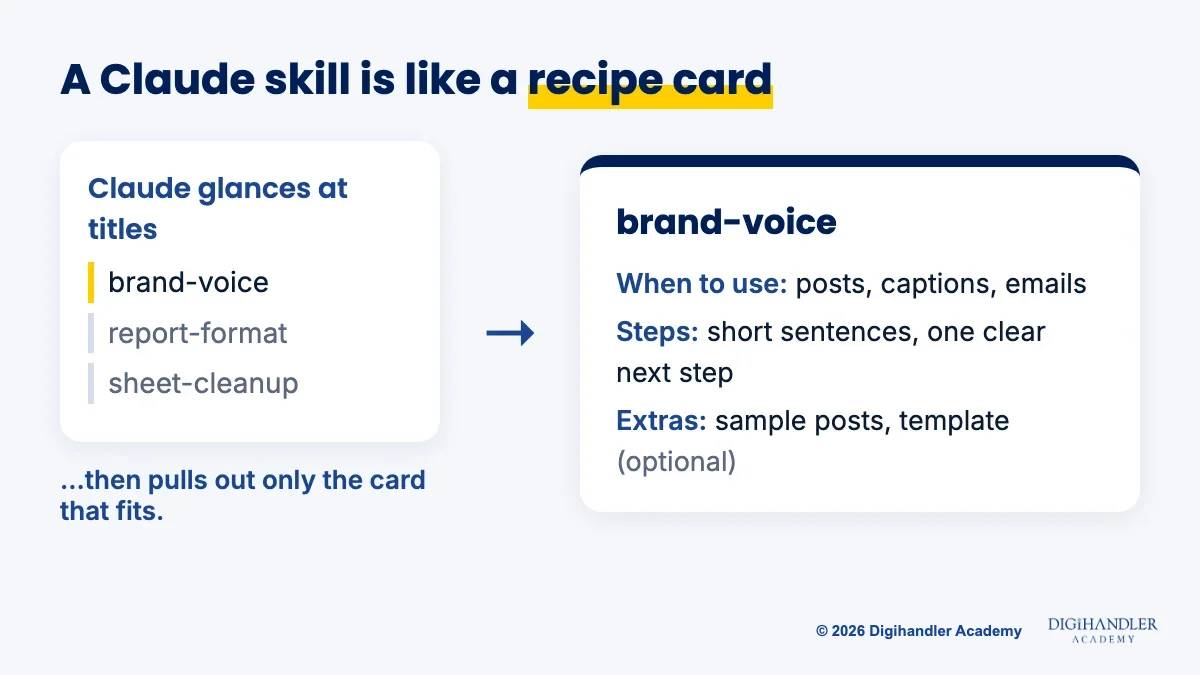
Think of a skill like a recipe card in a kitchen drawer. The cook does not read every card before making breakfast. They glance at the titles, pull out the one card that fits, and follow it step by step.
Claude works the same way. It knows which skills you have, but it only opens the full instructions when your request matches one.
So when people ask what is a Claude skill, the short answer is this: a reusable how-to guide that Claude follows on its own when the job comes up.
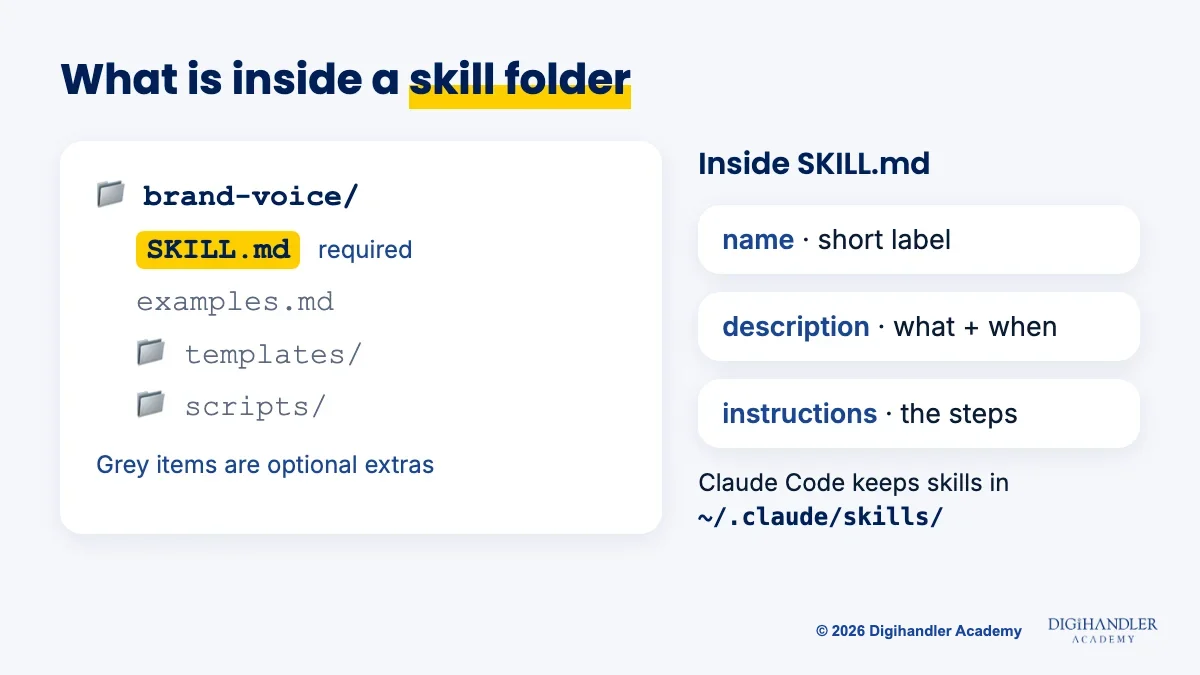
Every skill has one required file called SKILL.md. It is a plain text file you can open in any text editor, like Notepad or TextEdit.
The top of the file has two short fields. The name is the skill's label, written in lowercase letters, numbers and hyphens, up to 64 characters. The description says what the skill does and when Claude should use it, in up to 1,024 characters.
Below that come the instructions: the steps, rules and examples you want Claude to follow. A skill can also hold optional extras in the same folder, such as a template, a longer reference file or a small script that does a fixed job.
Here is a tiny example of what the top of a SKILL.md file can look like:
---
name: brand-voice
description: Writes social posts and emails in our brand voice. Use when the user asks for a post, caption, email or ad copy.
---

# Brand voice
1. Short sentences. Friendly, never pushy.
2. Always end with one clear next step.
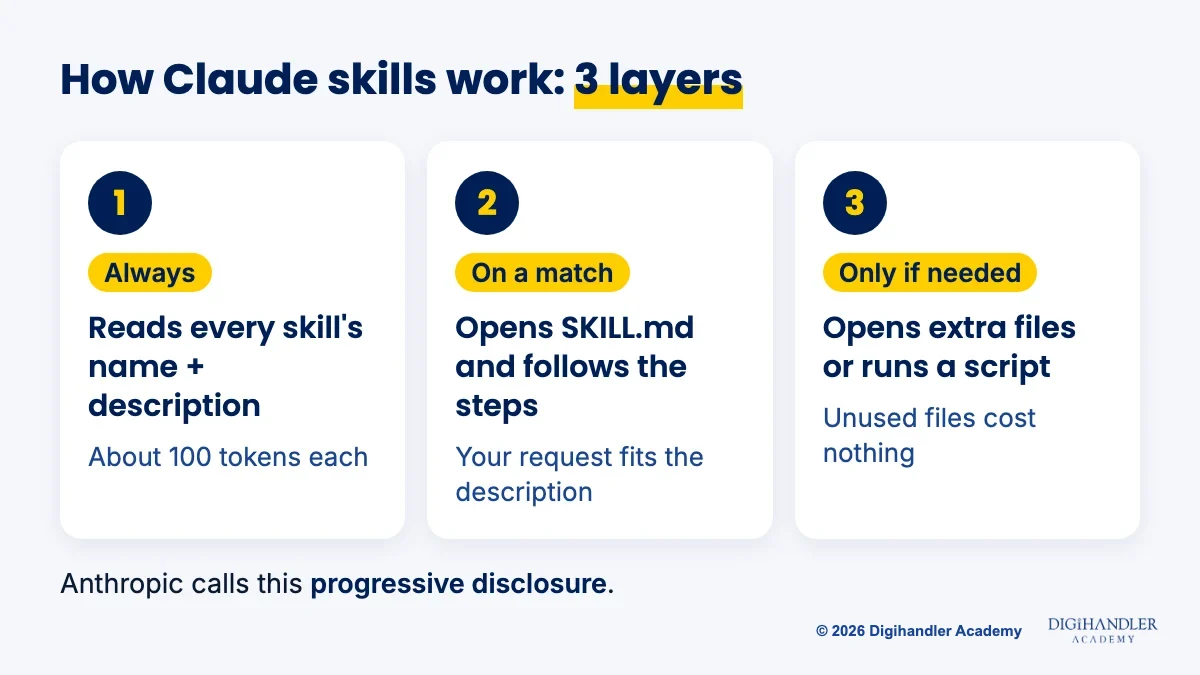
3. Never use these words: cheap, guaranteed.Anthropic calls the method progressive disclosure. It simply means Claude reads a skill in layers, only as deep as the task needs.
Layer one is the name and description of every skill you have. Claude keeps these in mind all the time. Each one costs about 100 tokens, so you can have many skills without slowing Claude down.
Layer two is the main instructions in SKILL.md. Claude reads them only when your request matches the description. Anthropic suggests keeping this part under about 5,000 tokens.
Layer three is the extra files. Claude opens a reference file or runs a script only if the instructions point to it and the task needs it. Files it never opens cost nothing.
This is why the description matters so much. It is the line Claude matches your request against, so a vague description means Claude may not pick the skill up.
Skills work in three main places, and each one keeps its own copy. A skill you add in one place does not sync to the others.
Claude Code is Anthropic's coding assistant that runs on your computer. Claude Code skills are the same idea as above, stored as normal folders on your machine.
Personal skills go in a folder called ~/.claude/skills/ in your home folder and work in every project. Project skills go in .claude/skills/ inside one project, so everyone who works on that project gets them.
Claude Code can use a skill on its own when your request matches, or you can call it directly by typing a slash and its name, like /brand-voice. Older custom slash commands have been merged into skills and still work.
For exact click-by-click steps on every surface, read how to install Claude skills.
The best skills are for jobs you repeat every week and always explain the same way. The three below are illustrations to show the idea, not official Anthropic skills.
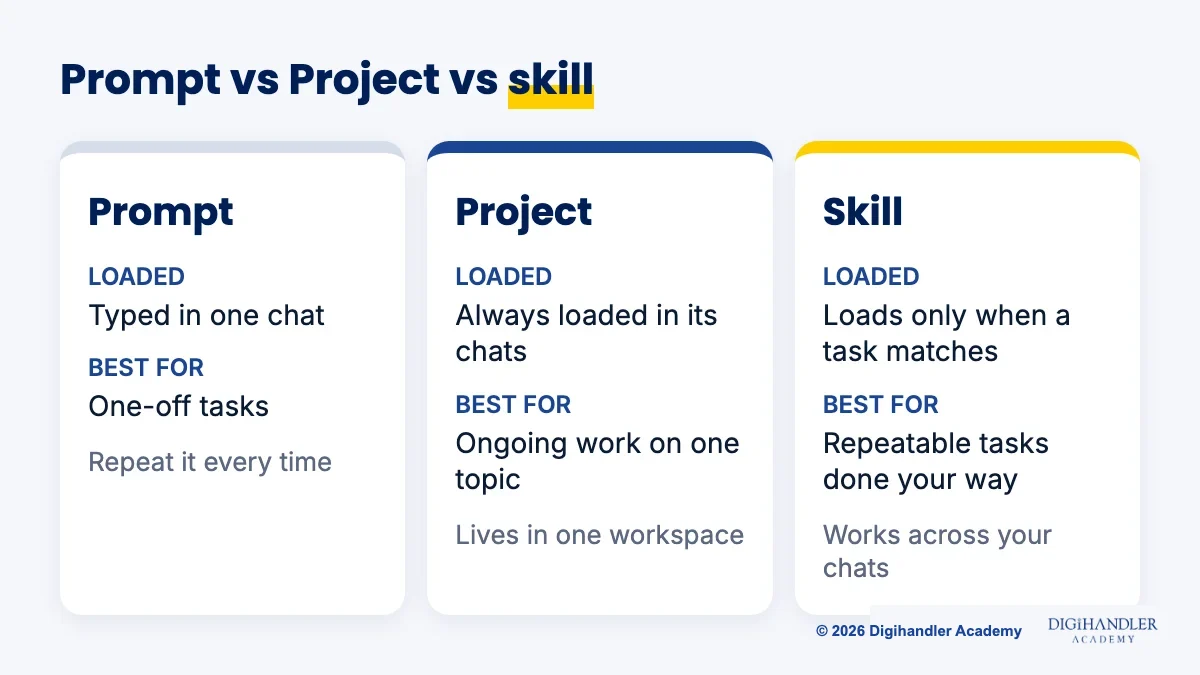
These three are easy to mix up, so here is the short version.
You do not need to build anything to begin. Anthropic ships ready-made document skills for Word, Excel, PowerPoint and PDF files. In the Claude app, Claude uses them automatically when you ask it to create one of those files.
Anthropic also publishes open-source example skills on GitHub. They include brand-guidelines, internal-comms, doc-coauthoring, frontend-design and skill-creator, a skill that helps you write new skills. Reading a few of these is a quick way to see what a good skill looks like.
After that, the most useful skills are usually your own. If you can explain a task to a new teammate, you can turn it into a skill. Our step-by-step guide shows you how to create your own Claude skill without writing code.
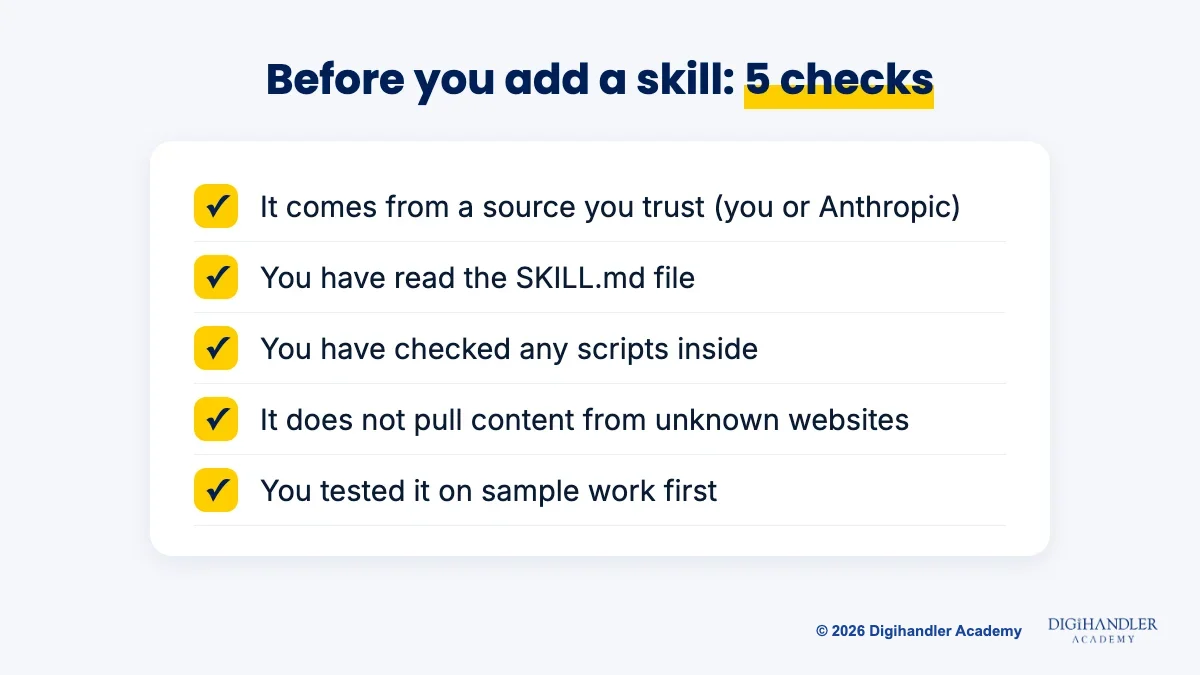
A skill can contain instructions and code, so treat it like installing software. Anthropic's advice is to use skills only from trusted sources: ones you made yourself or ones from Anthropic.
If you find a skill somewhere else, open SKILL.md and any scripts and read them first. Be extra careful with skills that fetch content from outside websites, because that content can carry hidden instructions.
Now you know what Claude skills are and how they work. The next step is to put one to use.
Start with how to install Claude skills to add a ready-made skill in a few minutes. Then move on to how to create a Claude skill and build one for a task you do every week.
If you want to see where skills fit into a wider AI workflow for marketing, our AI in digital marketing guide and the AI tools course are good next stops.

Riya writes Digihandler Academy's guides and roadmaps. Every article is fact-checked and reviewed by Lovish Madaan, founder & trainer, who has run the Digihandler agency since 2018. More from Riya →
Claude skills are folders of instructions, and sometimes extra files or scripts, that teach Claude how to do a specific task in a set way. Each skill has a SKILL.md file with a name, a short description of when to use it, and the steps to follow. Claude keeps only the short descriptions in mind and opens the full instructions when your request matches one. This means you can save your way of doing a task once and have Claude follow it every time, without pasting a long prompt again.
Claude reads the name and description of every skill you have, which takes only about 100 tokens per skill. When you ask for something, Claude compares your request with those descriptions. If one matches, it opens that skill's SKILL.md file and follows the instructions inside. It opens extra reference files or runs scripts only if the instructions point to them and the task needs them. Anthropic calls this progressive disclosure. A clear description that says what the skill does and when to use it is what makes Claude pick it up reliably.
According to Anthropic's help centre, skills are available on the Free, Pro, Max, Team and Enterprise plans of the Claude app. You need to turn on code execution and file creation in Settings before skills can run, and on Enterprise plans an organisation owner must enable skills first. Anthropic's ready-made document skills for Word, Excel, PowerPoint and PDF files work automatically once this is on. Plan details can change, so check the Skills area in your own Claude settings to see what your account currently includes.
A Claude Project is a workspace. Its files and instructions are always loaded in every chat inside that Project, which makes it good for ongoing work on one topic, such as one client or one course. A skill is a procedure for one type of task. It stays out of the way until a request matches it, and it works across your chats rather than inside a single workspace. Many people use both: a Project holds the background knowledge, and skills hold the repeatable steps for tasks like writing posts or formatting reports.
No. Anthropic's ready-made document skills work automatically in the Claude app, so you can use them without doing anything special. Making your own skill also does not require code. A skill can be just one SKILL.md text file with a name, a description and plain-English instructions, which you can write in any text editor. Scripts are optional and only needed for fixed technical jobs. If you can explain a task clearly to a new teammate, you have everything you need to write a simple, useful skill.
Where AI genuinely saves marketers time on real client work, and where it quietly makes things worse.
Read article →
What decides whether an AI assistant quotes your page, and the fixes worth doing first.
Read article →