AI in digital marketing: what actually works right now
Where AI genuinely saves marketers time on real client work, and where it quietly makes things worse.
Read article →
This guide shows you how to create a Claude skill from scratch, even if you have never written a line of code. We will build one real, useful skill together: a social post writer that knows a small business's brand voice. You will plan it, write the file, add examples, package it, upload it, test it and tune it so Claude uses it every time it should.
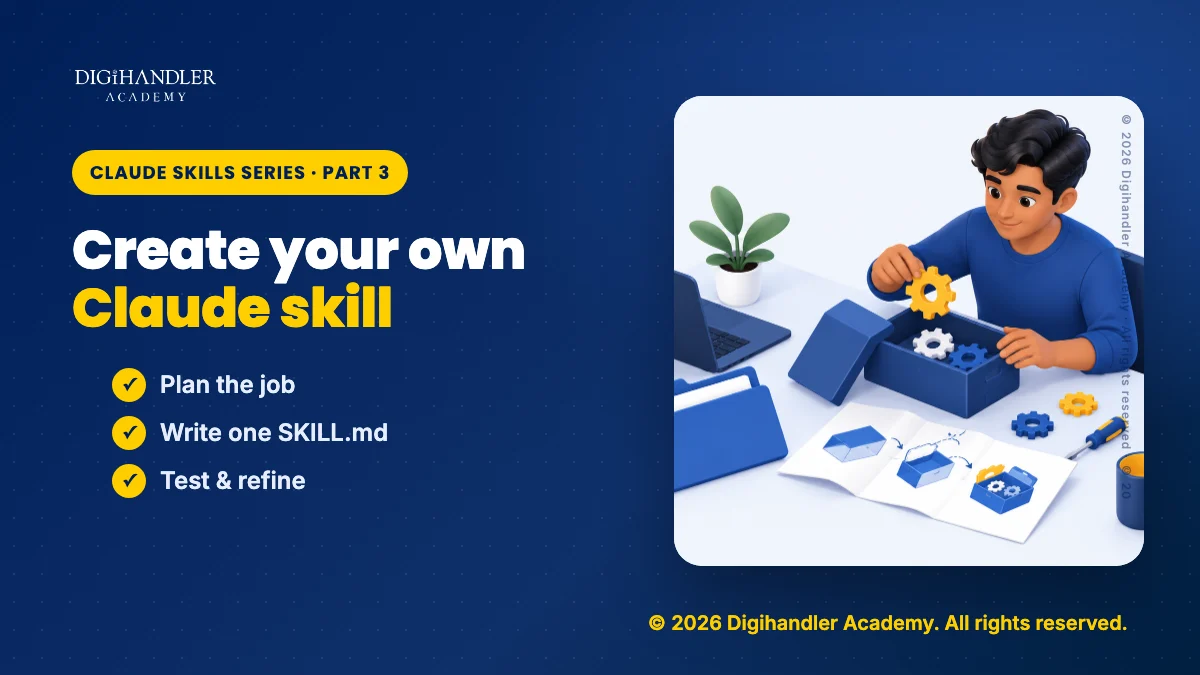
A skill is a folder with one text file inside, called SKILL.md, that tells Claude how to do one job. If you are new to the idea, read what Claude skills are and how they work first, then come back.
Think of a skill as a recipe card. Claude keeps a stack of them. It reads only the title and a one-line summary of each card until a request matches. Then it pulls out that card and follows it.
You need three things. First, a Claude account. Anthropic says skills work on the Free, Pro, Max, Team and Enterprise plans. Second, code execution switched on. On personal plans that is under Settings > Capabilities, where the toggle is called "Code execution and file creation" (newer layouts call it "Create and edit files"). On Team and Enterprise plans an owner turns it on for the organisation. Third, a plain text editor, such as Notepad or TextEdit.
No coding is needed for the skill in this guide. We will build a social post writer for a small, made-up bakery. Swap in your own business as you go. If you want a wider view of where tools like this fit, read how AI is changing digital marketing or explore our AI tools course.
Spend five minutes planning and the rest is easy.
Pick one job you repeat every week. For our example bakery, the owner asks Claude for social posts several times a week and retypes the same rules every time: tone, hashtags, length. That repeat typing is the sign you need a skill.
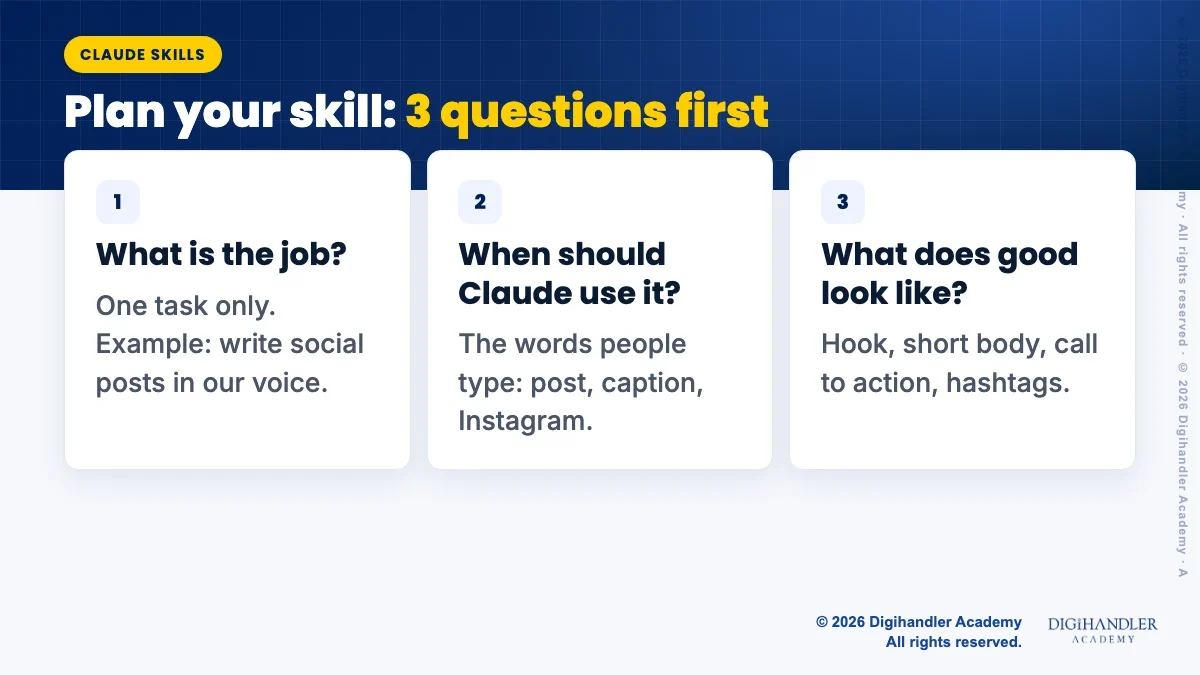
Answer three questions on paper before you write anything:
Create a new folder on your desktop and name it writing-social-posts. Inside it, create a plain text file named SKILL.md. If your editor tries to add .txt to the end, remove it.
Paste in the file below. The part between the two --- lines is called the frontmatter. It holds the skill's name and description. Everything under it is the instructions Claude follows.
Anthropic's documentation sets clear rules for the two frontmatter fields. The name can be up to 64 characters, using only lowercase letters, numbers and hyphens, and it cannot include the words "claude" or "anthropic". The description must say what the skill does and when to use it. Anthropic's guide for the Claude apps caps it at 200 characters, so stay under that. Do not use angle brackets in either field.
Write the instructions the way you would brief a new team member: short headings, numbered steps and clear do and don't rules. The same habits that make a good prompt make a good skill, so our guide on how to prompt Claude is useful here. Keep it short: Anthropic recommends a body under 500 lines.
---
name: writing-social-posts
description: Writes social media posts for Sunrise Bakery in its brand voice. Use when asked to write, rewrite or format an Instagram, Facebook or LinkedIn post or caption for the bakery.
---

# Writing social posts for Sunrise Bakery

## Brand voice
- Warm, friendly and local. Write like a neighbour, not an advert.
- Short sentences and simple words. No jargon.
- Never use these phrases: "best in town", "mouth-watering", "foodie heaven".
- Use one emoji at most.

## Format for every post
1. Hook: one short line that makes people stop scrolling.
2. Body: two or three short lines about the product or news.
3. Call to action: one line (visit, order, call or comment).
4. Hashtags: 3 to 5, always including #SunriseBakery.

## Platform rules
- Instagram: up to 150 words, hashtags at the end.
- Facebook: up to 80 words, 1 or 2 hashtags only.
- LinkedIn: no emoji, up to 120 words, focus on the team or the community.

## If details are missing
If the user has not given the product, the date or the offer, ask one short question before writing. Never invent prices, discounts or opening hours.

## Output
Write two versions, labelled Option A and Option B, so the owner can pick one.

## Examples
Read examples.md for approved past posts. Match their tone and length.Rules tell Claude what to do. Examples show it.
In the same folder, create a second text file called examples.md and paste in two or three past posts. The last line of our SKILL.md tells Claude to read this file, so it loads only when Claude is actually writing a post.
Keep extra files one level deep, linked straight from SKILL.md. Anthropic's best practices warn that files linked from other linked files may only be partly read.
# Approved Sunrise Bakery posts

## Instagram (new product)
Saturday just got better.
Our almond croissant is back: flaky, buttery and baked at 6 am.
Only 40 a day, so come early.
See you at the counter!
#SunriseBakery #FreshBread #WeekendTreats

## Facebook (community news)
Thank you to everyone who came to our stall at the school fair.
We raised money for the new library, one cupcake at a time.
#SunriseBakery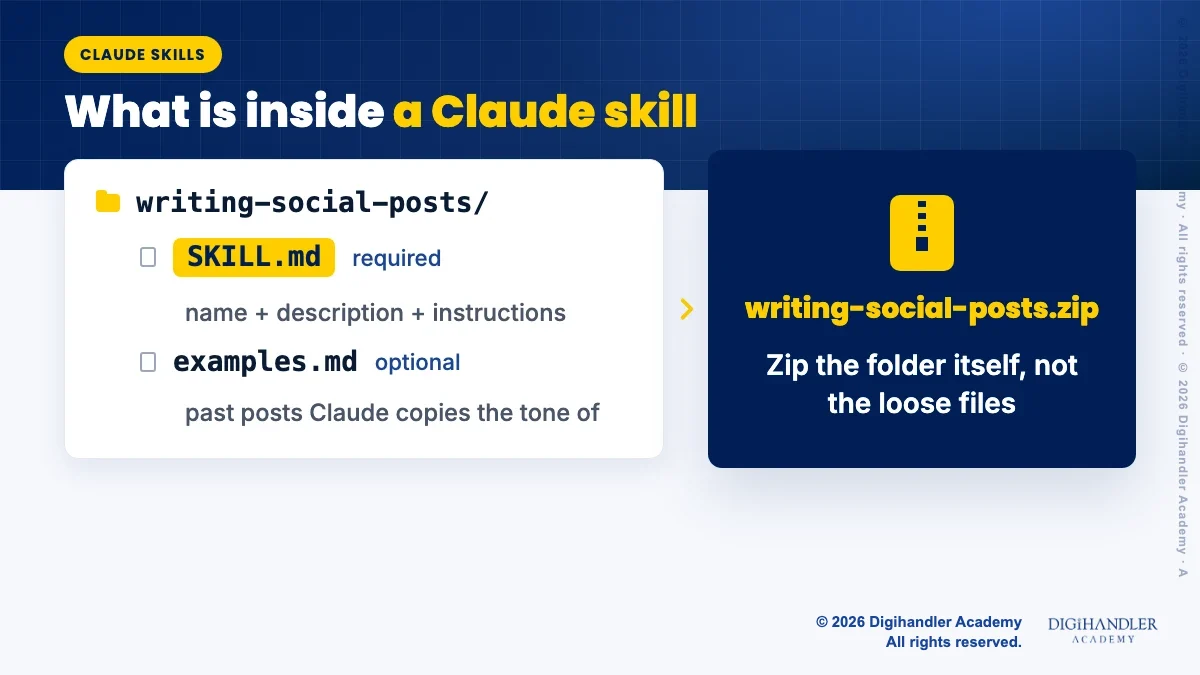
To upload a skill to the Claude apps you need a ZIP file. There are two rules. The folder name must match the skill name, and the ZIP must contain the folder itself, not the loose files.
writing-social-posts, the same as the name line in your file.writing-social-posts.zip. Open it once to check it shows the folder, with SKILL.md inside that folder.In the Claude apps, go to Customize > Skills, click the + button, choose Create skill, then Upload a skill, and select your ZIP. Make sure its toggle is on. If you use Claude Code instead, skip the ZIP and place the folder in ~/.claude/skills/ on your computer. For step-by-step detail on every method, including where skill files are stored, see our guide on how to install Claude skills.
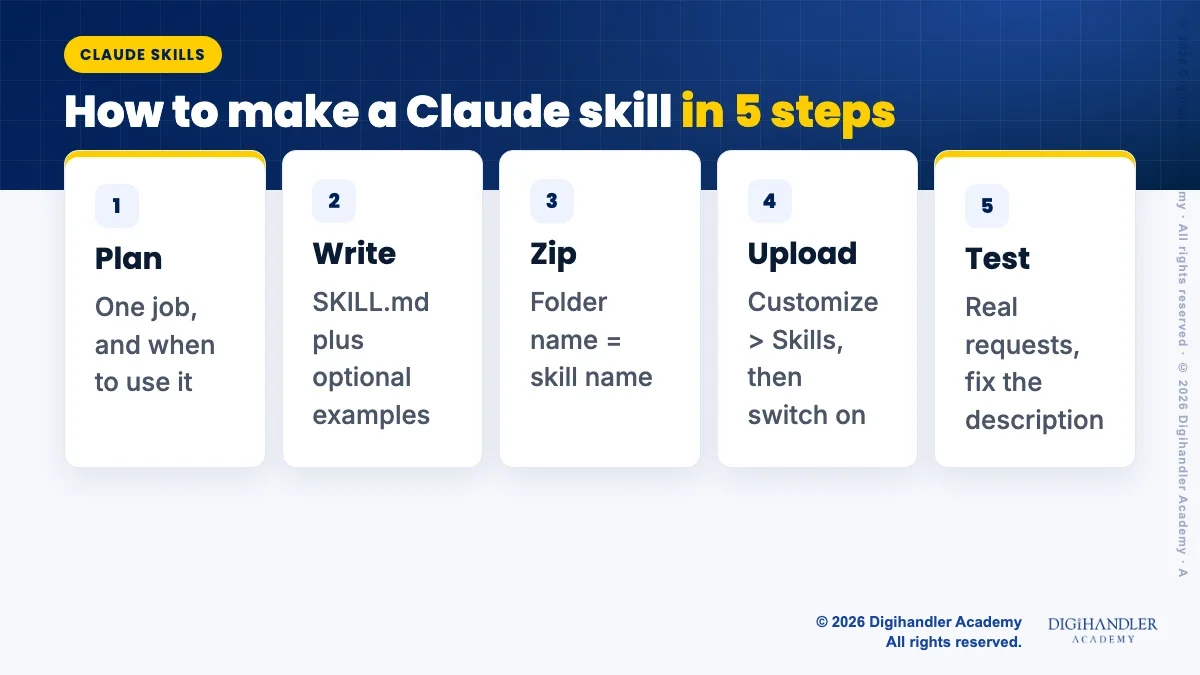
Open a new chat and ask for things the way you normally would, without mentioning the skill. You are checking whether Claude finds it on its own.
Run three kinds of tests, and run each one more than once. If something goes wrong, change one thing, upload again and retest. Anthropic suggests testing after each significant change rather than building a big skill all at once.
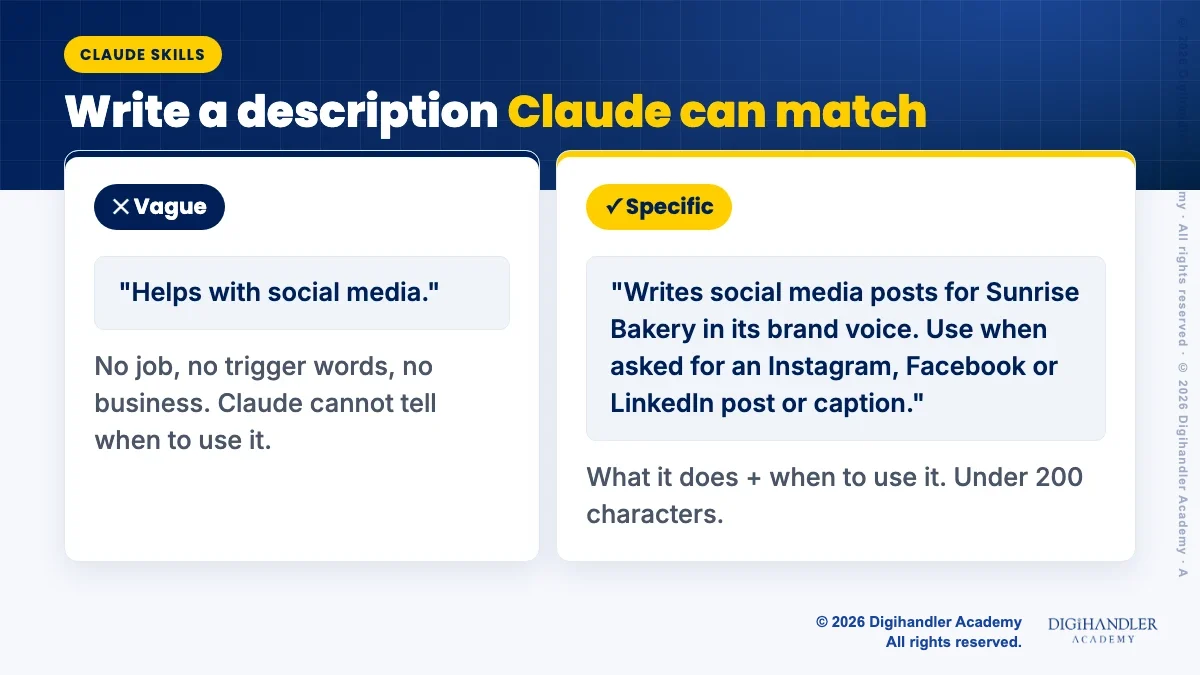
If the skill does not kick in, check the description first. Claude sees only the name and description of every skill until it decides one is needed.
To check, look at Claude's thinking or progress notes while it works. Anthropic's tutorial says you should see it mention the skill by name when it is being used. If you do not, rewrite the description using these rules:
Yes. Anthropic publishes an official skill called skill-creator in its public skills repository on GitHub, and its example skills are available on paid plans in Claude.ai. You can switch example skills on in Customize > Skills.
To use it, open a chat and describe your job, for example: "Use the skill-creator to help me build a skill that writes social posts for my bakery." Upload a few past posts or your brand guidelines too. Claude asks questions about your process, then writes the SKILL.md and any extra files for you. Save the file it creates and upload it as in Step 5.
Anthropic's documentation also notes that Claude understands the skill format natively, so even a plain request like "turn what we just did into a skill" works. Either way, read the result before you install it.
To improve an installed skill, Anthropic's guide says you can highlight text in the skill file, click "Edit with Claude" and describe the change. Test again after every significant change, not after ten.
Each of these can stop a skill from uploading or from being used. Each one is also an easy fix, so check the list before every upload.
writing-social-posts, not "Social Posts". Lowercase letters, numbers and hyphens work everywhere skills run.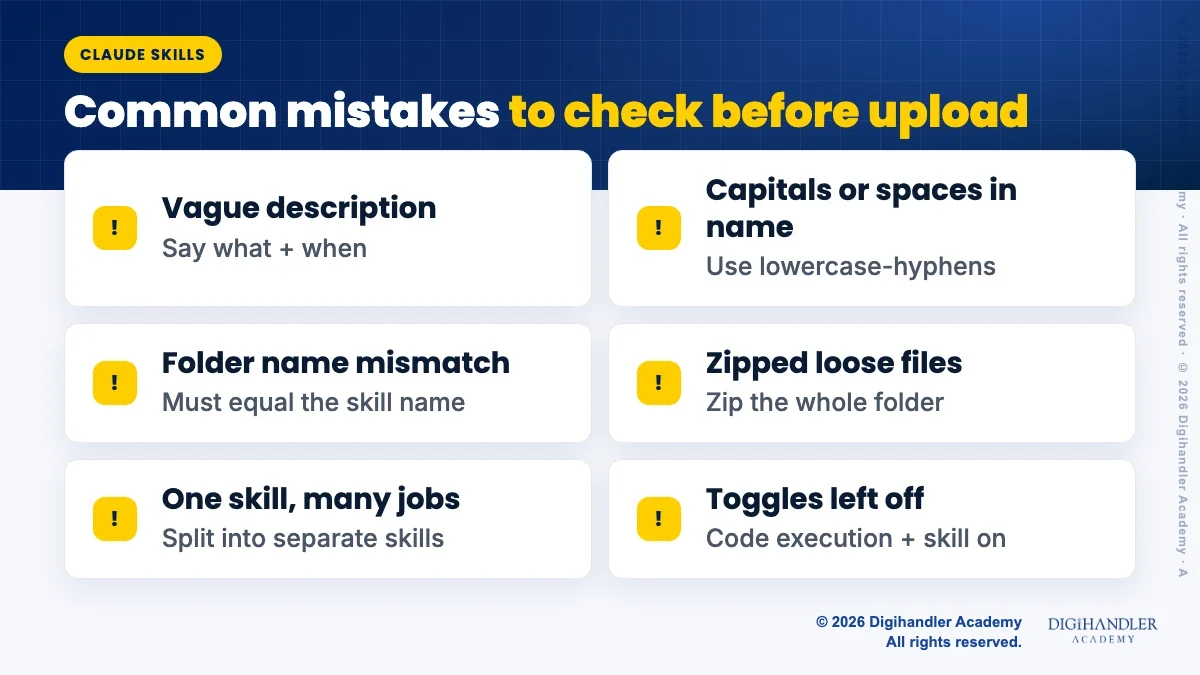

Riya writes Digihandler Academy's guides and roadmaps. Every article is fact-checked and reviewed by Lovish Madaan, founder & trainer, who has run the Digihandler agency since 2018. More from Riya →
No. A basic Claude skill is a folder containing one plain text file called SKILL.md. The file has a short header with a name and a description, followed by instructions written in everyday language, much like a briefing for a new staff member. You can write it in Notepad or TextEdit, zip the folder and upload it in Customize > Skills. Skills can include scripts for advanced jobs, but brand voice, formatting and writing skills work with plain instructions alone. You can also ask Claude, using Anthropic's skill-creator skill, to write the file for you.
According to Anthropic's help centre, skills are available on the Free, Pro, Max, Team and Enterprise plans, and code execution must be switched on for them to work. On personal plans you turn on code execution under Settings > Capabilities. On Team and Enterprise plans an owner enables code execution and skills for the whole organisation. Skills also work in Claude Code, where you place the skill folder in a skills directory on your computer, and for developers using the Claude API with the code execution tool.
Anthropic's rules say the skill name can be up to 64 characters and should use only lowercase letters, numbers and hyphens, without the words claude or anthropic. Anthropic's guide for the Claude apps limits the description to 200 characters, while its developer documentation allows up to 1,024 characters. To be safe everywhere, keep the description under 200 characters. Use that space well: say what the skill does, then when Claude should use it, and include the exact words people type, such as post, caption or Instagram.
Start with the basics. Check that code execution is on and that the skill's own toggle is on in Customize > Skills. Then look at the description, because Claude decides whether to load a skill mainly from its name and description. If the description is vague, rewrite it to say what the skill does and when to use it, using the words you type in real requests. Start a new chat and test again. You can also make the request more explicit, for example by naming the skill, to confirm it works before you fix the description.
Yes. The simplest way is to send the ZIP file to a colleague, who uploads it in their own Customize > Skills page. On Team and Enterprise plans, Anthropic also lets admins provision skills for the whole organisation, so everyone gets the same version. In Claude Code, you can save a skill inside a project's .claude/skills folder and share it with the project's code. Whichever route you take, agree on one owner who updates the skill, so your team does not end up with three slightly different brand voices.
Where AI genuinely saves marketers time on real client work, and where it quietly makes things worse.
Read article →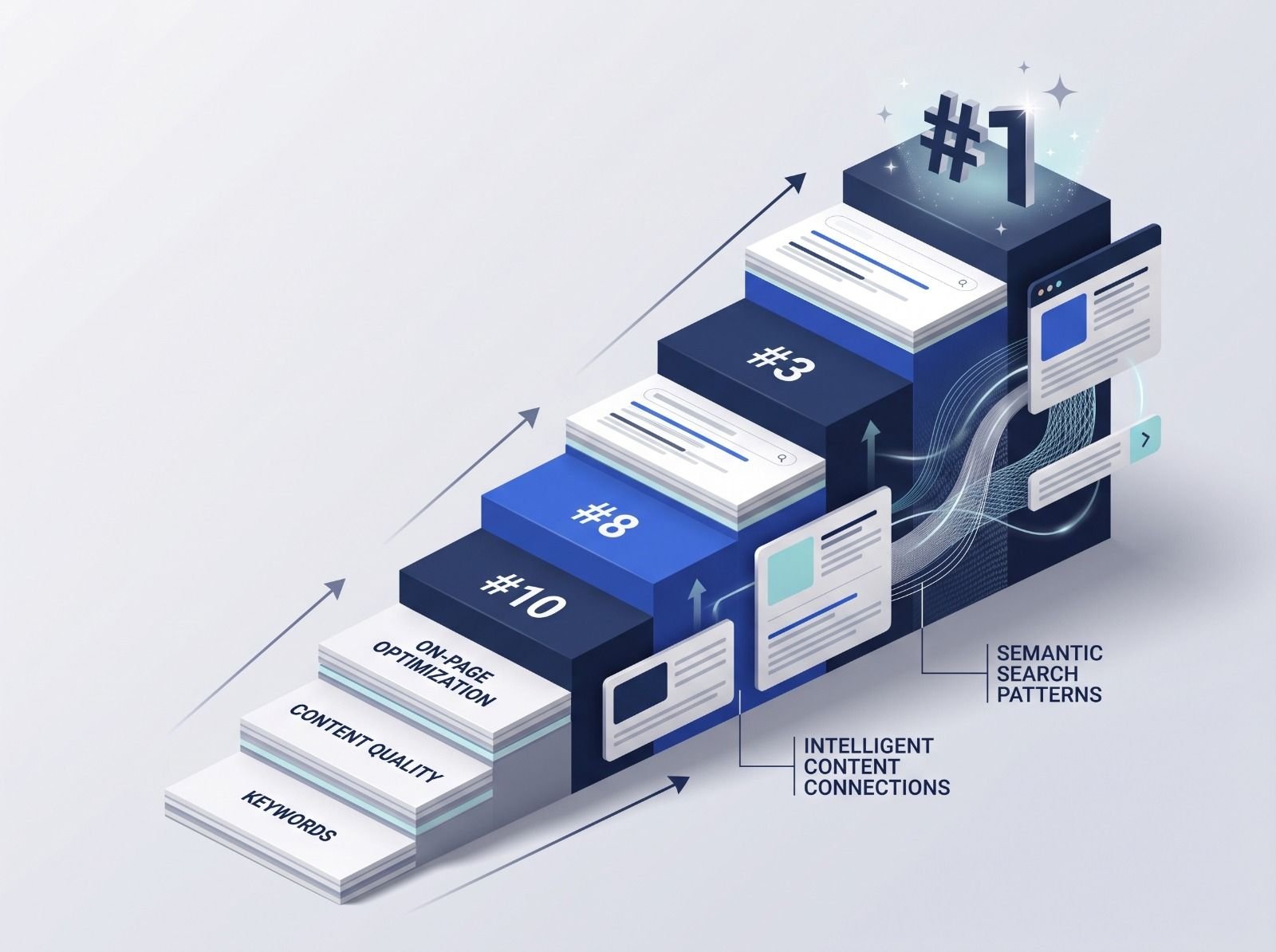
What decides whether an AI assistant quotes your page, and the fixes worth doing first.
Read article →