AI in digital marketing: what actually works right now
Where AI genuinely saves marketers time on real client work, and where it quietly makes things worse.
Read article →
Claude for video editing is not about letting AI cut your reels. It is about handing it the slow text work around the edit, so you spend more hours on the timeline. Here is exactly how editors in India can use it, with five copy-paste prompts.
If you are new to AI, start with our step-by-step roadmap to learn AI, then come back here. This guide is about one job: using Claude for video editing work, the planning, writing and file tasks around your edit. For the full edit process, see an AI video editing workflow from raw footage to reel. For better prompts in general, read how to prompt Claude.
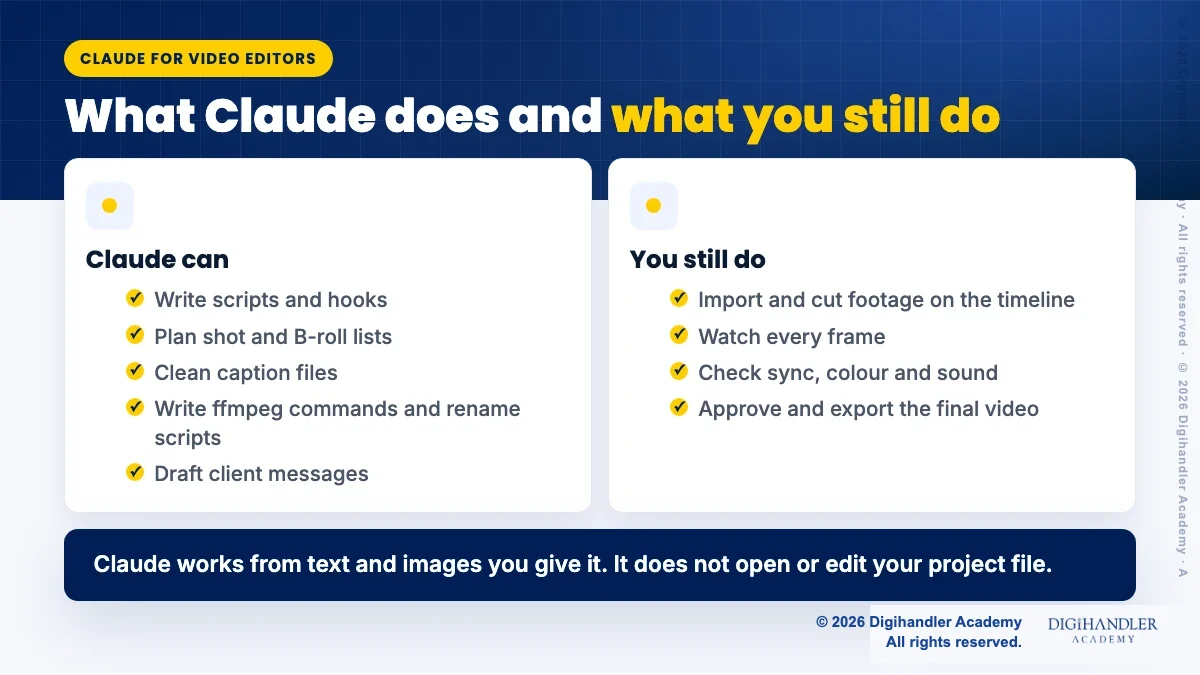
Think of Claude as a fast assistant who sits next to your editing desk. It cannot hold the mouse. It can write, plan, check and explain. Everything it makes is text: scripts, lists, caption files, commands and messages.
That is the honest limit. In a normal chat, Claude does not open your Premiere Pro or DaVinci Resolve project and it does not cut your timeline. Anthropic's help page lists documents (PDF, DOCX, TXT, CSV and more) and images as the files you can upload, not video files. So you give Claude text: the client brief, a transcript, a list of file names, a screenshot of a frame.
Some editing apps now offer their own ways to connect AI. If you try one, read that app's own help page first and keep a backup of your project. This guide sticks to what works for everyone today, inside a plain Claude chat.
Most client briefs in India arrive as a WhatsApp voice note or five lines of text. "Make a reel for our Diwali offer, keep it energetic." Claude is good at turning that mess into a clear plan.
Ask for hooks first, then the script. Hooks are the first two seconds, so you want options to choose from. Then pick one and ask for a timed script with on-screen text.
You are a short-form video scriptwriter. Here is a client brief: [paste brief]. The video is a 30-second Instagram Reel for [business, city]. Audience: [who]. First give me 5 hook options, each under 12 words, in simple Hinglish. Then wait. When I pick one, write a timed script in a table: time, spoken line, on-screen text, visual idea. Do not invent prices, offers or claims that are not in the brief.Yes, and this is where it saves real time. Once the script is fixed, ask Claude to break it into shots. A Jaipur boutique reel, for example, might need a wide shot of the shop, close-ups of fabric, a hand-held try-on shot and a price tag insert.
A good shot list also tells the shooter what not to forget: a clean exterior, room tone, a few seconds of each product without hands. Claude remembers these boring details when you are tired.
Turn this script into a shot list for a phone shoot: [paste script]. Make a table with: shot number, scene, shot type (wide, medium, close-up), what is in frame, approximate length, and B-roll to grab nearby. Add a short checklist at the end for room tone, vertical framing and spare B-roll. Keep it to what one person with one phone can shoot in two hours.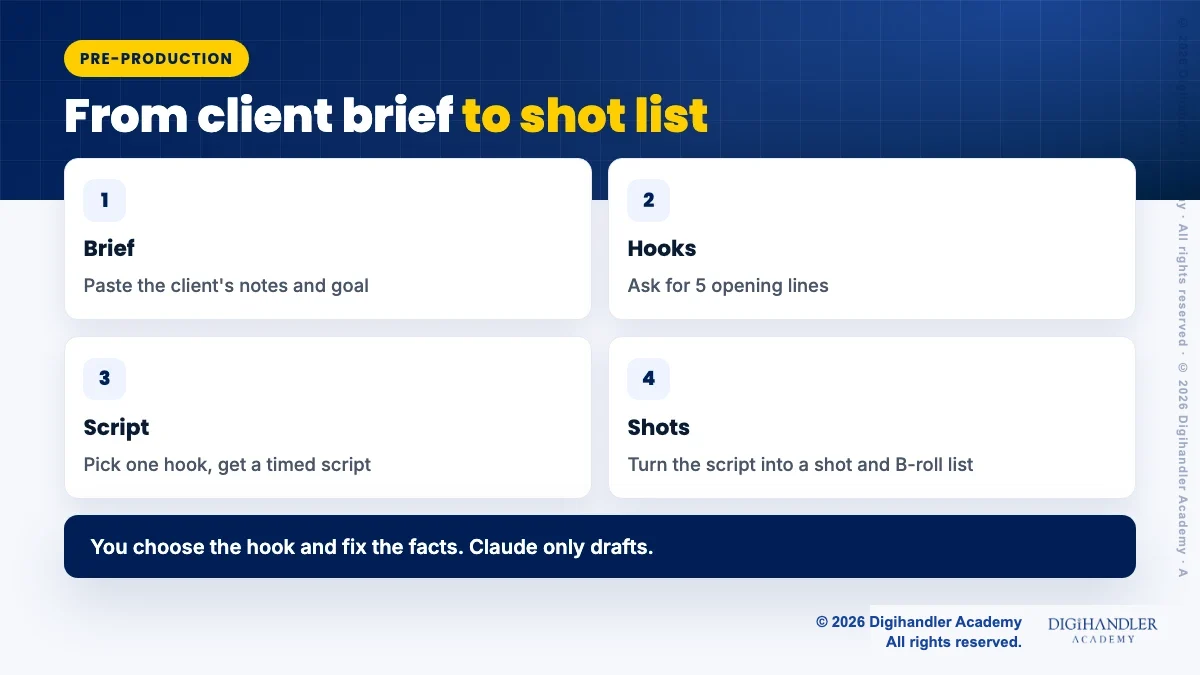
First you need a transcript. Most editing apps can export one, or you can use a speech-to-text tool. Paste it into Claude and ask for edit decision notes: which lines to keep, which to cut, where the energy drops, and where a B-roll cut would hide a jump. You still make the final call while watching.
For captions, Claude can write a file in SRT format. An SRT file is plain text. Each caption block has a number, a timecode like 00:00:01,200 --> 00:00:03,800, one or two lines of text, and a blank line.
Here is the catch. Claude cannot hear your audio, so the timings can only be as good as the timestamps in your transcript. The safest use is to export your editor's auto captions as SRT, then ask Claude to fix spellings, brand names and line length, without touching any timecode.
Here is an SRT caption file: [paste]. Fix spelling, brand names ([list them]) and punctuation. Keep every number and timecode exactly the same. Keep each caption to 2 lines of at most 32 characters. Keep Hinglish words in Roman script as spoken. Return only the corrected SRT, then a short list of the lines you changed.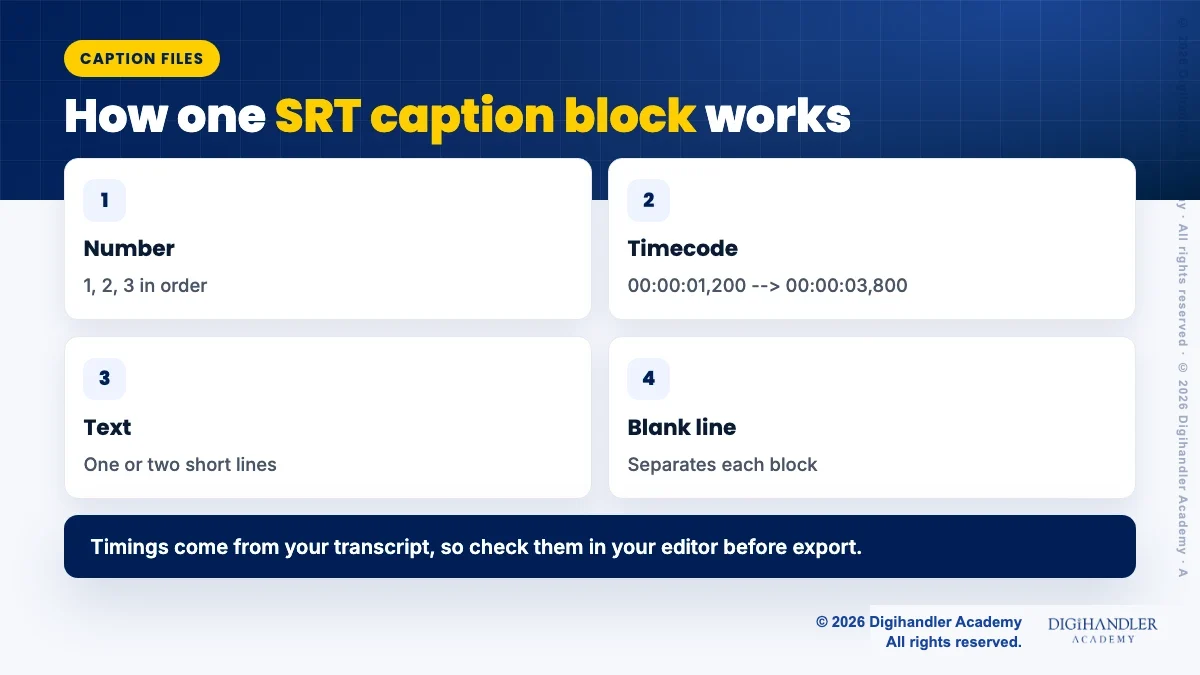
Yes, and it saves client goodwill. Paste your rough notes and let Claude turn them into a short, polite update: what is done, what is pending, what you need from the client, and when the next draft will come.
Keep your own voice. Read the message before sending, and never let it promise a date you cannot meet.
Write a short WhatsApp update to my client [name, business]. Done: [list]. Pending: [list]. I need from them: [logo file, approval on hook 2]. Next draft by: [date]. Tone: friendly and professional, simple English, under 80 words, no emojis. Give me one version in English and one in Hinglish.ffmpeg is a free, open-source command-line tool for converting and processing video and audio. It is powerful, but its commands look scary. Claude is very good at writing them and, more importantly, explaining each part.
A safe first example is making a light 720p copy of heavy footage, so it plays smoothly on an older laptop:
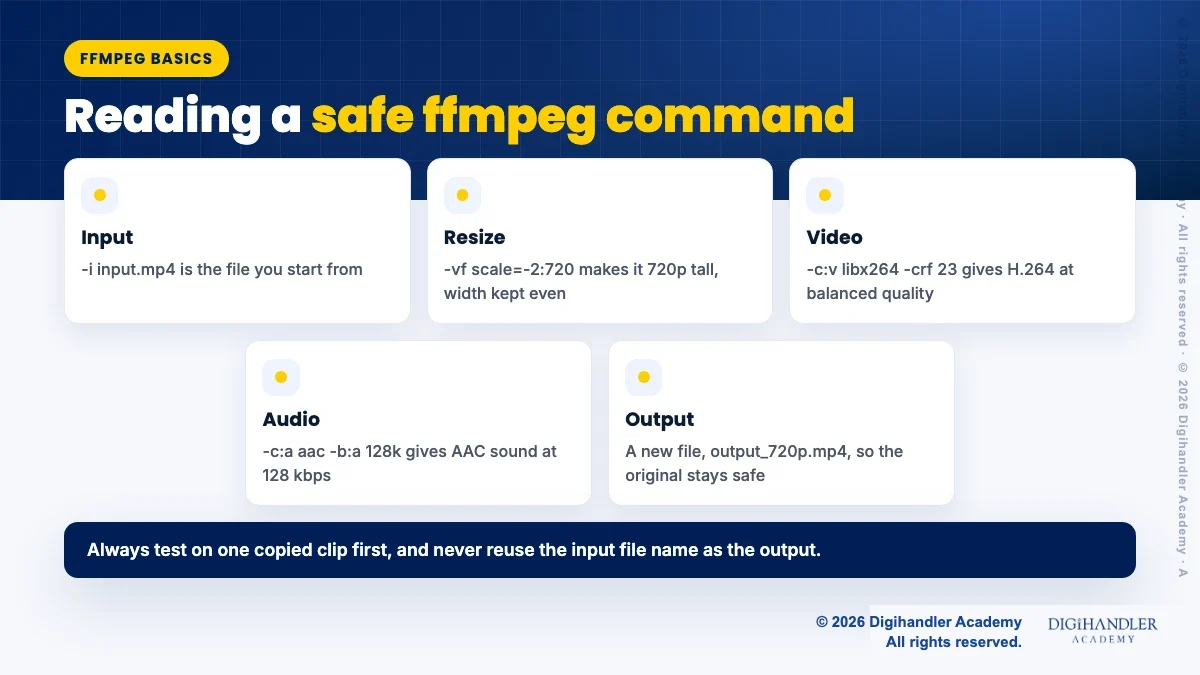
ffmpeg -i input.mp4 -vf scale=-2:720 -c:v libx264 -crf 23 -c:a aac -b:a 128k output_720p.mp4
In plain words: read input.mp4, resize it to 720 pixels tall (the -2 keeps the width correct and even), encode the video as H.264 at a balanced quality, encode the sound as AAC, and save it as a new file. The original is never touched. By default ffmpeg asks before it overwrites an existing file, so do not add the -y flag until you understand it.
Three habits keep you safe. Ask Claude to explain every flag before you run anything. Test on one copied clip, not the whole drive. And never use the same name for input and output.
A wedding or event shoot can give you hundreds of files called C0001.MP4 or IMG_4821.MOV. Claude can write a small script that renames them by date, camera and scene, and sorts them into folders.
Renaming many files at once is hard to undo, so ask for a "dry run" first. That means the script only prints what it would do. You read the list, and only then run it for real, on a copy of the folder.
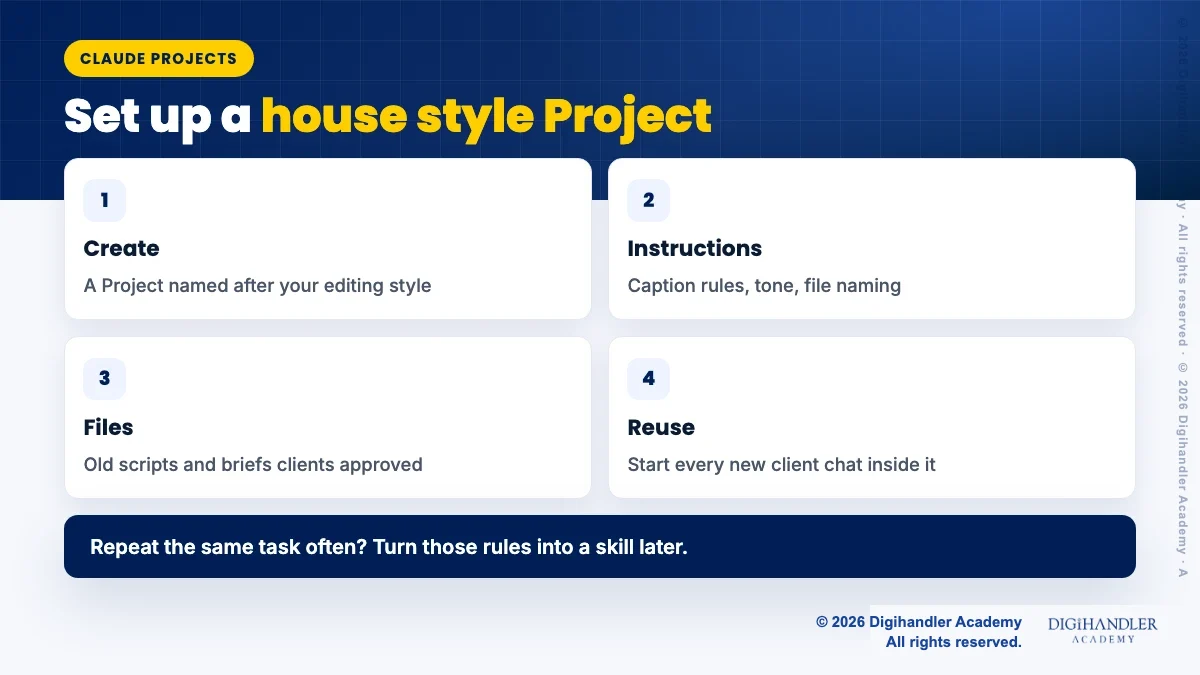
I am on [Windows/Mac]. Write a script that renames video files in one folder to this pattern: [client]_[YYYY-MM-DD]_[camera]_[number].mp4, using each file's creation date. First run as a dry run that only prints old name and new name. Save a CSV log of every change so I can undo it. Never delete or overwrite any file. Explain how to run it step by step for a beginner.Typing the same rules into every chat gets tiring. Claude Projects fix this. Anthropic says Projects are self-contained workspaces with their own chats and knowledge, and they are available on free accounts too (free users can create up to five).
Put your house style in the Project instructions: caption rules, words you never use, how you name files, your usual reel length. Then add old approved scripts and briefs as files. Anthropic's help page lists a limit of 30 MB per file in a Project.
If you repeat one task very often, like cleaning SRT files, you can turn the rules into a skill. Skills are folders of instructions that Claude loads only when they are relevant. They need the code execution setting turned on, and you upload a custom skill as a ZIP file. Read more in what are Claude skills and in the best Claude skills on GitHub. Only install skills whose files you have read.
Claude can be confidently wrong. Check every fact, price, date and name in a script. Play every ffmpeg output before you deliver it. Watch your captions against the video.
Be careful with client material too. Do not paste private contracts, phone numbers or unreleased campaign details unless your client is fine with it. Never paste passwords or API keys into any chat.
If you want to practise these steps on real client-style projects with a trainer, the video editing course offers a free demo class. The best next step is simple: take one real brief this week and run the five prompts above.

Riya writes Digihandler Academy's guides and roadmaps. Every article is fact-checked and reviewed by Lovish Madaan, founder & trainer, who has run the Digihandler agency since 2018. More from Riya →
No, not in a normal chat. Claude works with text and images you give it, such as a brief, a transcript, a caption file or a screenshot. It does not open your Premiere Pro or DaVinci Resolve project and it does not cut your timeline. What it can do is write the script, plan shots, suggest edit points from a transcript, clean caption files and write ffmpeg commands. Some editing apps offer their own AI connections, so check that app's official help page before you rely on one, and keep a backup of your project.
Anthropic's help page on uploads lists document types like PDF, DOCX, TXT and CSV, plus images like JPEG, PNG and WebP. Video files are not on that list. The practical route is to export a transcript or SRT file from your editing app and paste or upload that. You can also upload a screenshot of a frame if you want feedback on text placement or framing. For chats, the page lists up to 20 files and 500 MB per file, and 30 MB per file inside a Project.
The most useful Claude prompts for video editors give a role, the raw material and a clear output format. Good examples ask for five hook options from a client brief, a timed script table, a shot and B-roll list for a phone shoot, a cleaned SRT file with timecodes left untouched, and a short client update message. Add your rules too, like the platform, length, language and what not to invent. Then save the prompts you reuse inside a Claude Project, so your house style is applied every time.
Claude has a free plan, and Anthropic's help pages say Projects and skills are available to free users, with free accounts limited to five Projects. Paid plans add more usage and features, and prices and limits change often, so check the current plans on claude.com before you pay. For most beginner editors, the free plan is enough to test scripts, shot lists, caption clean-up and client messages for a few weeks.
It is safe if you follow three habits. First, ask Claude to explain every part of the command in plain words before you run it. Second, test on one copied clip, never on your only copy of the footage. Third, make sure the output file has a new name, so the original is never overwritten. ffmpeg itself is free, open-source software from ffmpeg.org. By default it asks before overwriting a file, so avoid adding the -y flag until you understand exactly what it does.
Where AI genuinely saves marketers time on real client work, and where it quietly makes things worse.
Read article →
What decides whether an AI assistant quotes your page, and the fixes worth doing first.
Read article →