AI in digital marketing: what actually works right now
Where AI genuinely saves marketers time on real client work, and where it quietly makes things worse.
Read article →
If your customers already message you on WhatsApp, you do not need a big budget to save time there. This guide explains what WhatsApp Business AI and automation can do for a small business in India: the free app tools, Meta's new AI agent, when the paid API makes sense, what it costs, and the rules that keep your number safe.
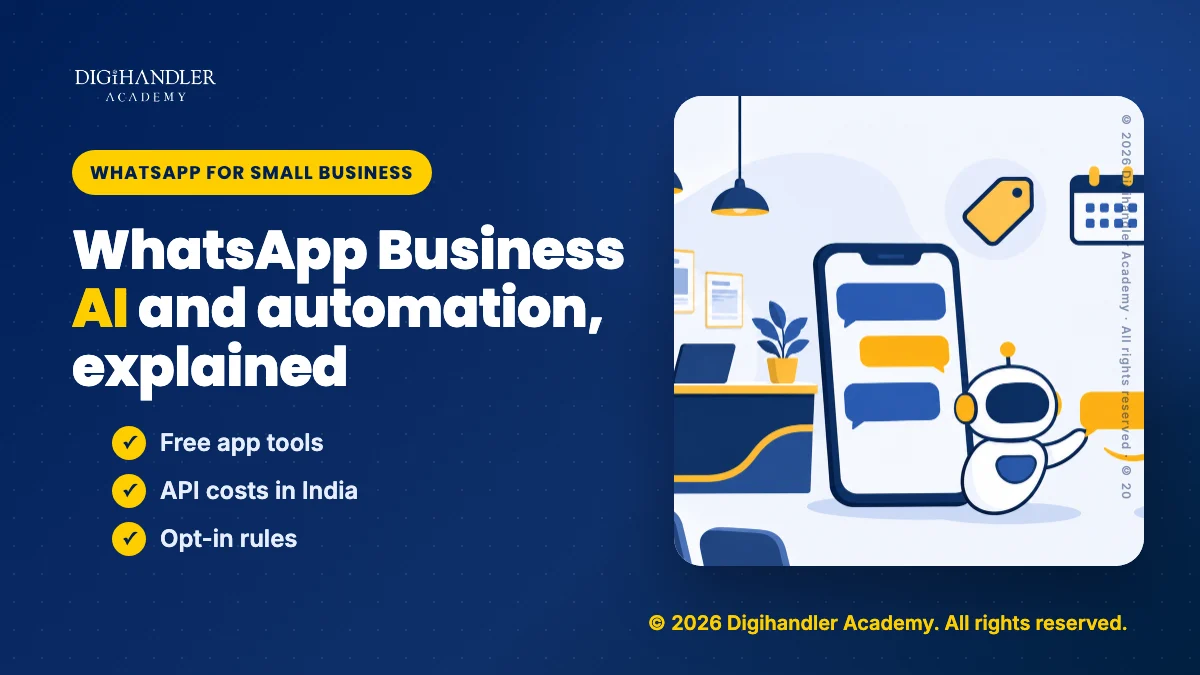
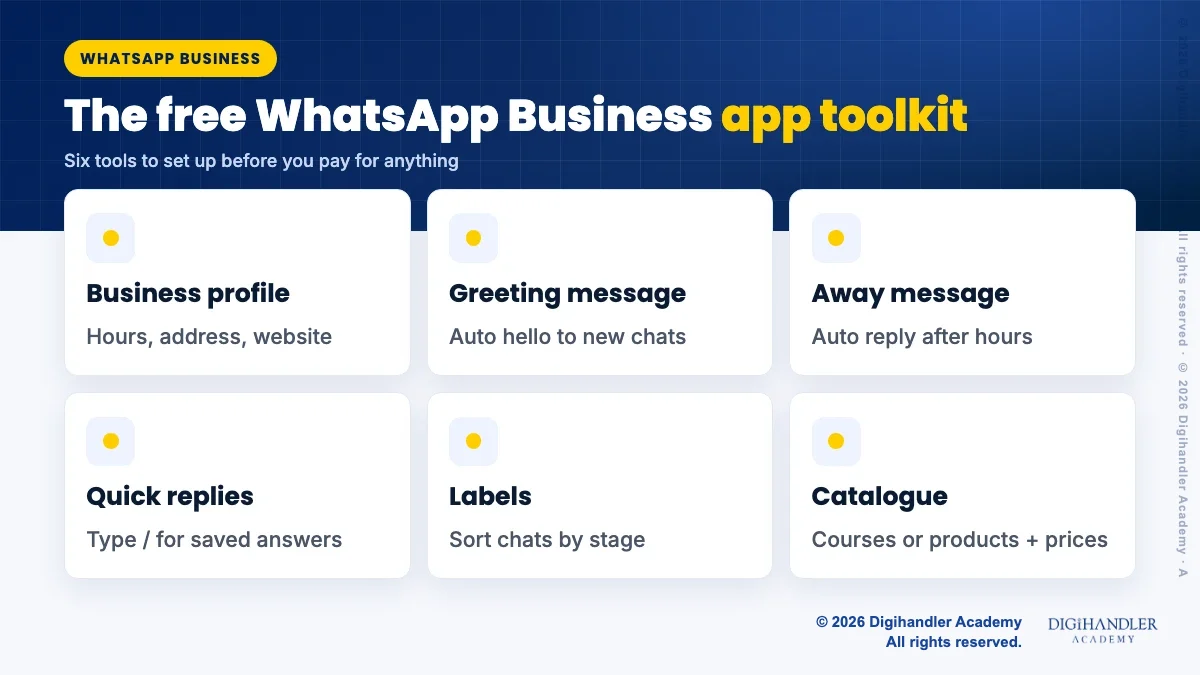
WhatsApp Business AI is the newest feature, but start with the basics. The WhatsApp Business app is a separate app from normal WhatsApp, and WhatsApp's Help Center says you can download it at no additional charge. It suits an owner or small team who reply by hand.
For the bigger picture, see our pillar guide on what AI agents can and cannot do in marketing. Here is what the free app gives you:
Yes, but not for everyone yet. On 14 May 2026, Meta announced Business AI on WhatsApp for small businesses in India. It learns from your profile and catalogue, then answers common questions, suggests products and helps book appointments, at any hour. Meta says it works in all native Indian languages.
You turn it on from the Tools tab by choosing "Your Business AI". The catch is eligibility. Meta says Indian businesses must meet certain criteria, and it has not published them. If you do not see the option, your account is not eligible yet.
WhatsApp's Help Center now calls this feature Meta Business Agent. Access is limited: after a free limit, you wait for it to refresh or subscribe to a Meta One plan where offered. Meta One is still in limited testing, and at the time of writing we found no official India price for extra AI use in the app. Check the Subscriptions screen in your own app.
Meta also said that paying by UPI inside the chat is "starting soon". No date was given, so treat it as not available yet.
Think of it as a new receptionist who has only read your brochure. It answers well when the answer is written down. When it is not, it may guess.
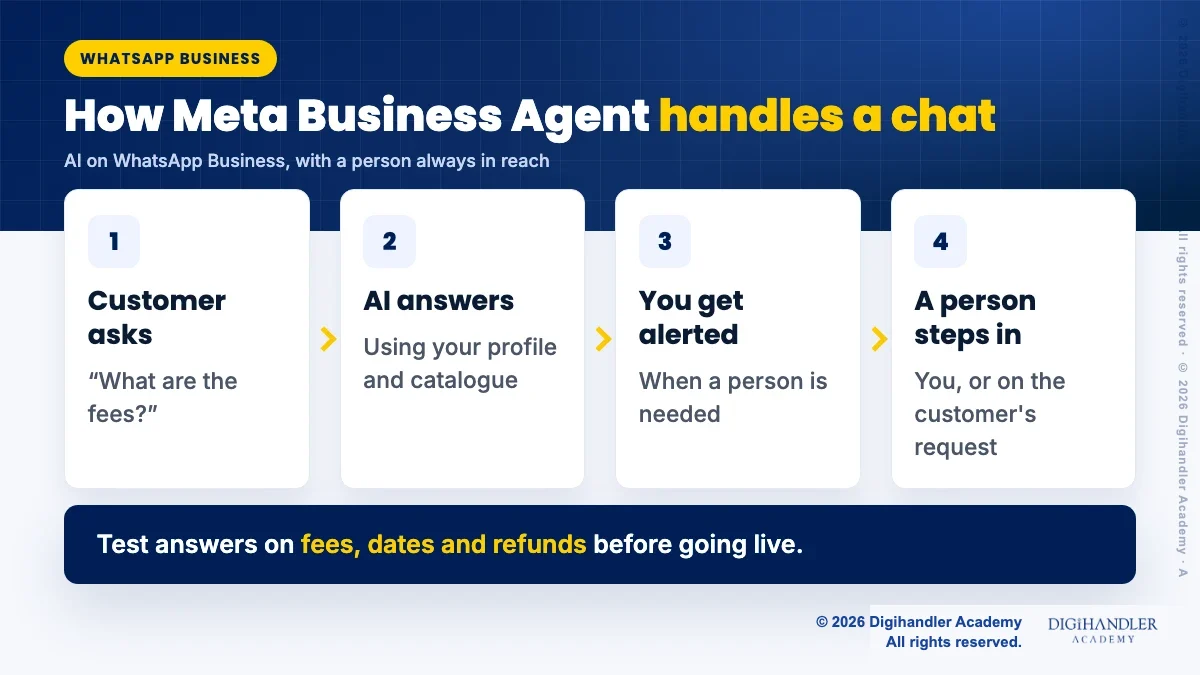
According to WhatsApp's Help Center, customers see a notice that the business uses AI from Meta, and they can ask to talk to a person at any time. You can take over a chat whenever you want, and the AI stops replying once you do. Your phone also gets a notification when the AI decides a customer needs you.
Note two things. While the AI is active it pauses your away message, and greeting messages switch off when it is connected. And Meta itself warns that AI messages may be inaccurate. So test its answers on fees, dates and refunds before you let it run alone.
Need help writing the notes it learns from? Our comparison of ChatGPT, Gemini and Claude for marketing shows which assistant is good at drafting clear FAQ text.
The WhatsApp Business Platform, often called the WhatsApp Business API, is the version for software. There is no app screen. Messages are sent by a tool, such as a CRM, a chatbot builder or your website, that connects to Meta's Cloud API.
Most small businesses connect through a partner. Meta calls them Solution Partners or Tech Providers, and people in India often say BSP (business solution provider). The partner gives you a dashboard and setup help, and may charge its own fee on top of Meta's charges.
You probably need the API when you want automatic reminders to hundreds of people, a link between WhatsApp and your CRM or website forms, or several staff answering one number with proper reports. A partner can also connect your existing WhatsApp Business app number, so you keep chatting in the app while the tool handles bulk messages. Meta calls this coexistence.
Start small. Meta's docs say a new business portfolio can message 250 unique people in 24 hours outside open chats, and verifying your business is one way to raise that to 2,000.
Since 1 July 2025, Meta charges per delivered message, not per conversation. The price depends on the message type and the customer's country. Messages customers send to you are free.
A quick example: 2,000 marketing messages would cost about ₹1,726 in Meta charges (2,000 x ₹0.8631). Your partner's fee and taxes can come on top, so ask for a full quote. Meta Business Agent on the API is billed separately, at $2 per million tokens. Rates change, so check Meta's pricing page first.
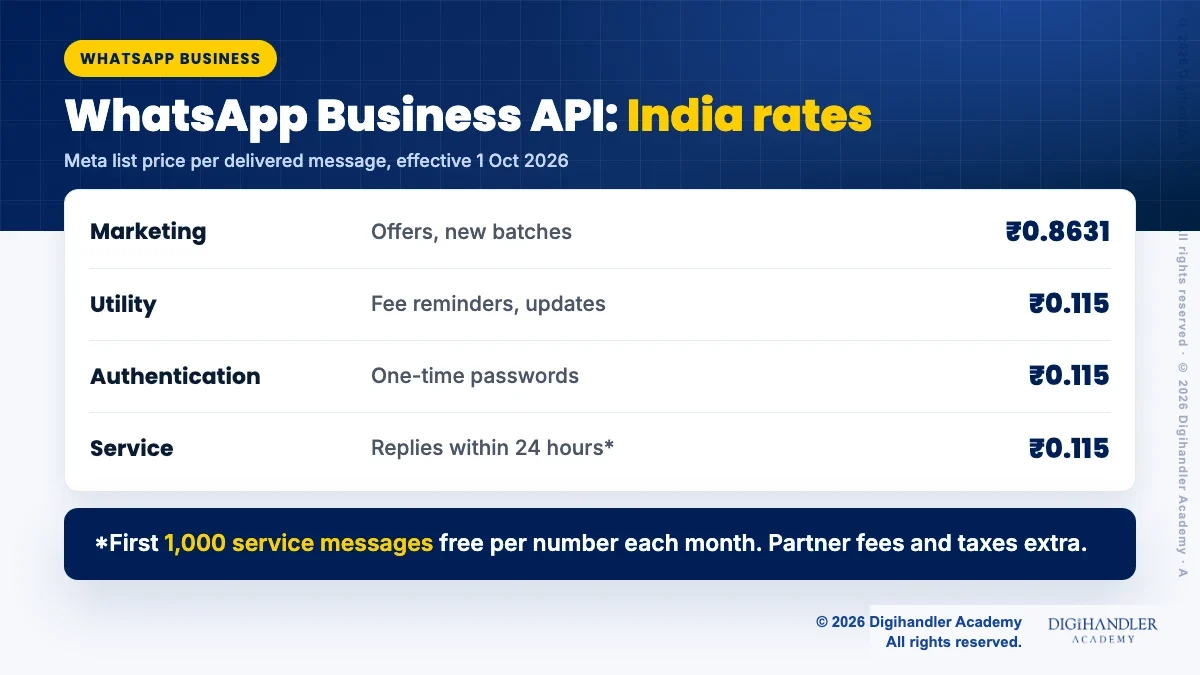
Here are Meta's India list rates in rupees, effective 1 October 2026, at the time of writing:
A click-to-WhatsApp ad is a Facebook or Instagram ad with a button that opens a chat with your business. Instead of filling a form, the person messages you. You create these ads in Meta Ads Manager or from your Facebook Page.
For API users there is a money benefit. When someone messages you from one of these ads on the Android or iOS app and you reply within 24 hours, Meta opens a free entry point window. For up to 7 days, marketing, utility, authentication and service messages to that person are free. Meta Business Agent messages are still charged.
The ad side runs on Meta's AI targeting, which we explain in our guide to Meta Advantage+ ads for Indian small businesses. Have your quick replies ready first, because the chats arrive fast.
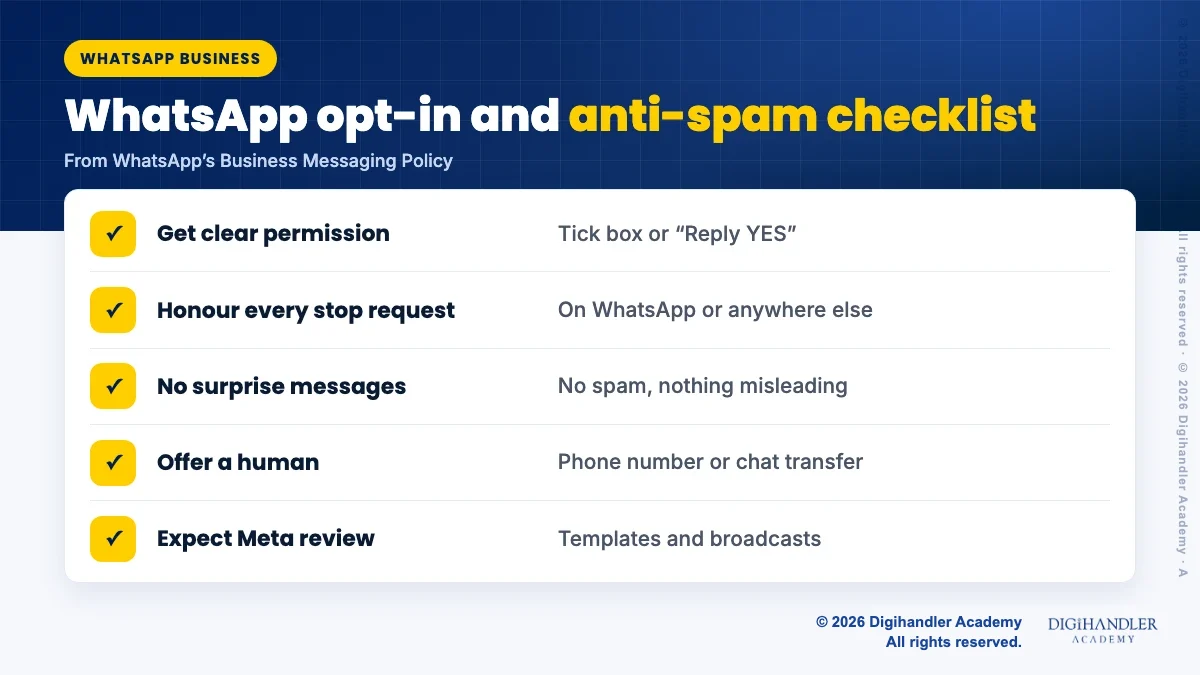
WhatsApp's Business Messaging Policy, last updated on 23 September 2026, is short and strict. You may contact people only if they gave you their number and agreed to get messages from you. You decide how to collect that agreement, and it must follow Indian law. In simple words:
Imagine a Rohtak coaching centre that gets 30 to 40 WhatsApp enquiries a day about fees, timings and demo classes. This setup costs nothing:
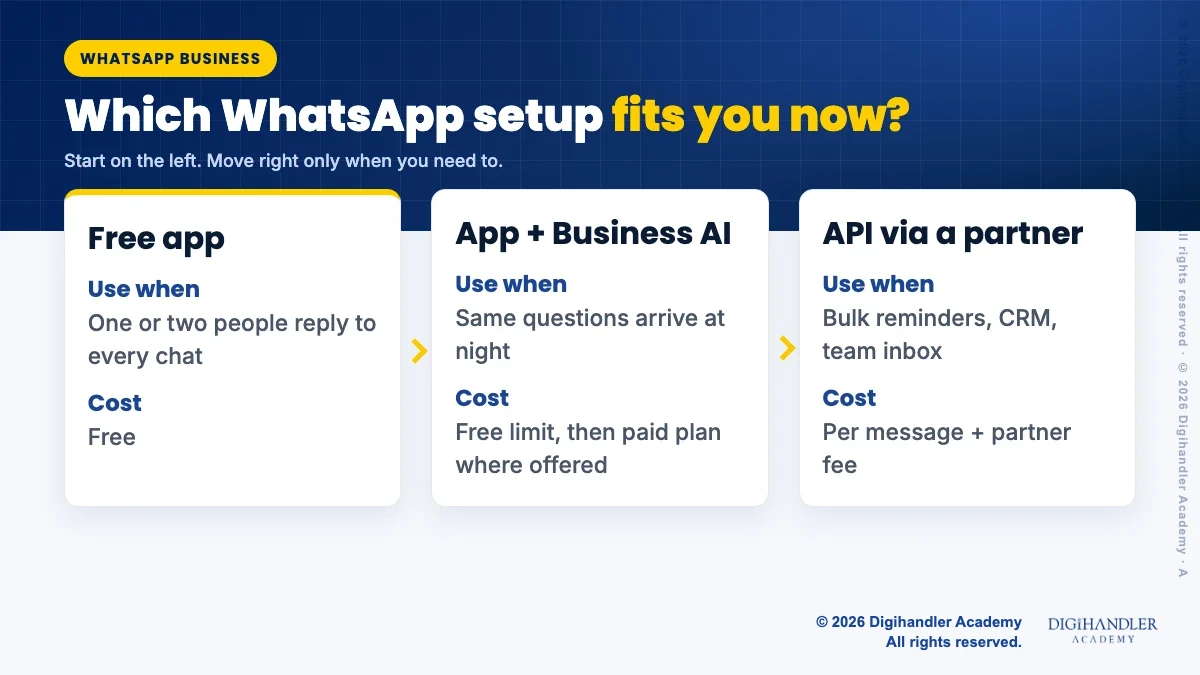
Stay with the free app while one or two people can answer every chat. Try Business AI, if your account is eligible, when the same questions keep arriving late at night. Move to the API through a partner when you need reminders at scale, CRM links or team reports.
For more ways to use AI across a small business, see our guide to AI for small business owners. If you want to learn WhatsApp, Instagram and Facebook as one system, our social media marketing course covers it, and a free demo class is one way to try it with a trainer.

Riya writes Digihandler Academy's guides and roadmaps. Every article is fact-checked and reviewed by Lovish Madaan, founder & trainer, who has run the Digihandler agency since 2018. More from Riya →
Yes. WhatsApp's Help Center says the WhatsApp Business app can be downloaded at no additional charge from the Google Play Store or the Apple App Store. Everyday tools such as the business profile, greeting and away messages, quick replies, labels and the catalogue cost nothing to use. Some extras are paid. Business broadcasts or marketing messages sent from the app are charged per delivered message where the feature is offered, and extra Meta Business Agent use may need a Meta One plan. The app always shows the price before you pay for anything.
Partly. In the WhatsApp Business app, Meta Business Agent (first launched in India as Business AI in May 2026) comes with a free usage limit, according to WhatsApp's Help Center. After you reach it, you can wait for the limit to refresh or subscribe to a Meta One plan where one is offered. At the time of writing, Meta had not published an India price for that extra use. On the WhatsApp Business API, Meta Business Agent messages are charged at $2 per million tokens, and they stay charged even inside the free entry point window from click-to-WhatsApp ads.
The WhatsApp Business app is a free phone app for owners and small teams who reply by hand, with helpers like greeting messages, quick replies and labels. The WhatsApp Business API, officially the WhatsApp Business Platform, has no app screen. Software such as a CRM or chatbot tool sends messages through Meta's Cloud API, usually set up by a partner. The API charges per delivered message and suits automatic reminders at scale, website and CRM links, and team inboxes. Meta also allows coexistence, so one number can use both.
On the WhatsApp Business API, Meta's India list rate for a marketing message was ₹0.8631 per delivered message, effective 1 October 2026, at the time of writing. Utility, authentication and service messages to Indian numbers were ₹0.115 each, and every business number gets 1,000 free service messages a month. These are Meta's charges only. Your solution partner may add a monthly fee or a markup, and taxes can apply. Meta updates its rates several times a year, so check its pricing page before you set a budget.
Automation itself is allowed. WhatsApp's Business Messaging Policy lets you use automated replies, as long as people have a clear way to reach a human. Trouble usually comes from messaging people who never agreed to hear from you, ignoring stop requests, or sending confusing or surprising messages. WhatsApp says breaking the business broadcast terms can lead to temporary or permanent loss of that feature. To stay safe, collect clear opt-in at the first contact, remove anyone who asks you to stop, and keep promotional messages relevant and occasional.
Where AI genuinely saves marketers time on real client work, and where it quietly makes things worse.
Read article →
What decides whether an AI assistant quotes your page, and the fixes worth doing first.
Read article →