AI in digital marketing: what actually works right now
Where AI genuinely saves marketers time on real client work, and where it quietly makes things worse.
Read article →
Learning how to prompt Claude is less about magic words and more about writing a good brief. Give Claude what you would give a smart new freelancer: the job, the background, your material, the format you want and an example. This guide turns Anthropic's own prompting advice into a six-part formula, shows three before-and-after marketing prompts, and explains what changes when you prompt Claude Code.
Anthropic's prompting guide asks you to think of Claude as a "brilliant but new employee" who doesn't know your norms or workflows. The more precisely you explain what you want, the better the result. So a good prompt reads like a short brief, not a search query.
Here is the formula. You won't need every part every time, but checking all six takes ten seconds and fixes most weak prompts. If you're new to Claude's extra features, our guide to what Claude skills are is a good companion to this one.
<notes> and </notes>.<example> tags.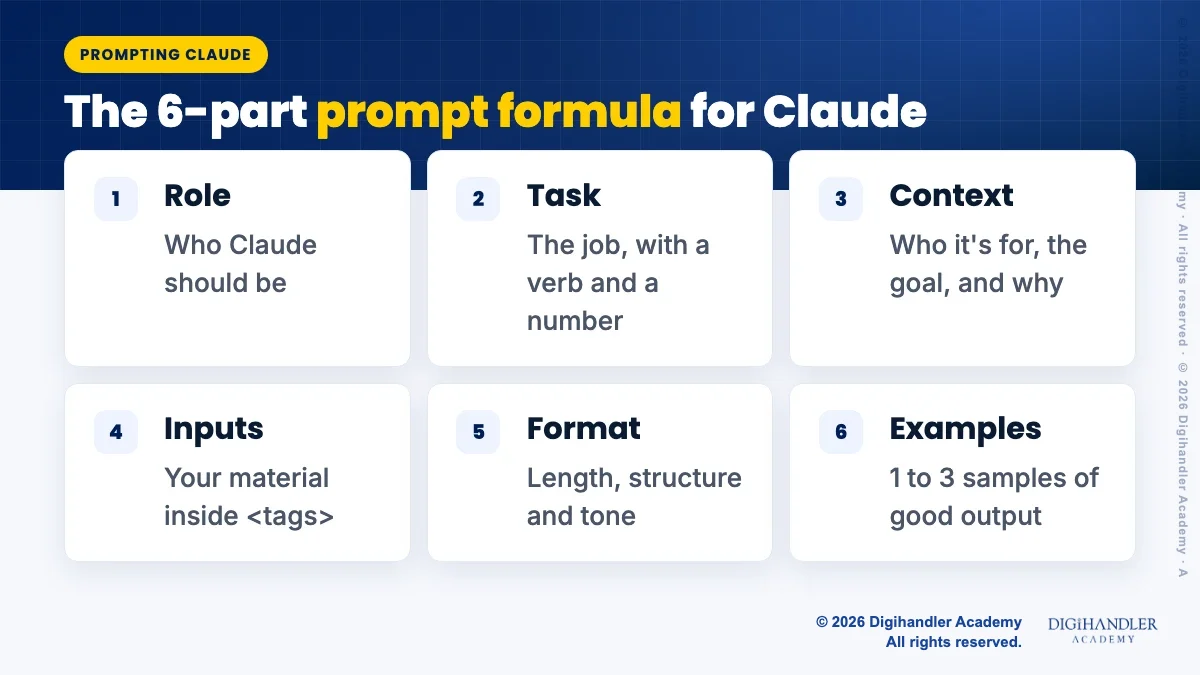
Claude only knows what is in the chat. It doesn't know your customers, your last campaign, or why you want 50 words and not 200. Without context it fills the gaps with safe, average guesses, which is why vague prompts give generic answers.
Context also means the reason behind a rule. Anthropic's docs give a neat example. Instead of only saying "never use ellipses", explain that the text will be read aloud by a text-to-speech tool that can't pronounce them. With the reason, Claude can apply the same thinking to cases you never mentioned.
A useful test from the same guide: imagine handing your prompt to a colleague who knows nothing about the task. If they would have questions, Claude has the same questions. Answer them in the prompt.
One more tip for long material. If you paste a long report or several documents, put them at the top and your question at the end. Anthropic says this order improved answer quality by up to 30% in its tests on complex, multi-document inputs.
Tags are just labels around each part of your prompt, like <brief> at the start and </brief> at the end. They are not code. They simply stop Claude from mixing up your instructions with the material you pasted. Pick names that describe the content and reuse the same ones every time.
Examples are the quickest way to show tone and shape. Start with one. Anthropic's docs suggest three to five for the most consistent results, and say to vary them so Claude doesn't copy one example too closely.
For jobs with a few moving parts, like a pricing page or a campaign plan, ask Claude to work through the problem before it writes: "First, list the three biggest objections a buyer has." Newer Claude models already decide how much to think on their own, so treat this as a helpful nudge, not a switch.
You may see older guides recommend "prefilling", where you write the first words of Claude's answer for it. Anthropic's current docs say prefill is no longer supported on its newest models (Claude 4.6 and later). Just describe or show the format you want instead.
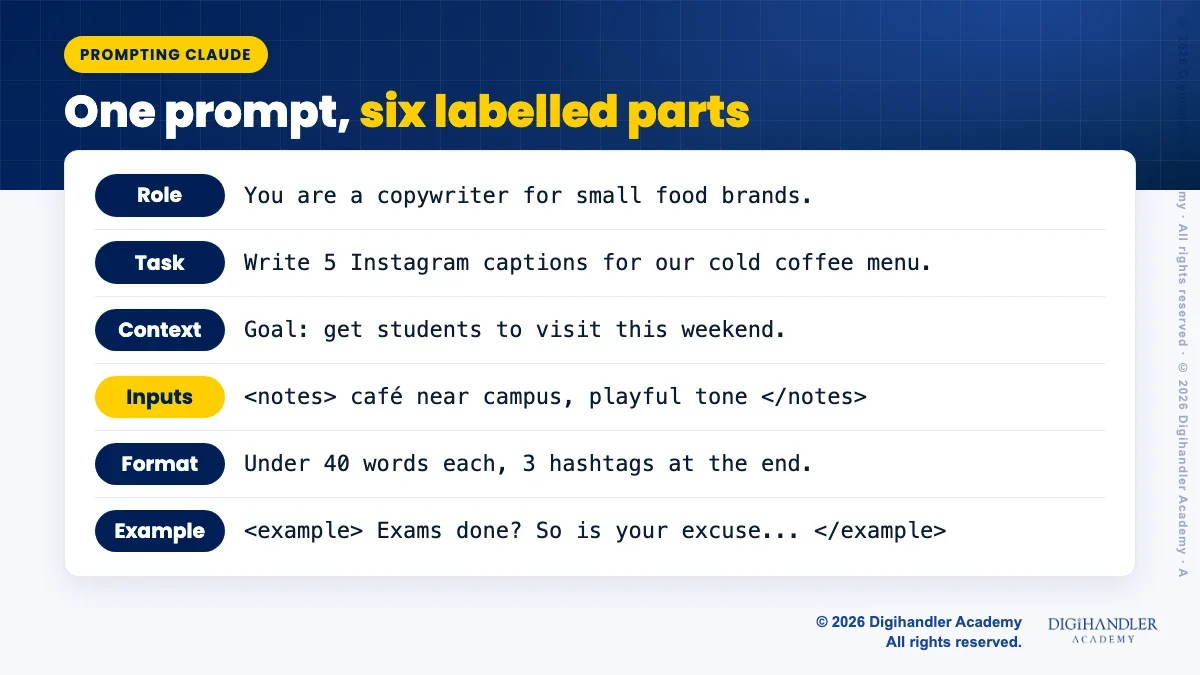
Now the formula on three everyday marketing jobs. First, social media captions. The before prompt gives Claude nothing to work with. The after prompt adds a role, a goal, the audience, a format and one example.
Notice the goal line: get people to visit this weekend. That one sentence turns every caption from a description of coffee into a reason to show up.
BEFORE
Write Instagram captions for my café.

AFTER
You are a social media copywriter for small local food brands.

Write 5 Instagram captions announcing our new cold coffee menu.
The goal is to get people to visit this weekend, so each caption
should end with a clear reason to come in.

<about_us>
Brew Corner, a small café near a college campus. Customers are
mostly students aged 18 to 24. Tone: friendly, a little playful.
</about_us>

Format: each caption under 40 words, at most 2 emojis,
3 hashtags at the end.

<example>
Exams done? So is your excuse. Our hazelnut cold brew is waiting.
Show your student ID this Saturday for 10% off.
#BrewCorner #ColdBrew #StudentLife
</example>Cold emails fail when they sound like everyone else's. The fix is the prospect notes. The improved prompt also tells Claude what success means (a short call, not a sale) and lets it flag missing details instead of inventing them.
That last line matters. Anthropic recommends giving Claude clear permission to say when it lacks information, which cuts down on confident guessing.
BEFORE
Write a cold email to get web design clients.

AFTER
You are a B2B copywriter who writes short, plain cold emails.

Write a first cold email from our web design studio to the owner
of a local dental clinic.

Context: many clinics have slow, outdated sites that are hard to
use on phones. We want a 15-minute call, not a sale, so the email
should feel helpful rather than pushy.

<our_offer>
Mobile-first clinic websites with online booking, delivered in
3 weeks.
</our_offer>

<prospect_notes>
[paste what you know: clinic name, city, what you noticed on
their site]
</prospect_notes>

Format: a subject line, then a body under 120 words in plain
sentences, ending with one question. If the notes are too thin to
personalise the email, tell me what's missing instead of guessing.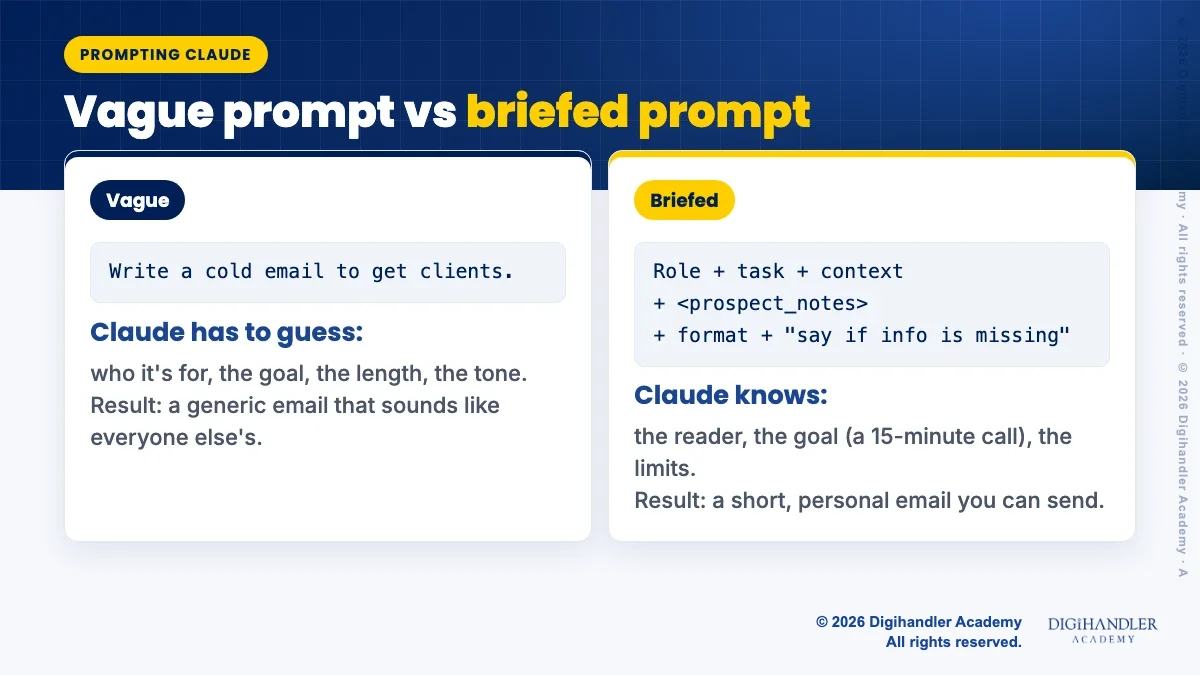
Ad copy has hard length limits, so the format part does the heavy lifting here. The prompt also asks Claude to think about beginner worries first, then write. You get sharper angles, and the character counts make the output easy to review.
Still check the counts yourself before you upload. It takes a minute and saves you from rejected ads.
BEFORE
Give me Google ad copy for my yoga studio.

AFTER
You are a performance marketer who writes Google search ads.

Write copy for one responsive search ad for our beginner yoga
classes. First, list the 3 biggest worries a beginner has before
booking a first class. Then write the ad so it answers them.

<details>
Studio: Calm Roots Yoga, Austin. Offer: first class free.
Classes: mornings and evenings, max 12 people per class.
</details>

Format: a table with 10 headlines (30 characters max each) and
4 descriptions (90 characters max each). Show the character
count next to each line.Claude Code is Anthropic's agent that works inside a folder on your computer. It runs in the terminal, the desktop app and VS Code, and it can read and edit files. It isn't only for developers: Anthropic notes it works in any folder, including a folder of blog drafts or landing pages.
The same formula applies, plus four habits from Anthropic's Claude Code guides.
BEFORE
fix the landing page

AFTER
/plan The hero section in @site/index.html is too long on mobile.
Rewrite the headline and subheading so both fit on one phone
screen. Keep the tone from @brand/voice.md and don't change the
button link. When you're done, run npm run build and show me the
output, plus a list of exactly what you changed.@site/index.html, to hand Claude that file instead of describing it./plan. Claude reads and proposes a plan, but edits nothing until you approve.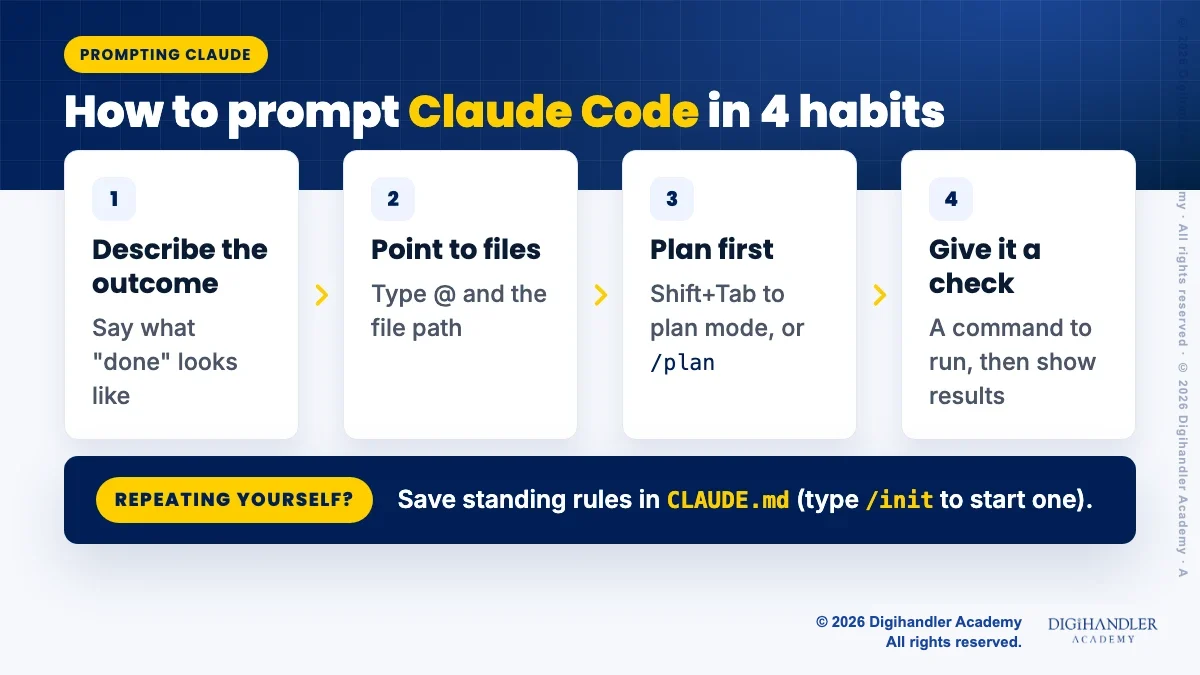
If you keep typing the same reminders at the start of every session, put them in a file called CLAUDE.md in your project folder. Claude Code loads it into every session automatically.
Keep it short. Anthropic advises writing down only what Claude can't work out by reading your files: the command that checks the work, decisions made in meetings, and anything you've had to correct twice. Its memory guide suggests staying under 200 lines.
cd followed by the folder path, press Enter, then type claude and press Enter./init and press Enter. Claude writes a starter CLAUDE.md based on what it finds in the folder.# Brand
- Write in US English, short sentences, no jargon
- The studio name is "Calm Roots Yoga", never "CalmRoots"
# Checks
- To confirm a change works, run: npm run buildA prompt you use once a month can live in a notes app. But once you paste the same long prompt every week, save it somewhere Claude can find it.
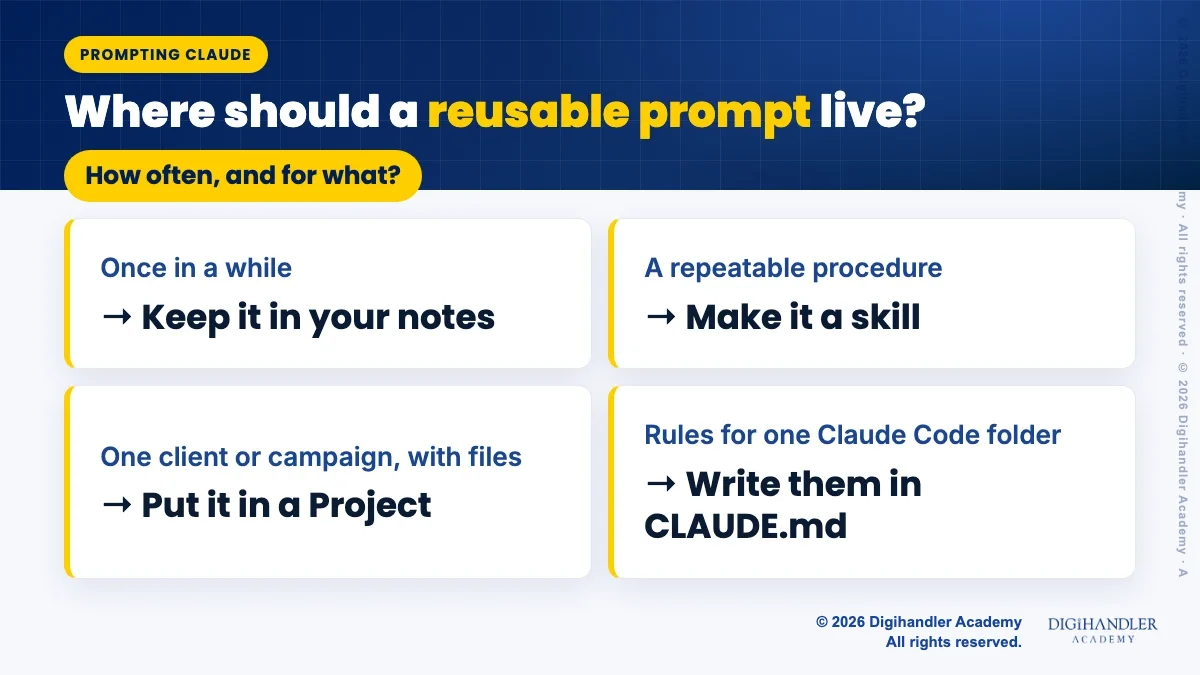
Turn it into a skill when it's a repeatable procedure, like "write our weekly newsletter in house style". A skill works like a recipe card: Claude sees its name and short description, and only reads the full instructions when a task needs them. Our guides explain how Claude skills work and how to create your own skill without coding.
Use a Project when the instructions belong to one client or campaign and you also want files close by. Project instructions apply to every chat inside that project, and uploaded files are available in all of them. See Claude Projects explained for the setup.
In Claude Code the split is similar: rules for one folder go in CLAUDE.md, and step-by-step procedures you reuse go in a skill. For hands-on practice with these tools, see our AI tools course, or read how AI is changing digital marketing.

Riya writes Digihandler Academy's guides and roadmaps. Every article is fact-checked and reviewed by Lovish Madaan, founder & trainer, who has run the Digihandler agency since 2018. More from Riya →
Write your prompt like a short brief for a capable new colleague. Give Claude a role, a clear task, the context and goal behind it, your material inside simple tags, the format you want, and one or more examples of good output. Anthropic's own prompting guide stresses being clear and direct and explaining why an instruction matters, because Claude can then apply that reasoning to situations you didn't mention. You don't need special words or tricks. If a colleague reading your prompt would need to ask questions, add those answers before you send it.
Open your project folder in Claude Code and describe the result you want, not just the problem. Point to the exact files by typing @ and the file path. For anything bigger than a small fix, ask for a plan first: press Shift+Tab until plan mode is on, or start your message with /plan, and Claude will propose changes without editing until you approve. Tell it how to check its work, such as a build command to run. Save reminders you repeat every session in a CLAUDE.md file, which you can start by typing /init.
An AI model only knows what you put in front of it. It can't see your audience, your brand voice, your past results or the reason behind a request. When that context is missing, it fills the gaps with safe, average guesses, so the answer sounds generic. Adding who the work is for, what the goal is and why a rule exists lets Claude make the same choices you would. Anthropic's guidance notes that explaining the motivation behind an instruction helps Claude deliver more targeted responses and handle cases you never spelled out.
No, but they help once your prompt mixes instructions with pasted material. Tags are simple labels, such as <notes> before your notes and </notes> after them, that show Claude where each part starts and ends. Anthropic's docs say tags reduce misinterpretation when a prompt combines instructions, context, examples and inputs. You can name tags anything descriptive, like <brief> or <customer_reviews>, as long as you use them consistently. For a short one-line question, plain text is fine. For a long prompt with several documents or examples, tags make results noticeably more reliable.
As long as it needs to be to remove guesswork, and no longer. A quick question can be one line. A marketing task usually needs a few short paragraphs covering the role, task, context, inputs, format and an example. Length is not the goal; missing information is the problem to fix. If you paste long documents, put them at the top of the prompt and your question at the end, which Anthropic says improves answers on complex inputs. If you keep writing the same long prompt every week, save it as a skill or in a Project instead.
Where AI genuinely saves marketers time on real client work, and where it quietly makes things worse.
Read article →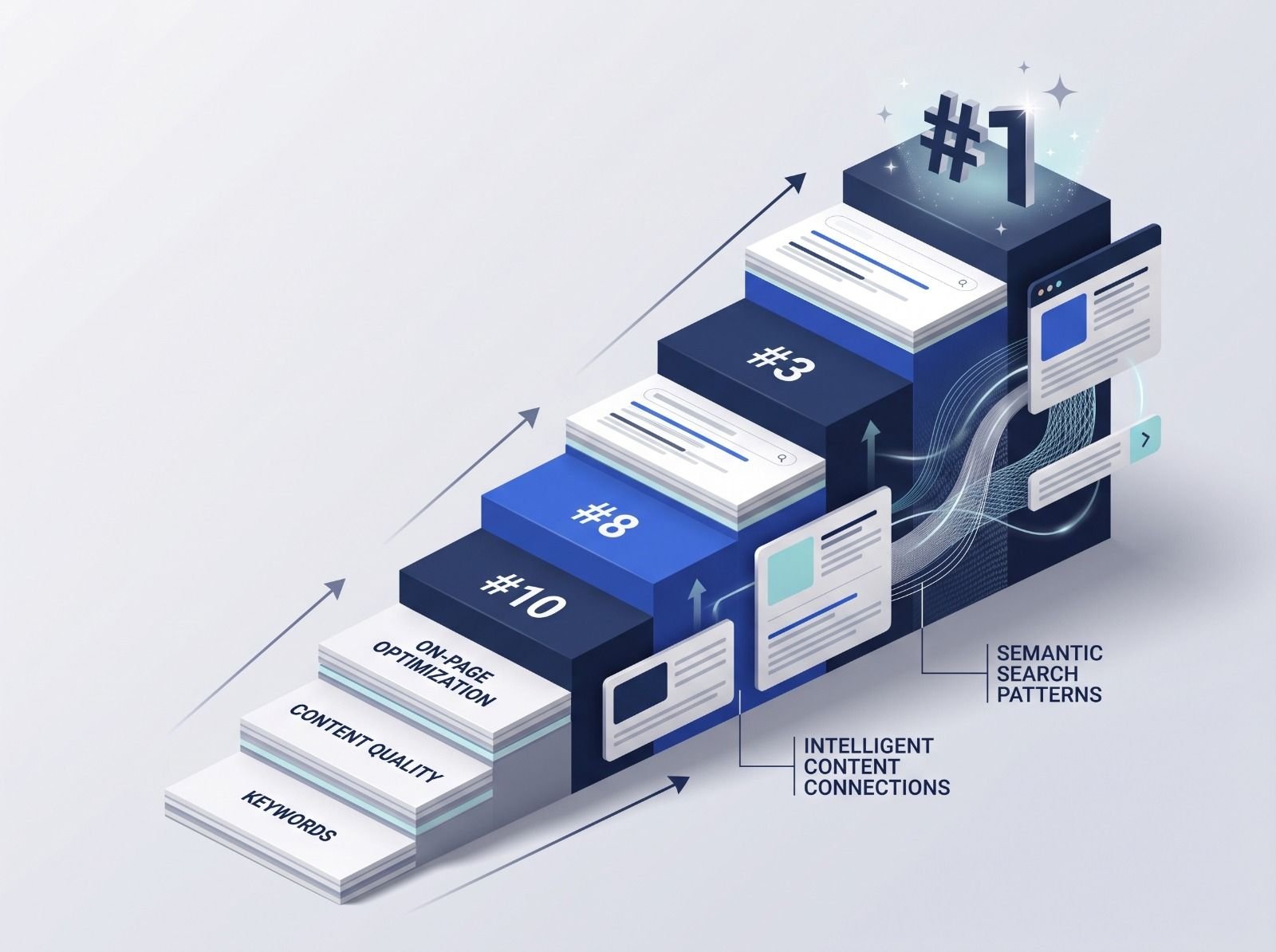
What decides whether an AI assistant quotes your page, and the fixes worth doing first.
Read article →