
AI in digital marketing: what actually works right now
Where AI genuinely saves marketers time on real client work, and where it quietly makes things worse.
Read article →
Video editing for reels is less about fancy effects and more about a few simple habits: a strong first three seconds, quick cuts, clear captions and sound you are allowed to use. This guide shows beginners in India how to edit reels people actually watch, with free tools you can download today, a two-week practice plan, and how the skill can turn into paid work.
Think of a reel like a roadside chai stall. People decide in one glance whether to stop. Then they stay only if things keep moving and the chai is good.
A watchable reel has three parts. The hook (first one to three seconds) makes people stop. The middle keeps them with quick, useful moments. The end gives them a reason to act: save, share, follow or message.
Editing is the job of shaping those three parts. You do not need an expensive laptop to start. A phone, a free app and daily practice are enough for the first month.
If you are thinking about video as a new career, read our guide on switching careers into digital marketing first. It shows where editing fits in the bigger picture.
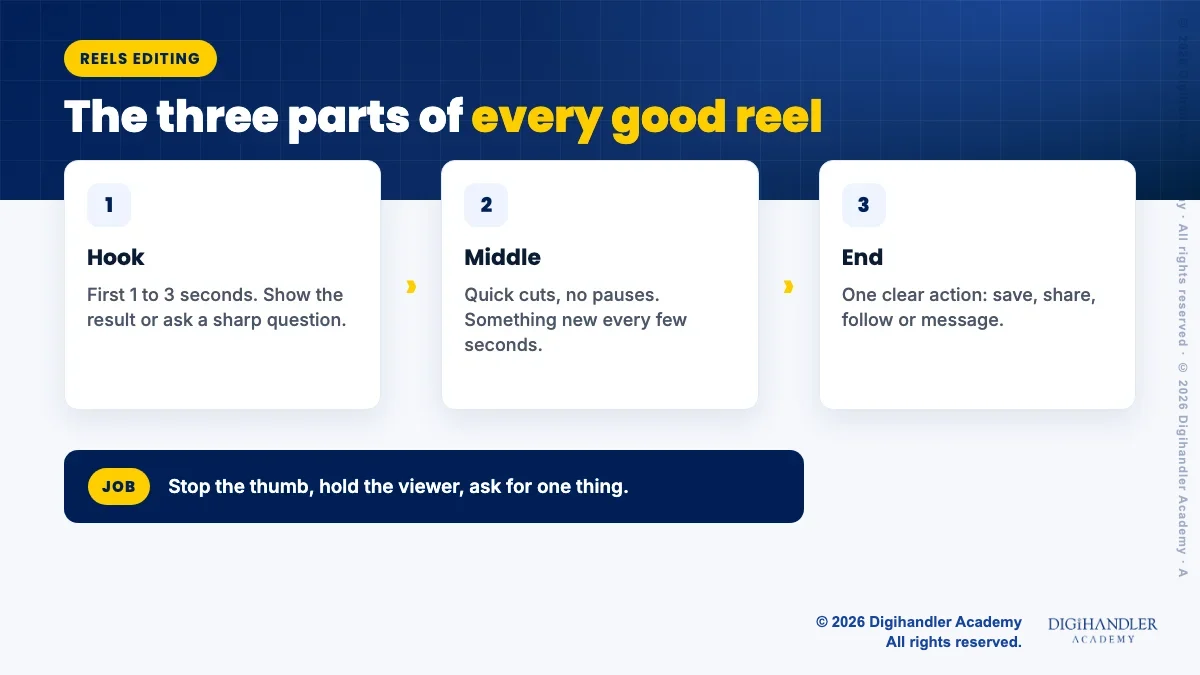
The first seconds decide almost everything. If nothing makes a person curious, their thumb keeps scrolling.
Start with the most interesting moment, not with "Hi guys" or a logo. Cut away the warm-up. Many beginners lose viewers because the first two seconds are the person settling in front of the camera.
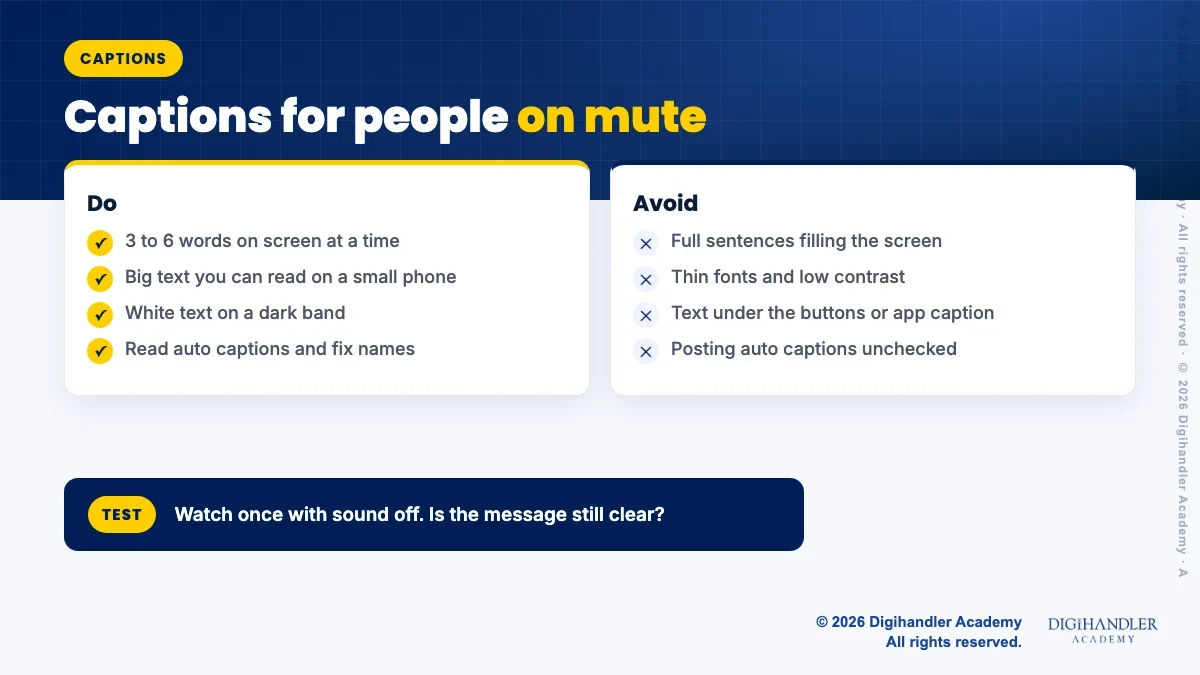
Many people watch reels with the sound off: on a bus, in an office, late at night next to someone sleeping. If your message lives only in the audio, they miss it.
Captions also help people who are hard of hearing, and people watching in their second language. In India, clear Hinglish or simple English captions can widen your audience a lot.
Most editing apps can make automatic captions from your voice. YouTube can also create automatic captions, but they can be wrong, especially with Hindi names and local words. Always read them once and fix mistakes before you post.
Keep captions short: three to six words on screen at a time, big enough to read on a small phone, with strong contrast like white text on a dark band.
Pacing means how often something changes on screen. In a reel, a long shot where nothing new happens feels slow, even if it is only four seconds.
A simple rule: cut every time the point changes, and cut out every pause, "umm" and repeated sentence. This is called a jump cut, and it is normal in reels.
Change something every few seconds: a new angle, a zoom in, a text pop, a close-up of the product. But do not cut so fast that people cannot read the captions. Fast is good. Rushed is not.
Watch your edit once on your phone at full screen, with sound off. If you feel bored at any point, viewers will too. Cut that part.
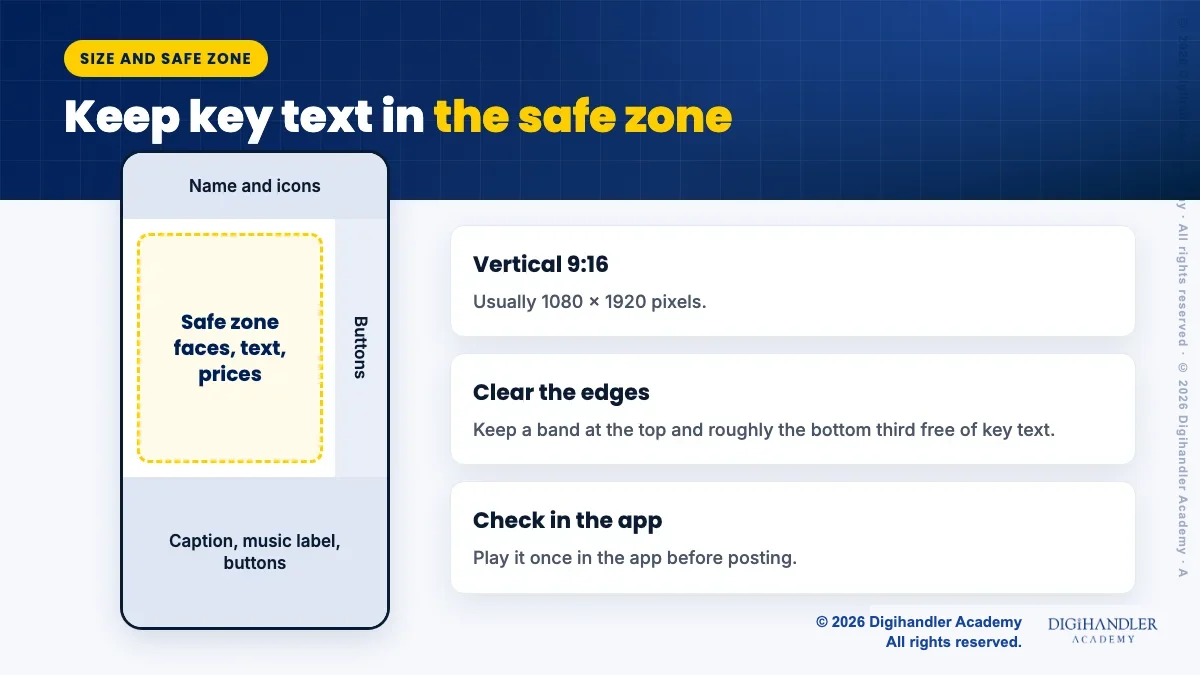
Edit reels in vertical 9:16, usually 1080 by 1920 pixels. YouTube's help centre says square or vertical videos up to three minutes count as Shorts. Shorter is easier for beginners: aim for 15 to 45 seconds while you practise.
The safe zone is the middle part of the screen that the app does not cover. At the top sit the account name and some icons. At the bottom sit the caption text, music label and the buttons on the right side.
Keep faces, key text and prices in the centre. A common rule of thumb from ad design guides is to leave roughly the bottom third and a band at the top free of important text. Before posting, play the reel inside the app once and check nothing is hidden.
Music is where beginners get into trouble. Downloading a Bollywood song and adding it in an editor is not the same as having the right to use it.
The safest path is audio offered inside the platform itself. Instagram's help centre says that certain business accounts and certain types of posts do not get its licensed music library, so it is not used for commercial purposes. If you edit for a shop or brand, the full song list may not appear, and Meta may offer its own royalty free sounds instead. Use what the app shows for that account.
On YouTube, the Audio Library in YouTube Studio has free tracks. Some are Creative Commons and need credit in the video description. You can filter for "Attribution not required". YouTube's help centre also says a Short over one minute with an active copyright claim is blocked worldwide, so a wrong song can wipe out a whole video.
Rules change, so check Instagram's and YouTube's official help pages before you edit for a client. When in doubt, use your own voice, natural sound, or a library track.
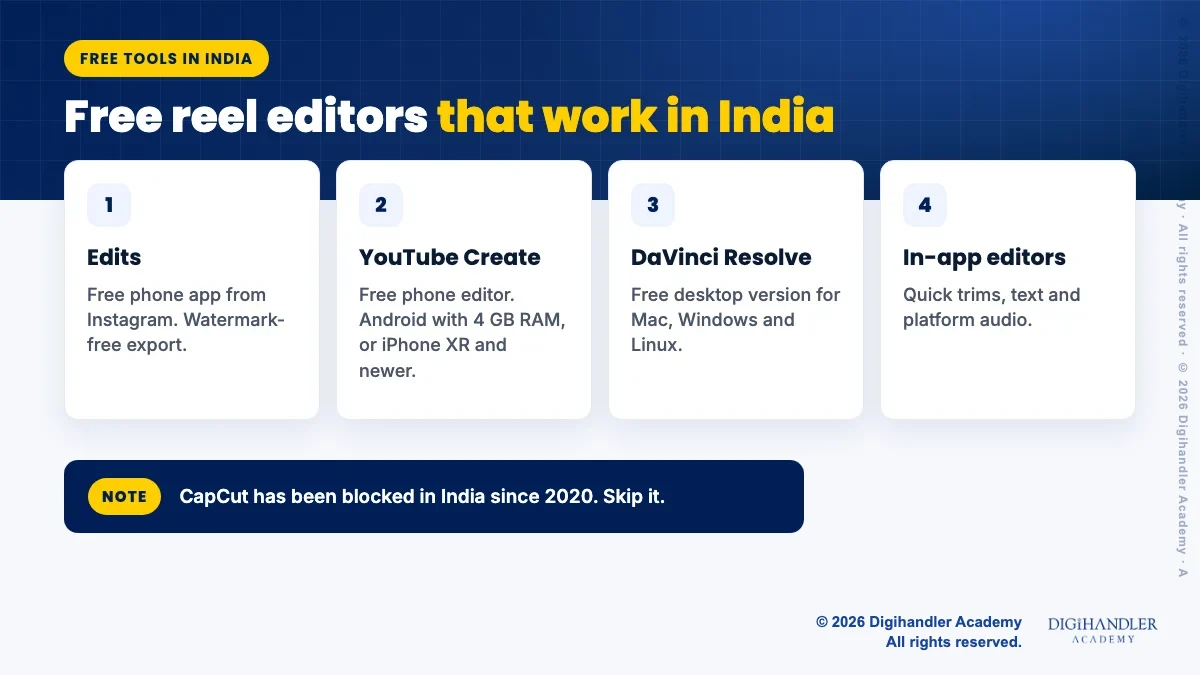
CapCut is popular in many countries, but it has been blocked in India since 2020, so do not plan your work around it or ask clients to use it. Good free options are available here.
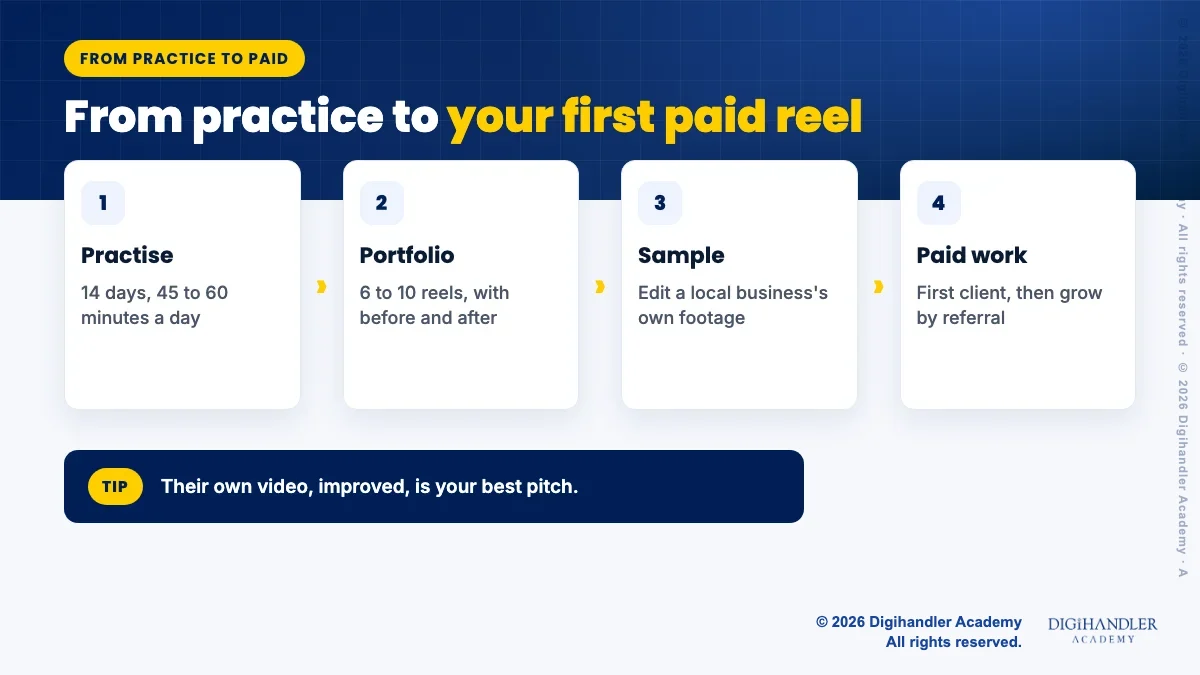
Reels editing for beginners is like learning to drive. Reading helps a little. Daily practice helps a lot. Give it 45 to 60 minutes a day for 14 days.
Almost every business with an Instagram page needs reels: clinics, cafes, coaching centres, boutiques, gyms and real estate agents. Many owners can shoot on their phone but have no time to edit. That gap is where beginners find their first work.
Build a small portfolio of six to ten reels from your practice weeks. Show a before and after for at least two of them. Then offer one local business a sample edit made from their own existing footage. Seeing their own video improved is more convincing than any pitch.
Editing also opens doors to bigger roles. A social media manager who can edit is more useful to a small business than one who cannot. Our guide on getting your first freelancing client covers pricing talks and proposals. If you also want to try AI tools for b-roll or dubbing, see AI video tools for marketers.
If you would rather learn alongside a job or college, read learning digital marketing part-time. And if you are near Rohtak, the academy's two-day video editing masterclass is one way to edit a reel with a trainer before committing to a full video editing course.

Riya writes Digihandler Academy's guides and roadmaps. Every article is fact-checked and reviewed by Lovish Madaan, founder & trainer, who has run the Digihandler agency since 2018. More from Riya →
Start with your phone and one free app, such as Instagram's Edits or YouTube Create, both of which work in India. Shoot short clips of everyday things and practise trimming, adding text, captions and audio. Focus on three habits: a strong first three seconds, cutting out every pause, and captions that work with the sound off. Spend 45 to 60 minutes a day for two weeks and you will have a small set of reels you can show people. Learn a desktop editor like DaVinci Resolve later, when you need it.
No. CapCut, the ByteDance video editor, has been blocked in India since 2020, when the government banned a large group of Chinese apps. Some online guides suggest workarounds, but it is wiser to build your skills on apps that are legally available here, especially if you plan to edit for clients. Instagram's free Edits app, Google's YouTube Create and the free version of DaVinci Resolve cover almost everything a beginner needs. Skills like hooks, pacing and captions carry across any editor, so you lose nothing by choosing a different app.
Only through the music Instagram offers inside the app for your account, and even that has limits. Instagram's help centre says some business accounts and some types of posts do not get access to its licensed music library, because that library is not meant for commercial use. Adding a downloaded song in an outside editor is risky, because your reel can be muted or removed. For business pages, use the audio the app shows for that account, a royalty free library track, or your own voice. Check Instagram's help pages for the latest rules.
There is no single best length, and the platforms change their limits from time to time. YouTube currently treats vertical or square videos up to three minutes as Shorts. For beginners, 15 to 45 seconds is a sensible practice range, because short edits force you to cut slow parts and keep the hook strong. A good reel is as long as its content stays interesting and no longer. If you notice yourself getting bored while watching your own edit, cut that section, no matter how long the reel is.
Yes, many small businesses, creators and agencies pay for reels editing, because owners can shoot on a phone but rarely have time to edit. Earnings depend on your skill, speed, portfolio and the clients you find, so nobody can promise a fixed amount. A practical start is a portfolio of six to ten practice reels, then a sample edit for a local business using its own footage. Editing also makes you stronger for social media roles, where making short videos is often part of the job.
Where AI genuinely saves marketers time on real client work, and where it quietly makes things worse.
Read article →
What decides whether an AI assistant quotes your page, and the fixes worth doing first.
Read article →