AI in digital marketing: what actually works right now
Where AI genuinely saves marketers time on real client work, and where it quietly makes things worse.
Read article →
This is Google Analytics 4 for beginners, written in plain words. GA4 tells you who came to a website, where they came from and what they did there. It looks scary the first time you open it. It gets easy once you know four words and five reports. Every menu name here was checked against Google's own Analytics Help pages in November 2026. Google renames things often, so if a label looks a little different on your screen, search for it in the help centre.
Google Analytics 4, or GA4, is a free tool from Google that watches a website or app and counts what happens. A small piece of code, called the Google tag, sits on every page. Each time someone does something, the tag sends a note to Google.
Think of it as the attendance register of a coaching centre. It does not tell you if the teaching was good. It tells you who came, how often, from which area, and who left early.
Almost every marketing job uses this data. A performance marketer checks which ad brought leads. An SEO person checks which blog post brings visitors. A social media manager checks if Instagram sends anyone to the website. If you are moving into marketing from another field, our guide to switching careers into digital marketing shows where GA4 fits in the bigger plan.
GA4 is built on four words. Learn these and most reports start to make sense.
page_view. Scrolling to the bottom is scroll. Clicking a download link is file_download. In GA4, almost everything is an event.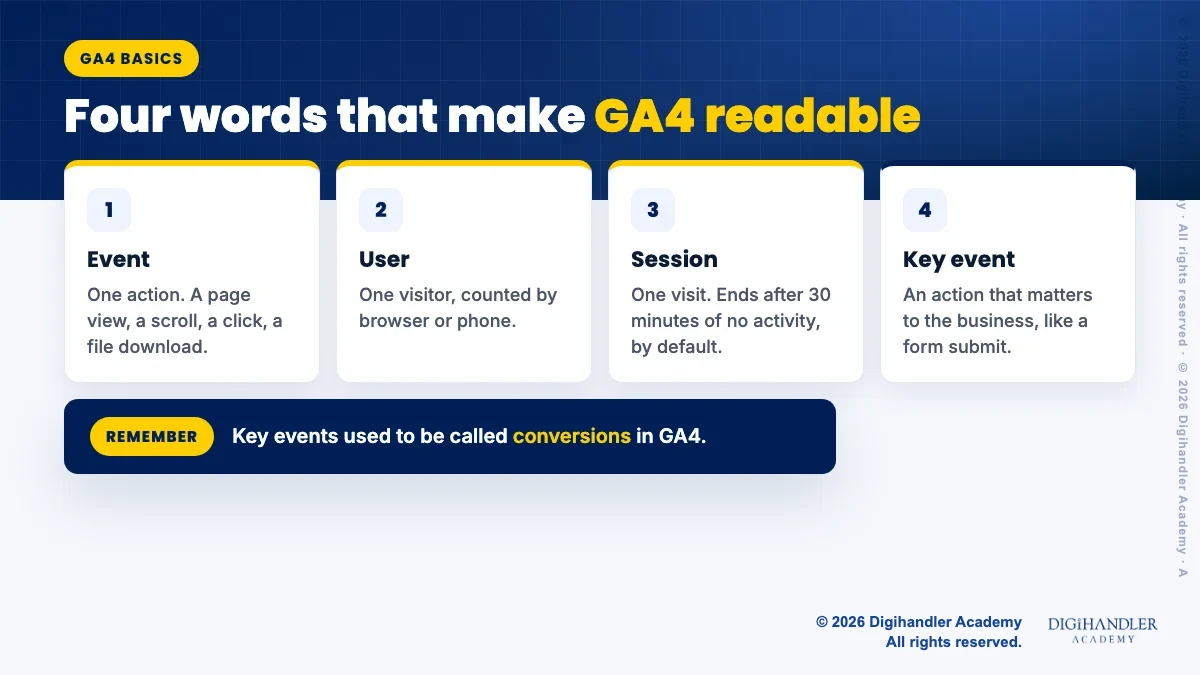
Open Reports in the left menu. You will see many reports, but five answer most everyday questions. Google groups them into collections that can look different from one account to the next, so if a report is not where you expect, use the search bar at the top of GA4.
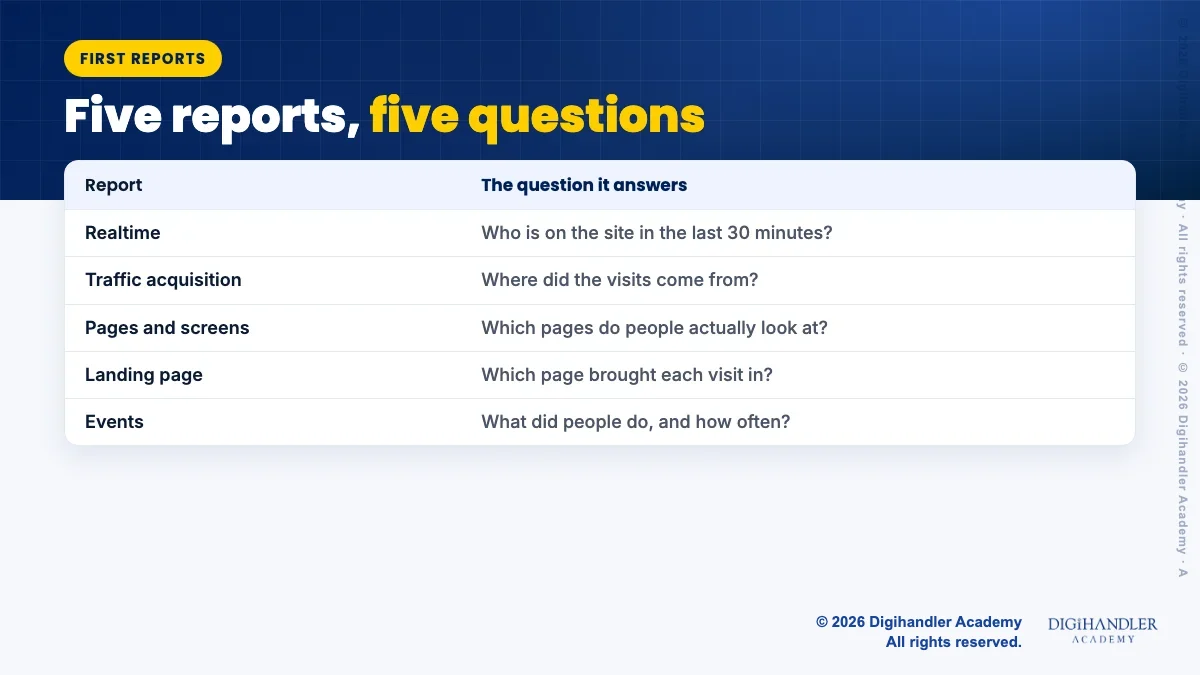
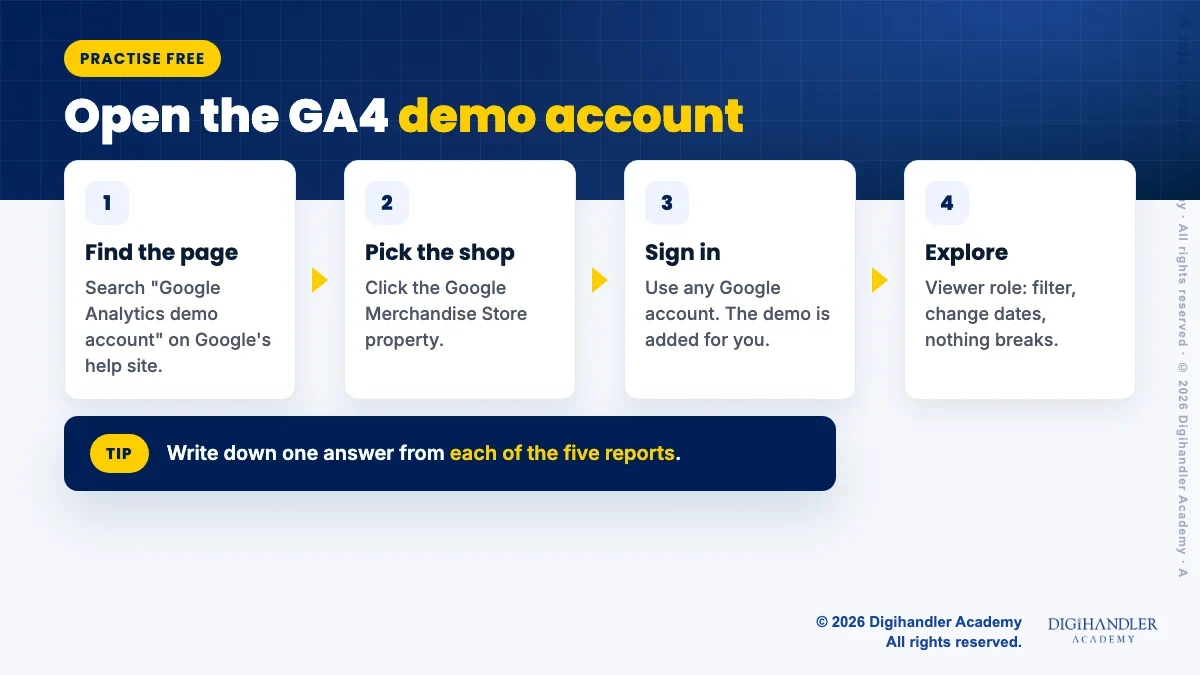
You do not need a website to practise. Google runs a free demo account with real, lightly disguised data. Its help page lists two properties: the Google Merchandise Store, an online shop selling Google-branded goods, and Flood-It!, a simple game with app and web data. Start with the Merchandise Store.
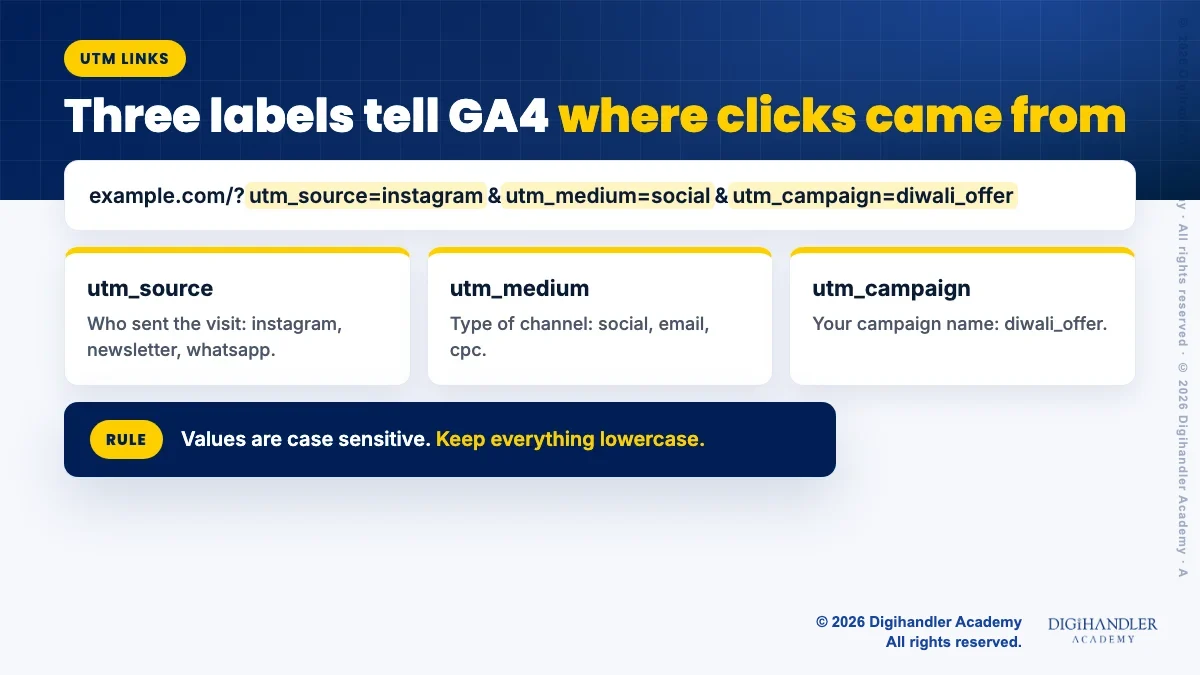
A UTM link is a normal web link with a few labels added at the end. The labels tell GA4 exactly where a visit came from. Without them, a click from your WhatsApp broadcast may show up as "direct" and you never learn the broadcast worked.
Google's help page says you should always use three labels: utm_source (who sent the visit, like instagram), utm_medium (the type of channel, like social or email) and utm_campaign (your campaign name, like diwali_offer). You can add utm_content to tell two links in the same campaign apart.
A full link looks like this: example.com/?utm_source=instagram&utm_medium=social&utm_campaign=diwali_offer. Google offers a free Campaign URL Builder that makes these for you. The data then shows in the Traffic acquisition report.
One warning from Google: the labels are case sensitive. "Instagram" and "instagram" show up as two different sources. Pick lowercase and stick to it.
Most small businesses need very little. Take a coaching centre in Rohtak with a simple website. The owner wants more students, so the useful questions are few.
Whatever the business, track the few actions that bring money, not everything that moves. This is also where GA4 meets ads. To see how marketers use these numbers to judge ad spend, read what performance marketing is, in plain words.
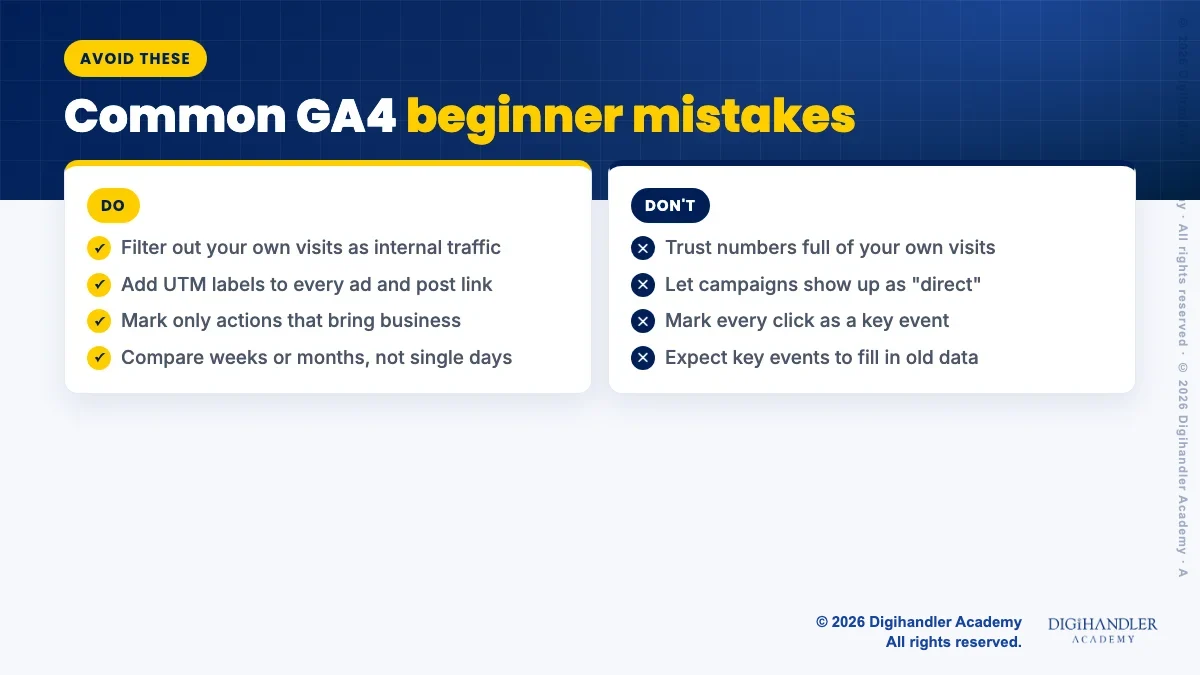
purchase as a key event by default.Most messy GA4 accounts have the same few problems. Check these before you trust any number.
The basics take about a week of short daily practice. Spend 30 minutes a day in the demo account. Day one, the four words. Days two to six, one report a day. Day seven, write a one-page report for the Merchandise Store: top channels, top pages, and one thing you would fix.
Then practise on something real. A friend's shop, your own blog, or a free website. Google's help page says data can take up to 30 minutes to start, and the Realtime report shows when it arrives.
Google also offers a free Analytics certification on Skillshop, which our guide to free digital marketing certifications covers. GA4 skills sit inside SEO and ads work, so the SEO course and the digital marketing course both use them on live accounts. If you would rather learn with a trainer, the academy runs free demo classes, on campus or live online, before you decide anything.

Riya writes Digihandler Academy's guides and roadmaps. Every article is fact-checked and reviewed by Lovish Madaan, founder & trainer, who has run the Digihandler agency since 2018. More from Riya →
Yes. The standard version of Google Analytics 4 is free for websites and apps, and that is the version almost every small business and beginner uses. There is a paid version called Analytics 360 for very large companies, with higher limits such as more key events and longer data retention. For learning, for a small business site or for freelance work, the free version does everything you need. You can also practise at no cost on Google's own demo account before you set up GA4 on any real website.
A user is one visitor, counted by their browser or device. A session is one visit by that user. If a student opens a coaching centre's website in the morning, leaves, and comes back in the evening, GA4 usually counts one user and two sessions. Google's help page says a session ends after 30 minutes of no activity by default. So sessions are always equal to or higher than users. Watch users to see how many people you reach, and sessions to see how often they come back.
A key event is an action that matters to your business, such as a form submit, a phone call click or a purchase. GA4 used to call these conversions. Google renamed them key events to keep them separate from conversions in Google Ads. You mark any event as a key event in Admin, under Data display, Events, by clicking the star next to it. Standard properties can have up to 30 key events. It only counts from the day you mark it, so set them up early.
Use Google's free demo account. Search for "Google Analytics demo account", open Google's help page, and click the link for the Google Merchandise Store property. Sign in with any Google account and it is added to your Analytics. You get the Viewer role, so you can explore reports, change dates, filter tables and build your own reports without breaking anything. Some features are switched off, like exporting reports. It is real shop data, lightly disguised, which makes it ideal for practice and for writing sample reports.
Google's help page says you should always use three: utm_source for who sent the visit, such as instagram or newsletter, utm_medium for the type of channel, such as social or email, and utm_campaign for the campaign name. You can add utm_content to tell two links in one campaign apart, and utm_term for paid keywords. Keep every value lowercase, because GA4 treats Instagram and instagram as two different sources. Google's free Campaign URL Builder creates these links for you.
Where AI genuinely saves marketers time on real client work, and where it quietly makes things worse.
Read article →
What decides whether an AI assistant quotes your page, and the fixes worth doing first.
Read article →